EasyManua.ls Logo

Fostex DMT-8VL - 2. Move & Paste

Fostex DMT-8VL
158 pages
Print Icon
To Next Page IconTo Next Page
To Previous Page IconTo Previous Page
Loading...
DMT
8vl
Owner's
Manual
(Edit
function)
2.
Move
&
Paste
The
Move
&
Paste
function
"moves*
sound
data
to
the
Clipboard,
and
"pastes
0
the
data
in
the
same
track
or
another
track.
You
can
specify
the
number
of
repeats
of
the
paste
operation
(0-99)
to
paste
data
repeatedly.
The
difference
between
the
Copy
&
Paste
and
the
Move
&
Paste
operation
is
that
after
the
Move
&
Paste
operation
the
source
data
and
the
data
on
the
Clipboard
will
be
removed.
You
can
use
this
function
with
any
Time
Rase.
|
To
perform
the
Move
operator,
you
first
need
to
set
tho
start
point
(Clipboard
In
paint)
and
the
end
pome
(Clipboard
Out
point)
of
the
data
to
be
moved,
and
the
movo
source
track.
To
perform
the
Paste
operation,
you
need
to
set
the
start
point
(Auto
Punch
In
point)
and
the
paste
destination
pool
<Note>
The
data
on
the
Ckpbovd
wfl
be
replaced
by
new
data
each
time
you
press
the
COPY
key
or
the
MOVE
key.
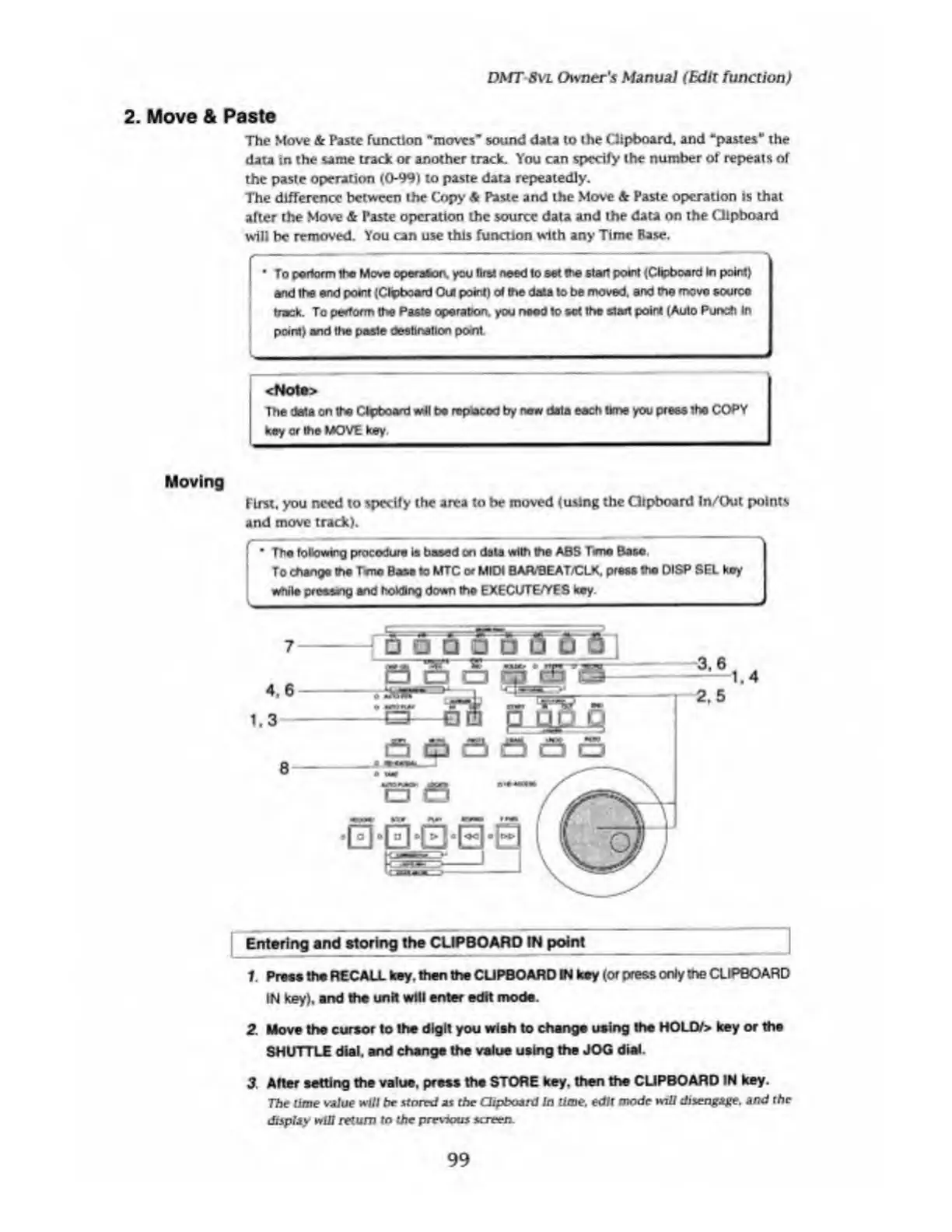
Moving
First,
you
need
to
specify
the
area
to
be
moved
(using
the
Gtpboard
In/Out
points
and
move
track).
The
following
procedure
is
baaed
on
data
with
the
ABS
T*ne
Base
To
change
the
Tmc
Base
to
MTC
or
MIDI
BAIVBEAT/CLK,
press
the
DISP
SEL
koy
while
crcesng
and
holding
down
the
EXECUTE/YES
key.
-
Entering
and
storing
the
CUPBOARD
IN
point
_
_
1.
Press
the
RECALL
key.
then
the
CUPBOARD
IN
ksy
(or
press
only
the
CLIPBOARD
IN
key),
and
the
unit
will
enter
edit
mode.
2.
Move
the
cursor
to
the
digit
you
wish
to
change
using
the
HOLO/>
key
or
the
SHUTTLE
dial,
and
change
the
value
using
the
JOG
dial.
3
Alter
setting
the
value,
press
the
STORE
key.
then
the
CUPBOARD
IN
key.
The
rime
vaiue
will
he
stored
as
the
Clipboard
In
lime,
edit
mode
will
disengage,
and
the
display
will
return
to
the
previous
screen.
99

Table of Contents

Related product manuals