EasyManua.ls Logo

Fostex DMT-8VL - Warning Messages

Fostex DMT-8VL
158 pages
Print Icon
To Next Page IconTo Next Page
To Previous Page IconTo Previous Page
Loading...
DMT-8vl
Owner's
Manual
(Names
and
Functions)
6.
Warning
messages
The
following
warning
messages
appears
automatically
when
you
operate
the
DMT-
8
vl
incorrectly,
input
invalid
or
improper
data,
or
when
their
errors
occur:
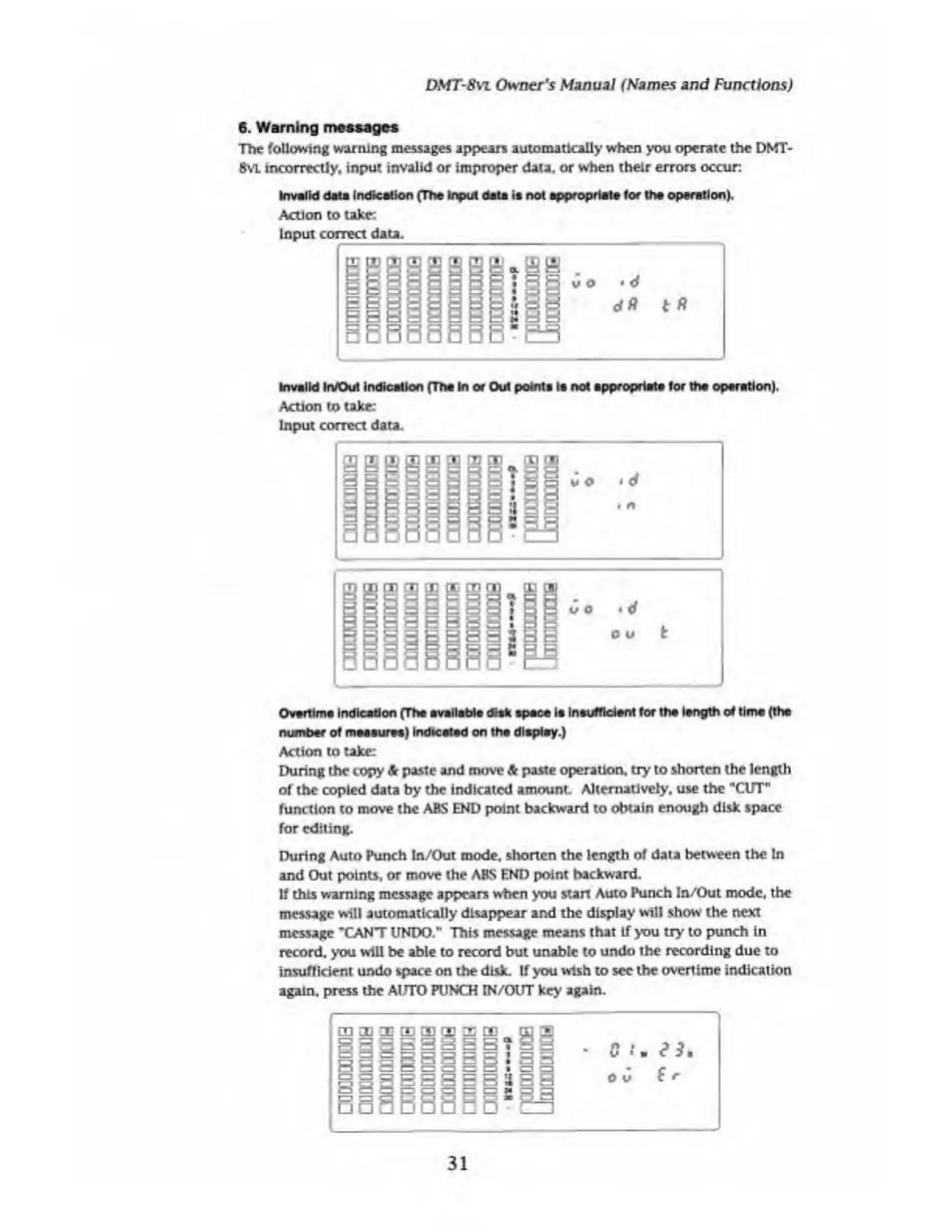
Invalid
data
indication
(The
input
data
it
not
appropriate
for
the
operation).
Action
to
take:
Input
correct
data.
_
Invalid
In/Out
indication
(The
In
or
Out
points
Is
not
appropriate
for
the
operation).
Action
to
take:
Input
correct
data.
Overtime
Indication
(The
available
disk
space
ie
Insufficient
for
the
length
of
time
(the
number
of
measures)
indicated
on
the
display.)
Action
to
take:
During
the
copy
&
paste
and
move
&
paste
operation,
try
to
shorten
the
length
of
the
copied
data
by
the
indicated
amount.
Alternatively,
use
the
"CUT"
function
to
move
the
ABS
END
point
backward
to
obtain
enough
disk
space
for
editing.
During
Auto
Punch
In/Out
mode,
shorten
the
length
of
data
between
the
In
and
Out
points,
or
move
the
ABS
END
point
backward.
If
this
warning
message
appears
when
you
start
Auto
Punch
In/Out
mode,
the
message
will
automatically
disappear
and
the
display
will
show
the
next
message
"CANT
UNDO."
This
message
means
that
If
you
try
to
punch
in
record,
you
will
be
able
to
record
but
unable
to
undo
the
recording
due
to
insufficient
undo
space
on
the
disk.
If
you
wish
to
see
the
overtime
indication
again,
press
the
AUTO
PUNCH
IN/OUT
key
again.
31

Table of Contents

Related product manuals