EasyManua.ls Logo

Fostex DMT-8VL - Switching the Display Using the DKP SEL Key

Fostex DMT-8VL
158 pages
Print Icon
To Next Page IconTo Next Page
To Previous Page IconTo Previous Page
Loading...
DMT
-8vl
Owner's
Manual
(Names
and
Functions)
6.
SETUP
Refer
to
"2.
Switching
the
display
using
the
D1SP
SEL
key."
7.
CHASE
This
message
flashes
when
the
"Slave
mode"
in
the
setup
mode
is
set
to
"ON."
It
will
light
up
when
the
lock
operation
Is
complete.
B.
CANT
UNDO
If
you
try
to
perform
Auto
Punch
In/Out
recording
after
the
DMT-Bvl
enters
Auto
Punch
In/Oul
mode,
this
message
appears
to
warn
you
that
you
will
he
unable
to
undo
the
recording
even
If
you
can
record,
because
there
Is
not
enough
Undo
area
on
the
disk.
».
COMPLETED!
This
message
indicates
that
an
operation
such
as
copy,
move,
and
paste
has
been
completed.
10.
SURE?
This
message
is
shown
to
confirm
whether
or
not
you
wish
to
execute
a
certain
operation.
11.
LOAD,
SAVE,
FORMAT,
MTC
OFFSET.
FRAME
RATE,
MIDI
SYNC
OUT,
TEMPO.
BAR,
When
the
DMT-8vi
enters
Setup
mode,
the
preceding
words
appear
as
names
for
the
parameters
being
set.
12.
MKN
This
Indication
lights
up
when
the
DMT-8
vl
receives
effective
MIDI
messages
from
an
external
MIDI
device.
13.
DIGITAL
This
indication
lights
up
when
the
DMT-8
vl
is
receiving
a
digital
signal
properly
at
the
DATA
IN
connector
while
loading
data
from
a
DAT
machine.
If
this
indication
is
blinking,
the
digital
signal
Is
not
being
received
correctly,
14.
7-atgmant
Otsptoy
This
display
shows
the
ABS
time.
MTC
time,
BAR/BEAT/CLK,
and
Program
number.
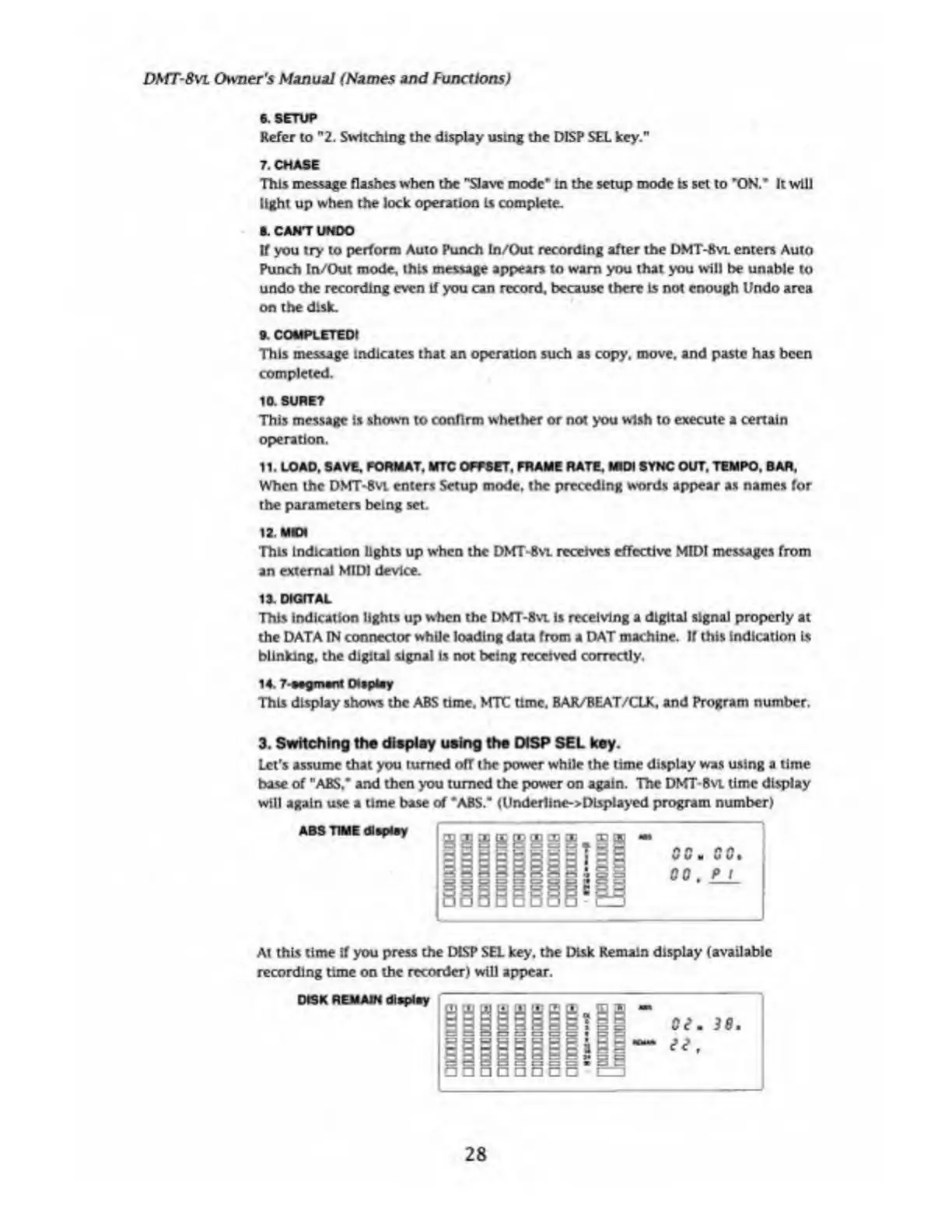
3.
Switching
the
display
using
the
DISP
SEL
key.
Let's
assume
that
you
turned
ofT
the
power
while
the
time
display
was
using
a
time
base
of
"ABS,"
and
then
you
turned
the
power
on
again.
The
DMT-8vi
time
display
will
again
use
a
time
base
of
"ABS."
(UnderlinesDisplayed
program
number)
At
this
time
if
you
press
the
DLSP
SEL
key,
the
Disk
Remain
display
(available
recording
time
on
the
recorder)
will
appear.
28

Table of Contents

Related product manuals