EasyManua.ls Logo

Fostex DMT-8VL - Setting a Digital Output Channel (Dg Out)

Fostex DMT-8VL
158 pages
Print Icon
To Next Page IconTo Next Page
To Previous Page IconTo Previous Page
Loading...
DSiTSvi
Owner's
Manual
(SETUP
mode)
13.
Setting
a
digital
output
channel
(“dG
out”)
Using
"dG
out"
of
Setup
menu,
you
can
assign
any
of
analog
outputs
1-8
to
digital
output
L
or
R.
Select
any
one
combination
from
"1-2",
"3-4",
"5-6",
"7-8",
"S-t"
(stereo
output
L,
R
in
the
mixer
section).
This
assignment
will
allow
you
to
record
digital
data
from
the
DMT-8VL’s
DATA
OUT
to
an
external
digital
device
(such
as
DAT,
MD,
etc.)
This
setting
will
be
shared
by
all
Programs.
The
default
setting
Is
"S-t".
Turning
the
power
off
will
set
this
setting
to
default.
1.
Press
the
DISP
SEL
key
to
select
'SETUP’
and
press
the
EXECUTE/YES
key.
(
SETUP*
win
light
up.)
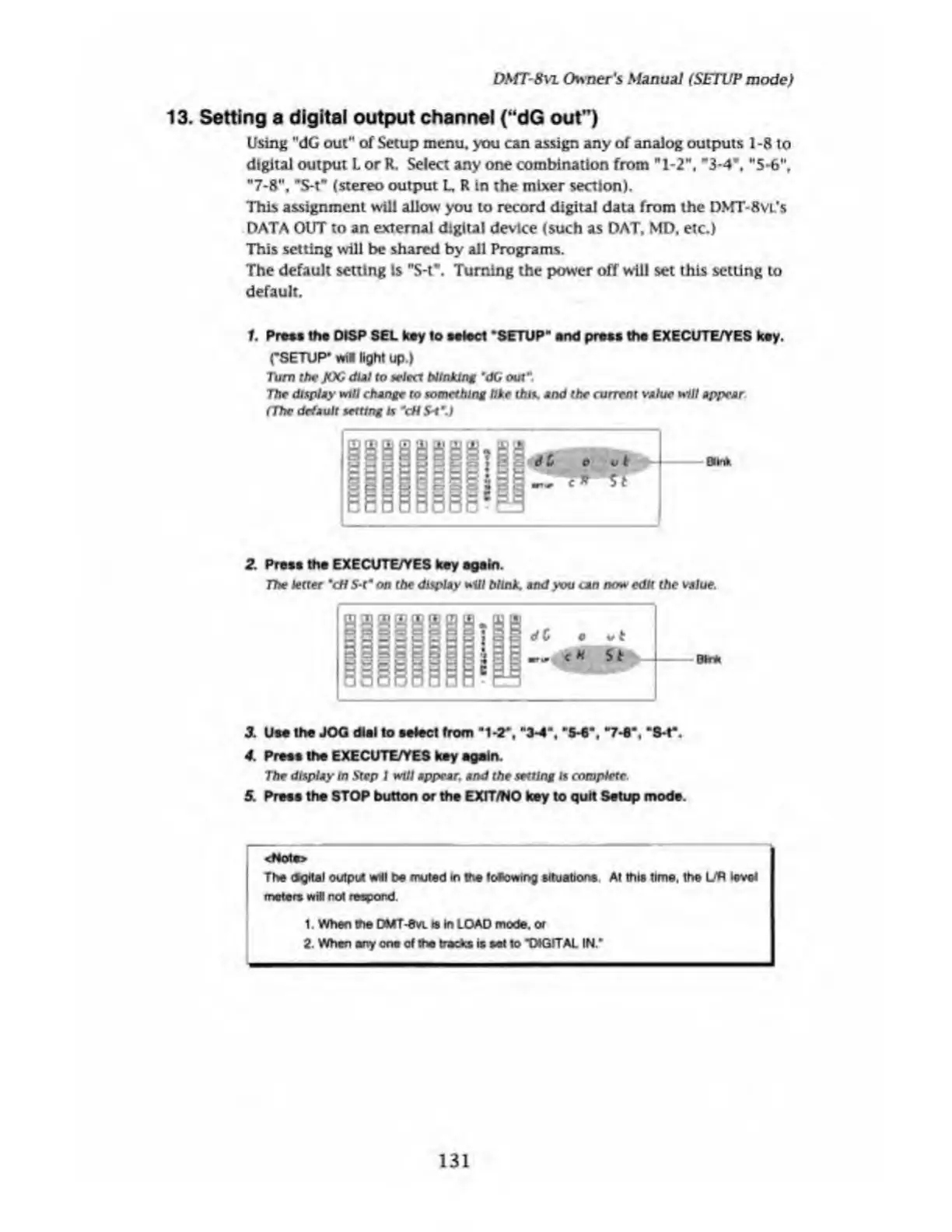
Turn
the
JOG
dUI
to
select
blinking
‘d(j
out".
The
display
will
change
to
something
like
this,
and
the
current
value
will
appear
(The
default
setting
u
"cH
S-t’.)
2.
Press
the
EXECUTE/YES
key
again.
The
letter
"cH
S-t"
on
the
display
will
blink,
and
you
can
now
edit
the
value.
dC
O
vi
HUst
Btr*
3.
Um
the
JOG
dial
to
select
front
“1-2*,
M
3-4-,
"W,
"S-t*.
4.
Press
the
EXECUTE/YES
key
again.
The
dlsptay
in
.Sr
ep
I
will
appear,
and
the
setting
is
complete.
5.
Press
the
STOP
button
or
the
EXIT/NO
key
to
quit
Setup
mode.
<Not»>
The
Ogltal
output
will
be
nxjted
m
me
toaowtng
situations.
At
this
time,
the
UP
level
meters
will
not
respond.
1.
When
me
DtfT-evL
Is
In
LOAD
mode,
or
2
When
any
one
of
the
tracks
is
set
to
*DtGITAL
IN.*
131

Table of Contents

Related product manuals