EasyManua.ls Logo

Fostex DMT-8VL - Copy & Pasting

Fostex DMT-8VL
158 pages
Print Icon
To Next Page IconTo Next Page
To Previous Page IconTo Previous Page
Loading...
DMT-SVL
Owner's
Manual
(Edit
function)
<Note
1>
If
you
pm<
the
COPY
key
elthcl
Mtocting
a
copy
»ourc*
by
the
RECORD
TRACK
ecrt
erx
toy.
tre
depiay
w*l
ttw
“SELECt
SV
imaarinQ
"Select
a
copy
tree*
'}
and
return
to
the
previous
Kf
ean
In
ftks
cam.
salacs
a
copy
eourca
track
and
try
again
to
copy
trio
dote
<Notc
2
>
M
tho
Output
pomt
has
boon
opocihod
boloro
the
k>
port
(tho
In
point
veto
*
Iho
soma
or
tern®
than
the
Out
point
va"*).
tho
dfeptoy
vrtl
show
no
onor
rrwaaage
Void
In'
or
-Void
OUT
and
return
to
the
pcewoue
screen
h
this
cam
sat
correct
irvOU
point*
and
try
*p»n
*5
copy
the
data
<Note
3>
The
doss
an
the
Clptoard
ell
be
replaced
by
rum
data
each
time
you
press
the
COPY
toy
or
the
MOVE
toy
Listening
to
sound
data
copied
on
the
clipboard
(Clipboard
Play
function)
To
listen
to
the
sound
data
currently
copied
to
the
clipboard,
press
the
PLAY
button
while
holding
down
the
STOP
button
(Clipboard
Play
mode).
The
data
will
be
played
back
from
the
beginning.
To
stop
the
playback
in
the
middle,
press
the
STOP
button.
f
*
Durng
the
cupboard
playback,
the
deplay
shows
9m
posfeon
of
the
source
data
reterenced
to
the
selected
time
base
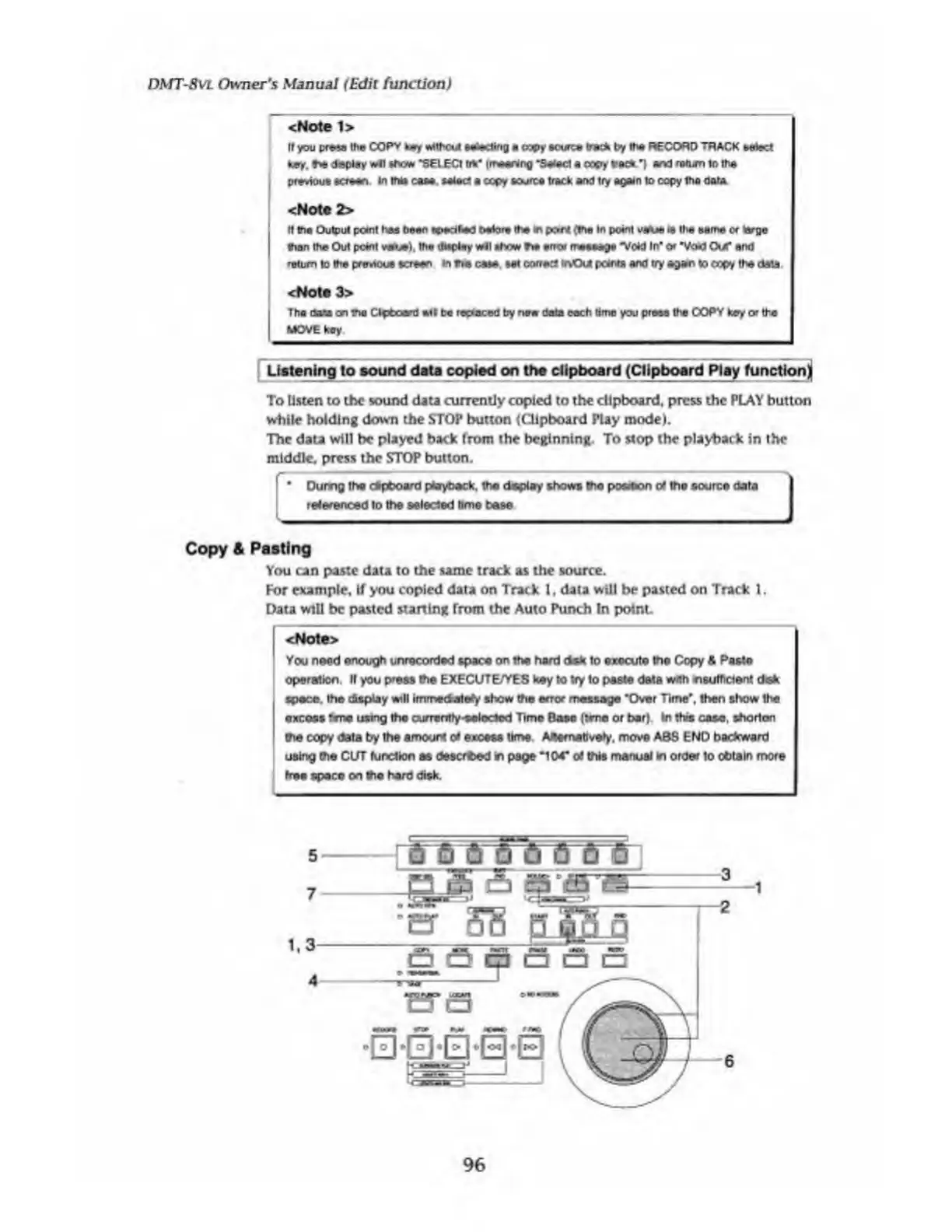
Copy
&
Pasting
You
can
paste
data
to
the
same
track
as
the
source.
For
example,
if
you
copied
data
on
Track
1,
data
will
be
pasted
on
Track
1.
Data
will
be
pasted
starting
from
the
Auto
Punch
In
poinL
<Note>
You
need
enough
unrecorded
space
on
the
hard
dsk
to
execute
the
Copy
4
Paste
operation.
If
you
press
the
EXECUTE/YES
key
to
tty
to
paste
data
with
^sufficient
disk
space,
the
display
will
immedatety
show
the
error
message
'Over
Time',
then
show
the
excess
fane
using
the
currantty'Selected
Time
Base
(tvne
or
bar).
In
thw
cose,
shorten
the
copy
data
by
the
amount
o*
excess
time
AAemetlvefy.
move
ABS
END
backward
using
the
CUT
function
as
desorbed
m
page
‘104*
of
this
manual
in
order
to
obtain
more
free
space
on
the
hard
disk.
96

Table of Contents

Related product manuals