EasyManua.ls Logo

Fostex DMT-8VL - Auto Play Mode; Auto Return Mode

Fostex DMT-8VL
158 pages
Print Icon
To Next Page IconTo Next Page
To Previous Page IconTo Previous Page
Loading...
DMT-8VL
Owner's
Manual
(Locate
function)
2.
Auto
Play
mode
Turn
Auto
Play
mode
on
before
using
the
Direct
Locate
function,
and
the
DMT-8
vl
will
automatically
start
playback
from
the
located
point
(except
when
the
ABS
END
point
Is
located).
The
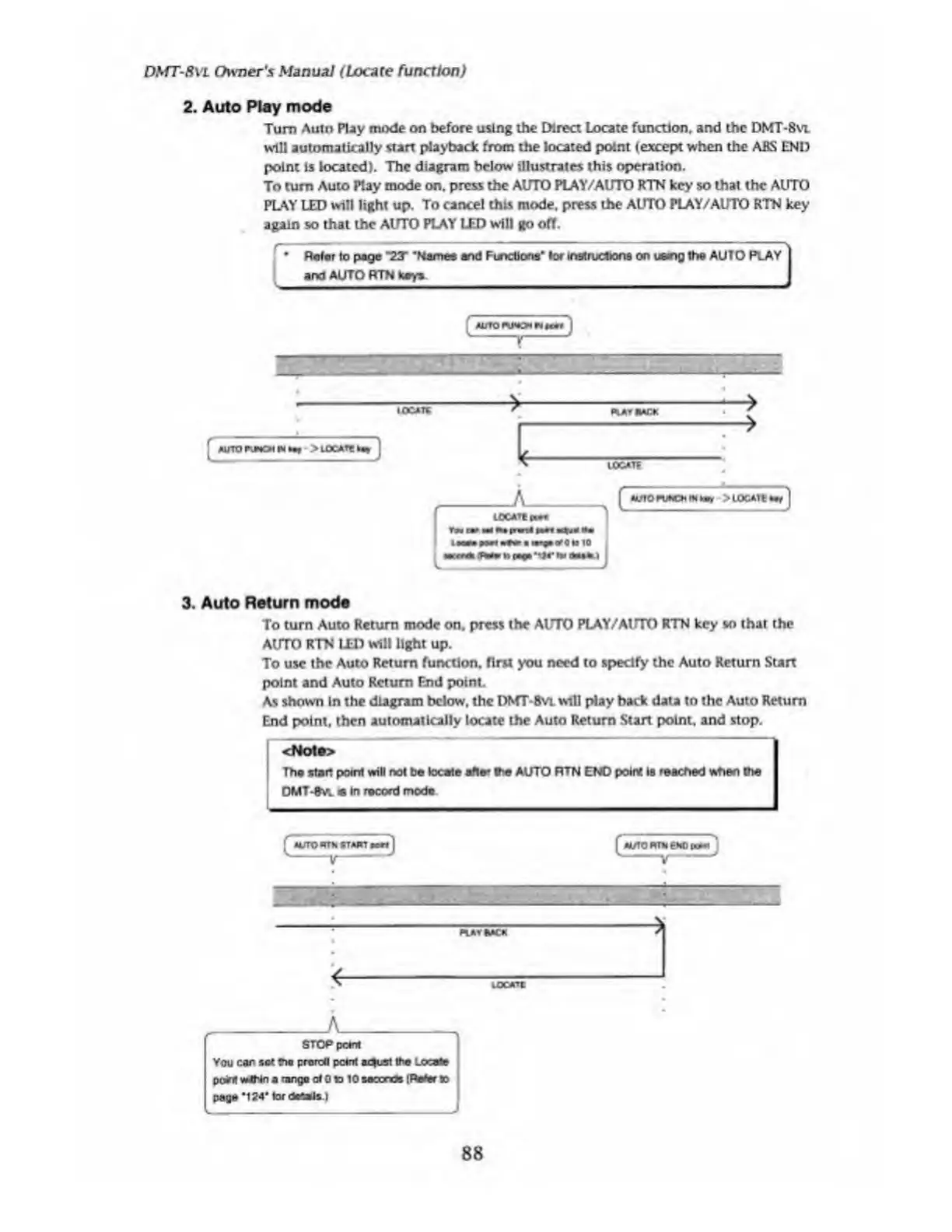
diagram
below
illustrates
this
operation.
To
turn
Auto
Play
mode
on.
press
the
AUTO
PLAY/AUTO
RTN
key
so
that
the
AUTO
PLAY
LED
will
light
up.
To
cancel
this
mode,
press
the
AUTO
PLAY/AUTO
RTN
key
again
so
that
the
AUTO
PLAY
LED
will
go
off.
.Waft*
w
(*o»
rv<*•*
i
3.
Auto
Return
mode
To
turn
Auto
Return
mode
on.
press
the
AUTO
PLAY/AUTO
RTN
key
so
that
the
AUTO
RTN
LED
will
light
up.
To
use
the
Auto
Return
function,
first
you
need
to
specify
the
Auto
Return
Start
point
and
Auto
Return
End
point.
As
shown
In
the
diagram
below,
the
DNfT-BvL
will
play
back
data
to
the
Auto
Return
End
point,
then
automatically
locate
the
Auto
Return
Start
point,
and
stop.
LOCATE
88

Table of Contents

Related product manuals