EasyManua.ls Logo

Fostex DMT-8VL - Punch In;Out Rehearsal

Fostex DMT-8VL
158 pages
Print Icon
To Next Page IconTo Next Page
To Previous Page IconTo Previous Page
Loading...
DMT-8VL
Owner's
Manual
(Punch
In/Out)
Dfiimr
af
inn
I
prapfn
_
|
1
Connect
the
guitar
lo
Input
jack
1.
Refer
to
"Basic
Recording'
(or
more
information
on
adf
listing
the
recording
level.
2
Conned
the
foot
twitch
Model
8051
to
the
PUNCH
IN/OUT
lack
on
the
rter
penel
of
the
DMT-dVL.
Switch
setting
INPUT
SEL
vmhch
Channel
1TNPUT
L
Channel
2
-
B:
"OPF*
icorrer
poaecn)
_
INPUT
Udar
&
LEvfiT
Miter,
1
Channel
1:
"AceOfdtoghT.
LEVEL:
*M\
Channel
2
-
8
"0*
PAN
knob
|chanrel
1)
V
(Tian
the
knot)
full
ccuaw-cJodn^ee
;
MONfcnoos
CherrW
1-3:
r
TRK
1".
*TRK
27,
*TRK
3"
(Turn
Smi
knobsi
MON
PAN
knob
MASTER
kneto
on
Sw
monaor
section
Channel
t
-
3
Adust
the
position
for
easier
Adfrjst
te
level
kr
see*'
rrcNtonrg
SELECTOR
nrtfch
on
tie
merteor
section
Set
to
"MON"
MASTER
teder
UR
Sot
to
*7
-
a*
RECORD
TRACK
select
hey
Press
*3L"
to
ready
T
rack
3.
Punch
In/Out
Rehearsal
(Using
a
foot
switch)
Rehearsal
operation
1
Press
the
foot
switch
once
white
holding
down
the
STOP
button.
The
recorder
enters
'Rehearsal"
mode,
and
the
7
segment
display
on
the
upper
row
of
the
screen
will
show
"rtHSAL*.
and
the
7-tegment
display
on
the
bottom
row
will
show
"on
M
for
one
second.
Only
the
REHEARSAL
LED
igreen)
will
blink.
2
Press
the
PLAY
button
at
a
location
just
before
the
punch
in
point
to
play
back
data.
3
.
Rehearse
the
guitar
part
white
playing
back
the
drum
and
bass
sounds
4.
Press
the
foot
switch
once
at
the
Punch
In
point,
and
press
the
foot
switch
again
at
the
PunchOut
point.
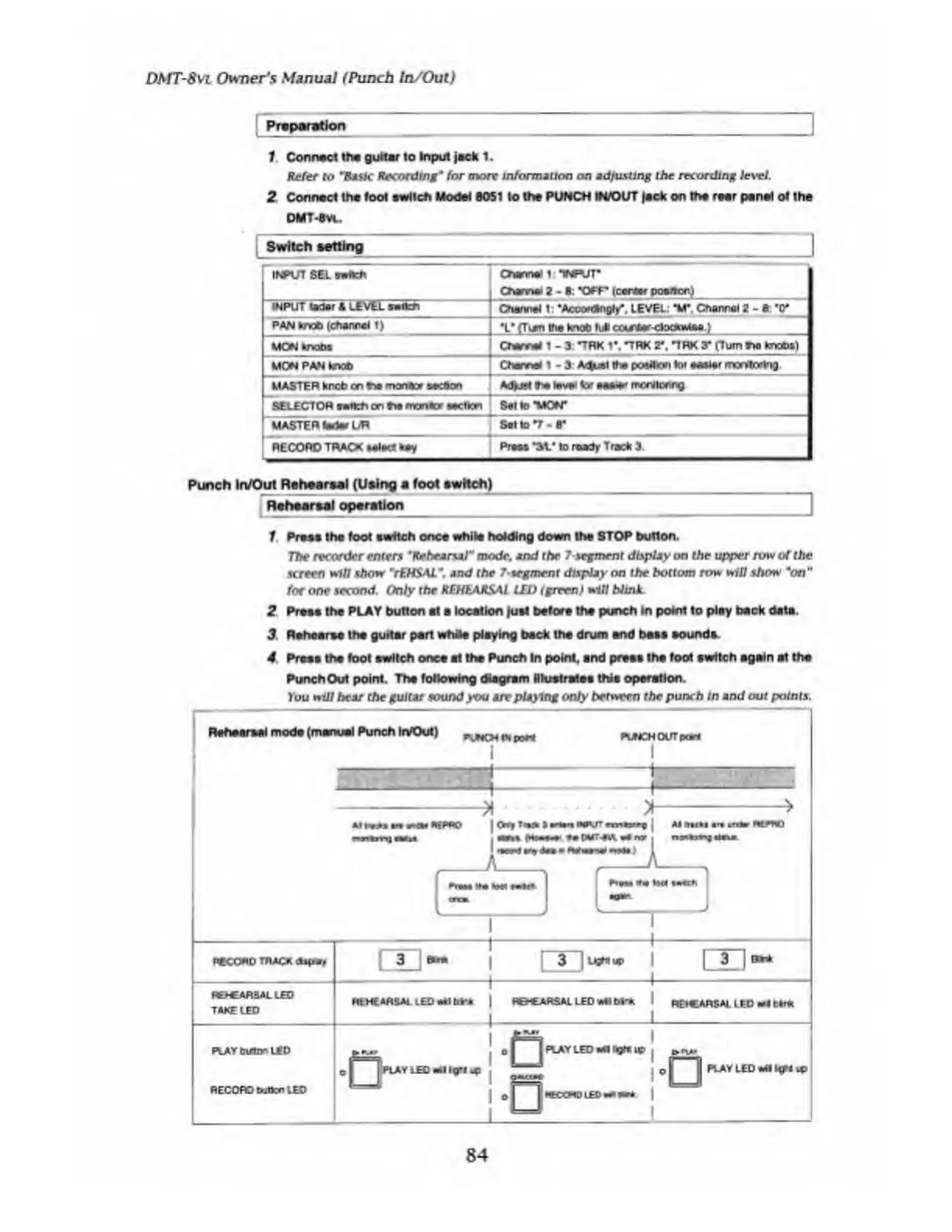
The
following
diagram
illustrates
this
operation.
You
will
hear
the
guitar
sound
you
are
playing
only
her
why]
the
punch
in
and
out
points.
84

Table of Contents

Related product manuals