EasyManua.ls Logo

Fostex DMT-8VL - Edit Function

Fostex DMT-8VL
158 pages
Print Icon
To Next Page IconTo Next Page
To Previous Page IconTo Previous Page
Loading...
DMT-8VL
Owner's
Manual
(tdit
function)
Edit
Function
This
chapter
describes
various
editing
functions
on
the
DMT-8
vl.
The
DMT-8
vl
uses
the
hard
disk
as
a
recording
media,
which
allows
for
non-linear,
non-destructive,
quick
audio
editing.
The
edit
function
includes
the
Copy
&
Paste,
Move
A
Paste.
Erase,
and
Cut
functions.
Precautions
for
editing>
The
DMT-8M.
contains
Program
1-5.
each
oI
wNch
can
be
separately
recorded
and
edited.
Before
you
start
edttJng.
confirm
that
you
have
selected
a
correct
Program
to
edt
by
pressing
the
STORE
Key
wb#e
holdng
down
the
HOLQfr
key.
If
you
start
edflmg
the
wrong
Program,
the
original
Program
data
will
be
tost
forever
Be
sure
to
check
your
Program
selection
bHore
editing.
Also,
do
not
select
another
Program
until
el
edSng
operation
are
complete
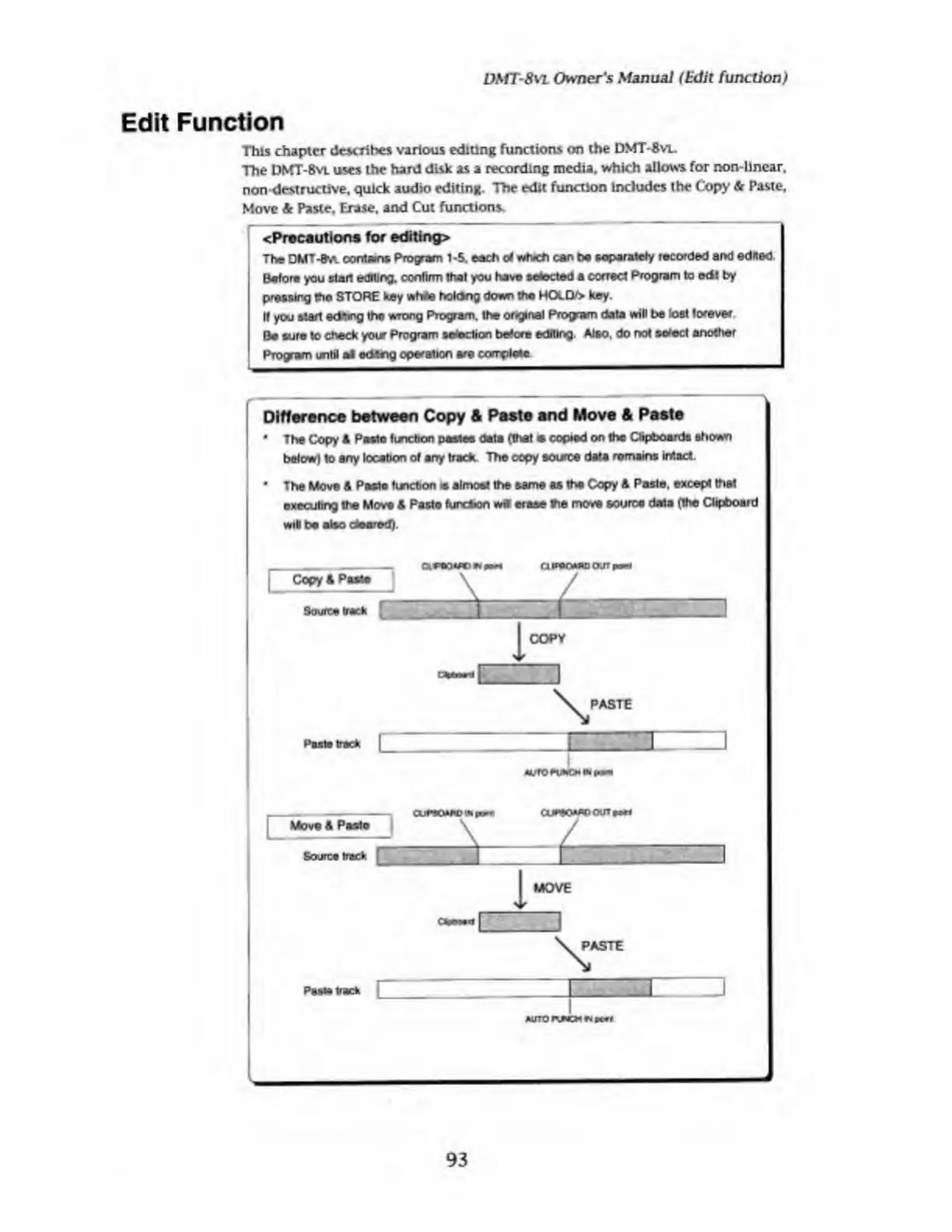
Difference
between
Copy
&
Paste
and
Move
&
Paste
*
The
Copy
&
Paste
tincbon
pastes
data
(that
copied
on
the
Clipboards
shown
belowl
to
any
location
of
any
track
The
copy
source
data
remains
intact.
*
The
Move
&
Pasta
listcbon
is
almost
the
same
as
tha
Copy
A
Paste,
except
that
executing
the
Move
S
Paste
functoon
wit
erase
tie
move
source
data
(the
Clipboard
wit
be
also
cleared).
Copy*
Pi
MOVE
93

Table of Contents

Related product manuals