EasyManua.ls Logo

Fostex DMT-8VL - Setting Recording Enable;Disable Mode (Rec ENABLE;DISABLE)

Fostex DMT-8VL
158 pages
Print Icon
To Next Page IconTo Next Page
To Previous Page IconTo Previous Page
Loading...
DMT
Svl
Owner's
Manual
(SETUP
mode)
11.
Setting
Recording
Enable/Disable
mode
("rEc"
ENABLE/
DISABLE)
"REC
ENABLE"
in
Setup
mode
is.
used
to
turn
on/off
recording
enable
-
disable
mode
to
prevent
accidental
recording.
(This
function
is
similar
to
breaking
the
tab
on
a
cassette
tape
to
protect
a
recording.)
This
setting
Is
available
for
each
Program,
and
will
be
maintained
after
the
power
Is
turned
off.
<NoU>
If
you
select
record
disable
mode
(rEc
DISABLE),
and
you
try
lo
record,
paste,
eraso
or
cut
data
on
any
selected
track,
the
display
wil
show
'diSAbt
rEc*
for
about
one
second,
•ndcating
that
these
operations
ar©
disabled
If
you
wish
to
use
one
of
these
operations,
frsi
select
record
enable
mode
(rEc
ENABLE).
1
Press
the
STORE
key
while
pressing
and
holding
down
ths
HOLD/>
key
to
select
Program.
2
Press
the
DISP
SEL
key
to
select
"SETUP"
end
press
the
EXECUTE/YES
key.
(•SETUP
-
will
light
up.)
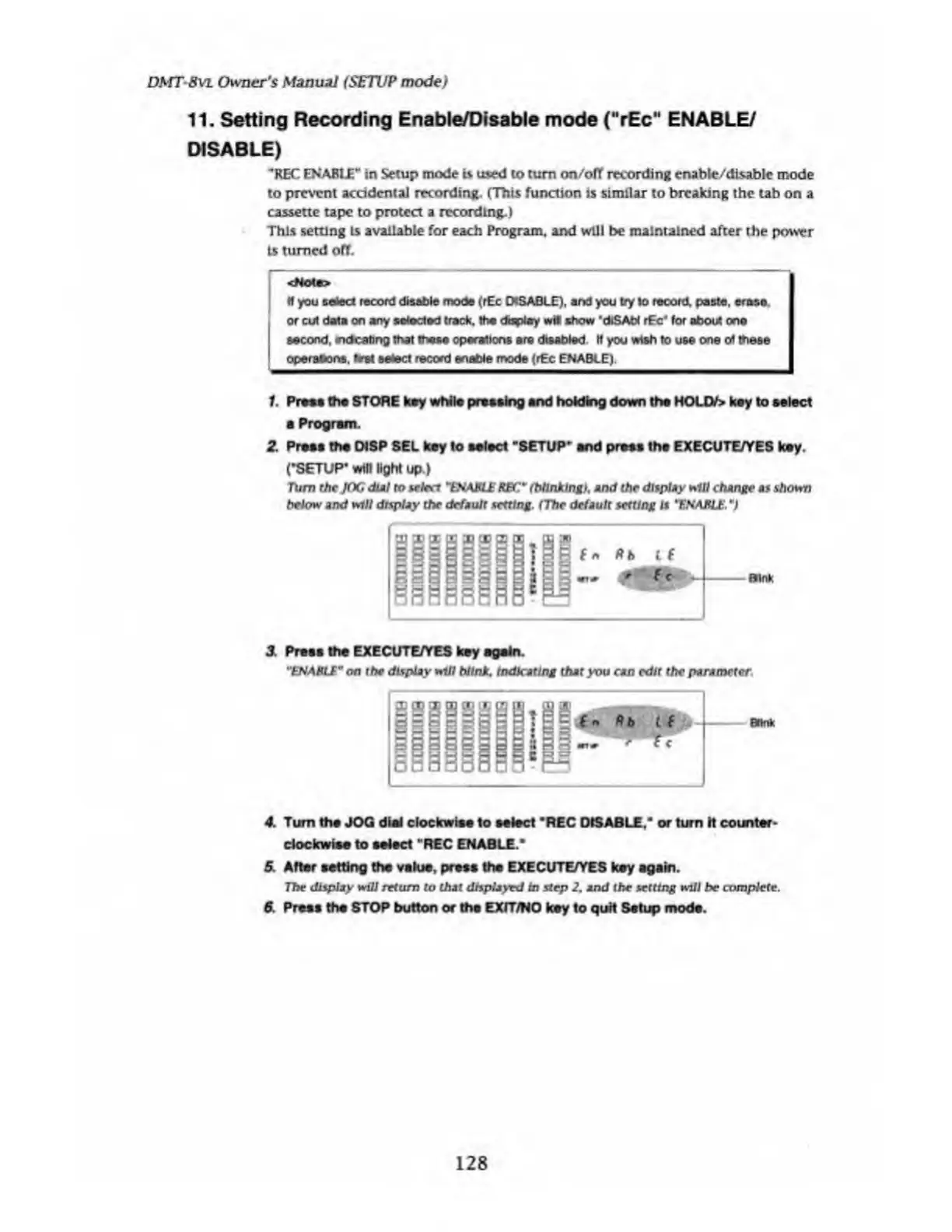
Turn
the
JOG
dial
to
select
THAME
REC*
f
blinking),
and
the
display
w
ill
change
as
shown
below
and
will
display
the
default
setting.
(The
default
setting
is
THAME.
*)
Rb
l
f
Mb
Brink
2
Press
the
EXECUTE/YES
key
again.
"ENABIE"
on
the
display
will
blink.
Indicating
that
you
can
edit
the
parameter
$0
Rb
t
f
tT
Blink
4.
Turn
the
JOG
dial
clockwise
to
select
*REC
DISABLE,"
or
turn
h
counter¬
clockwise
to
select
1
REC
ENABLE."
5.
After
setting
the
value,
press
the
EXECUTE/YES
key
again.
The
display
will
return
to
that
displayed
in
step
2.
and
the
setting
will
he
complete.
6.
Press
the
STOP
button
or
the
EXfT/NO
key
to
quit
Setup
mods.
128

Table of Contents

Related product manuals