EasyManua.ls Logo

Fostex DMT-8VL - Selecting the Synchronized Signal Output from the MIDI out Connector (MIDI SYNC OUT)

Fostex DMT-8VL
158 pages
Print Icon
To Next Page IconTo Next Page
To Previous Page IconTo Previous Page
Loading...
DMT-Svi
Owner's
Manual
(SETUP
mode)
8.
Selecting
the
synchronized
signal
output
from
the
MIDI
OUT
connector
("MIDI
SYNC
OUT”)
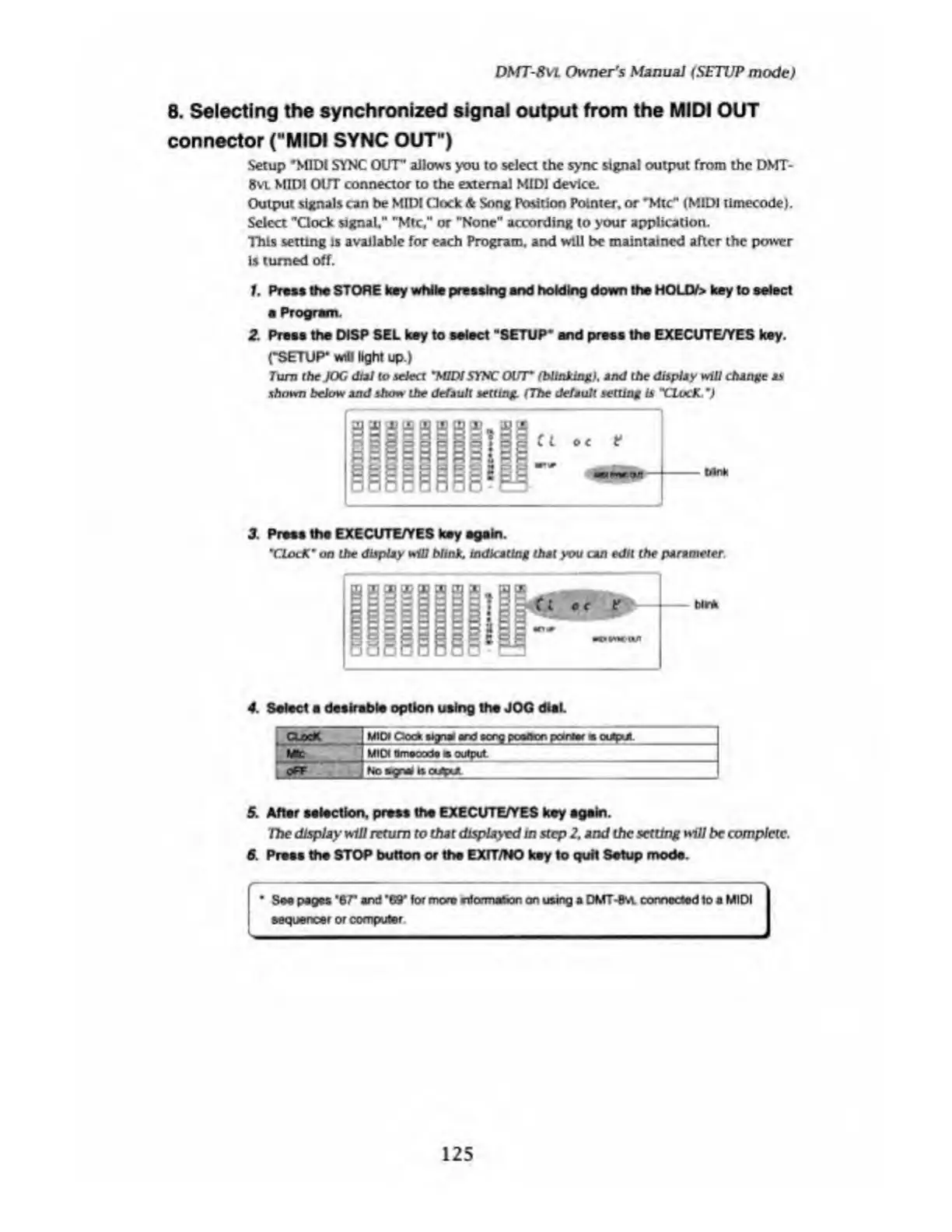
Setup
"MIDI
SYNC
OUT'
allows
you
to
select
the
sync
signal
output
from
the
DMT-
8
vl
MIDI
OUT
connector
to
the
external
MIDI
device.
Output
signals
can
be
MID!
(Hock
&
Song
Politico
Pointer,
or
*Mtc"
(MIDI
tlmecode).
Select
"Clock
signal,"
"Mtc,"
or
"None"
according
to
your
application.
This
setting
is
available
for
each
Program,
and
will
be
maintained
after
the
power
is
turned
off.
1.
Press
the
STORE
key
while
pressing
and
holding
down
the
HOLCV>
key
to
select
e
Program.
2.
Preas
the
DISP
SEL
key
to
select
"SETUP*
and
press
the
EXECUTE/YES
key.
(•SETUP*
will
light
up.)
Turn
the
JOG
dial
to
select
'MIDI
SYNC
OUT
*
(blinking),
and
the
display
mil
change
as
shown
below
and
show
the
default
setting.
(
The
default
setting
is
XlxxK.
M
3.
P
ress
the
EXECUTE/YES
key
again.
*CLocK
*
on
the
display
will
MinX.
indicating
that
you
can
edit
the
parameter.
4.
S
elect
a
desirable
option
using
the
JOG
dial.
Oao*
_
MO
Clock
signal
and
sccg
poaiton
pointer
a
output.
Me
MO
Smaooda
m
output.
OFF
NoagnaJ
Is
output
5.
After
selection,
press
the
EXECUTE/YES
key
again.
The
display
will
return
to
that
displayed
in
step
2,
and
the
setting
will
be
complete.
6.
Press
the
STOP
button
or
the
EXIT/NO
key
to
quit
Setup
mode.
*
See
pages
*67*
and
’69'
for
more
nfcvmafcon
on
using
a
DMT-8s*
connected
to
a
MIDI
sequencer
or
computer
125

Table of Contents

Related product manuals