EasyManua.ls Logo

Fostex DMT-8VL - 2. Punch In;Out Recording using a foot switch

Fostex DMT-8VL
158 pages
Print Icon
To Next Page IconTo Next Page
To Previous Page IconTo Previous Page
Loading...
DMT-8VL
Owner's
Manual
(Punch
In/Out)
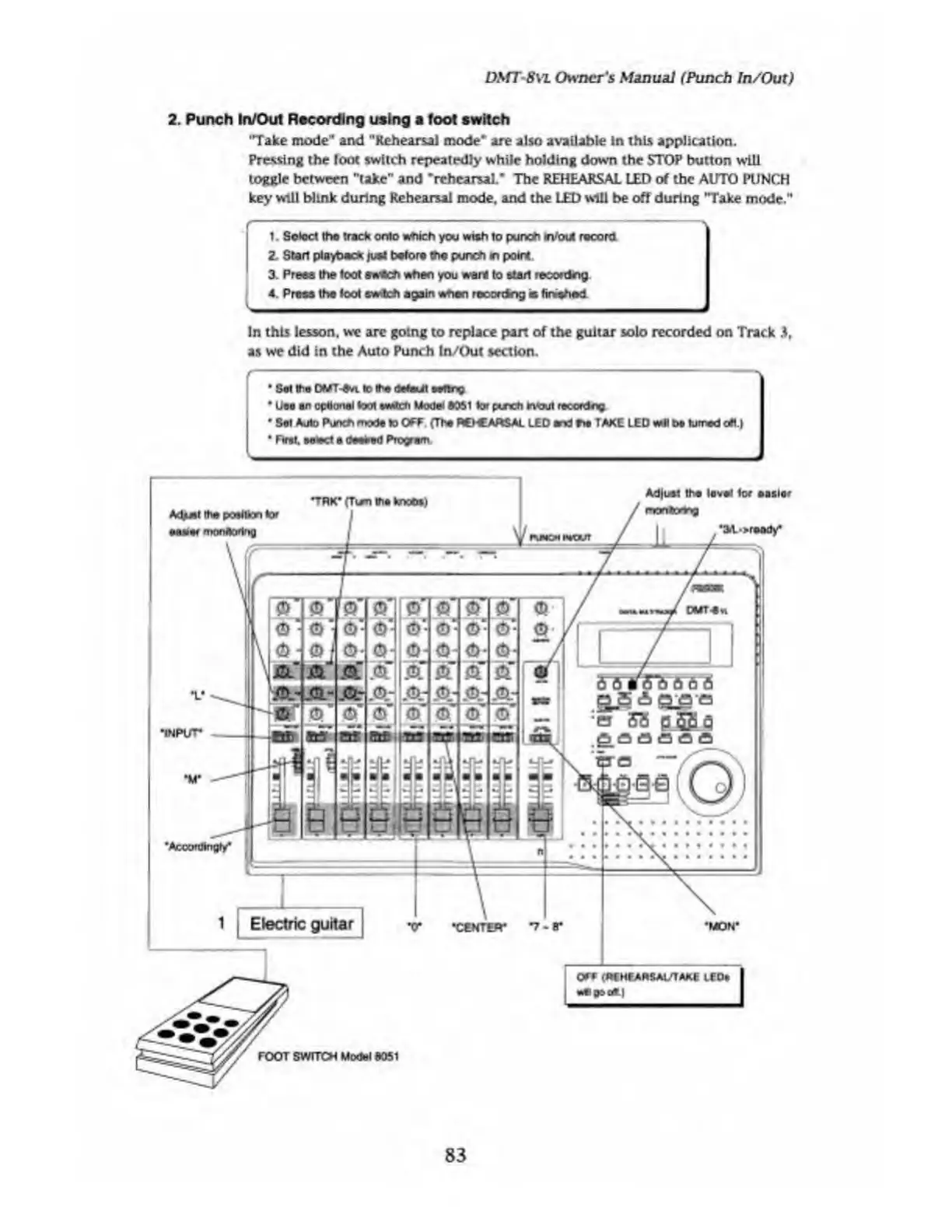
2.
Punch
In/Out
Recording
using
a
foot
switch
'Take
mode
1
'
and
"Rehearsal
mode"
are
also
available
in
this
application.
Pressing
the
foot
switch
repeatedly
while
holding
down
the
STOP
button
will
toggle
between
"take"
and
-rehearsal."
The
REHEARSAL
LED
of
the
AUTO
PUNCH
key
will
blink
during
Rehearsal
mode,
and
the
LED
will
be
off
during
'Take
mode."
1.
Select
the
track
onto
which
you
wish
to
punch
rVout
record
2.
Start
playback
just
before
the
punch
wy
point
3.
Press
the
toot
sweeh
when
you
want
to
atari
recording
4.
Press
the
foot
switch
again
when
recocting
is
finished
In
this
lesson,
we
arc
going
to
replace
part
of
the
guitar
solo
recorded
on
Track
3,
as
we
did
in
the
Auto
Punch
In/Out
section.
r
Set
the
DMT-On.
k>
the
detail
m«tq
Un
an
optional
foot
i*Mtch
Model
0051
for
pinch
Intout
recordng
Set
Auto
Punch
mode
to
OFF.
(The
REHEARSAL
LED
and
fie
TAKE
LED
wll
be
turned
oft.}
,
First,
select
a
desired
Program
OFF
i‘ftf
HFARSAl/TAXE
LCOe
ttfl
03
0t.|
MM8t
the
position
for
Adjust
the
level
tor
easier
•3.1-->ready
’Acoordlnofir*
V
“INPUT*
“M“
•MON“
OMT-Sw
FOOT
SWITCH
Model
d051
83

Table of Contents

Related product manuals