EasyManua.ls Logo

Fostex DMT-8VL - 6. Formatting the hard disk (FORMAT)

Fostex DMT-8VL
158 pages
Print Icon
To Next Page IconTo Next Page
To Previous Page IconTo Previous Page
Loading...
DMT-8Vl
Owner's
Manual
(SETUP
mode)
6.
Formatting
the
hard
disk
("FORMAT")
Setup
"FORMAT*
allows
you
to
format
(Initialize)
the
hard
disk.
When
you
format
the
disk,
all
the
existing
recordings
and
other
data,
as
well
as
the
Setup
data,
will
be
initialized
to
factory
default
settings.
Refer
to
page
'41"
for
more
^formation
on
repfecing
the
hard
<*sk
1.
Press
the
DISP
SEL
key
to
select
"SETUP'
and
press
the
EXECUTE/YES
key.
(-SETUP'
wilt
light
up.)
Turn
the
JOG
dial
to
select
TORMAT'
(blinking)
And
press
the
EXBCUTE/YES
key.
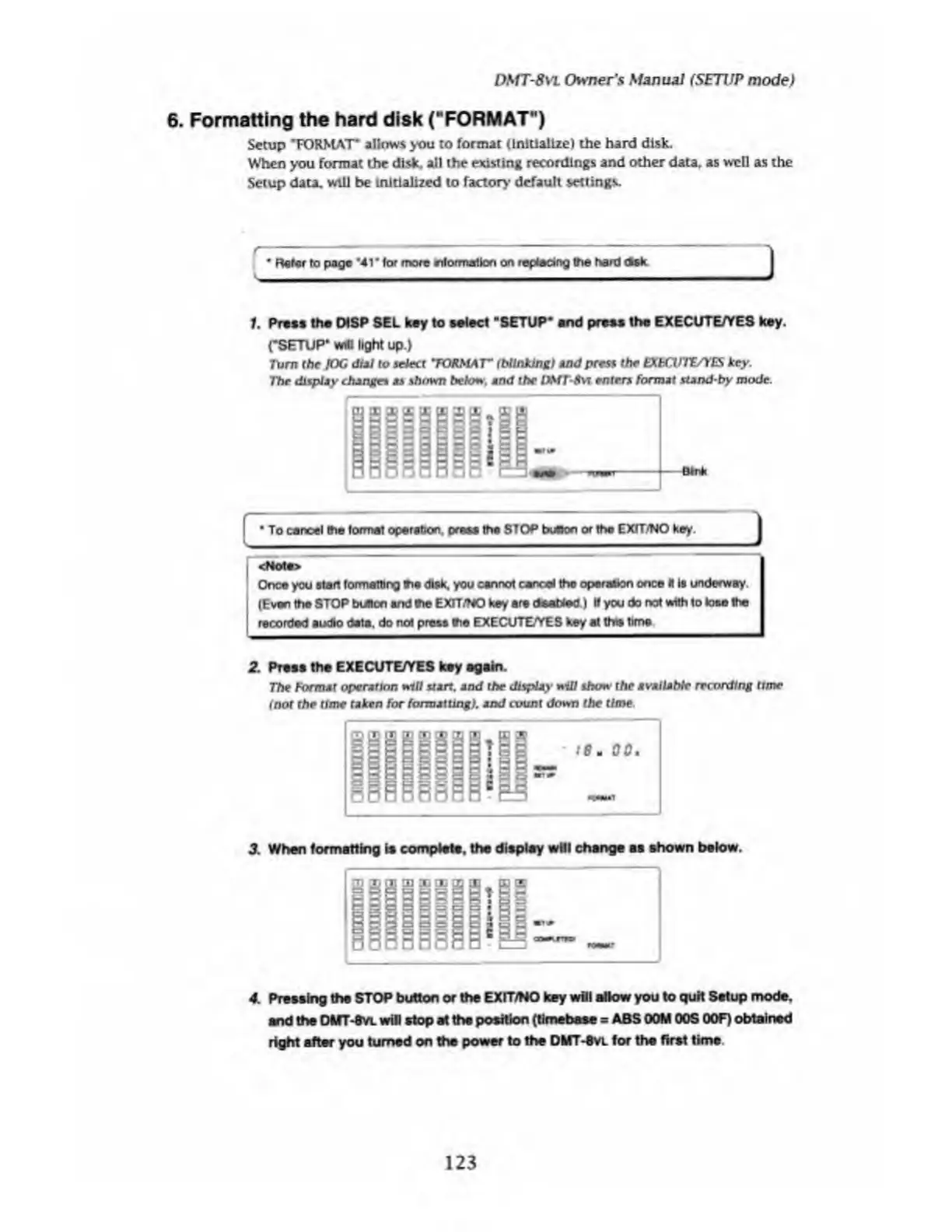
The
display
changes
as
shown
below,
end
the
DMT-8vt
enters
format
stand-by
mode.
To
cancel
the
format
operation,
press
the
STOP
button
or
the
EXIT/NO
key.
<Mote>
Once
you
start
formatting
r»e
disk,
you
cannot
cancel
the
operation
once
II
Is
underway.
(Even
the
STOP
button
and
the
EXIT/NO
key
are
deaWed)
If
you
do
not
with
to
lose
the
recorded
audio
date,
do
not
press
the
EXECUTE/YES
key
at
this
time
2.
Prees
the
EXECUTE/YES
key
again.
The
format
operation
mil
start,
and
the
display
will
show
the
MVMlUtbh
recording
ttme
(not
the
time
taken
for
formatting),
and
count
down
the
time.
3.
When
formatting
is
complete,
the
display
will
change
as
shown
below.
4.
Pressing
the
STOP
button
or
the
EXIT/NO
key
will
allow
you
to
quit
Setup
mode,
and
the
DlfT-SVL
will
stop
at
tha
position
(tlmebase
=
ABS
OOM
OOS
OOF)
obtained
right
after
you
turned
on
the
power
to
the
DMT-Svl
for
the
first
tims
123

Table of Contents

Related product manuals