EasyManua.ls Logo

Fostex DMT-8VL - Auto Punch In;Out Take mode

Fostex DMT-8VL
158 pages
Print Icon
To Next Page IconTo Next Page
To Previous Page IconTo Previous Page
Loading...
DMT-8VL
Owner's
Manual
(Punch
In/Out)
Auto
Punch
In/Out
Take
mode
(actual
recording)
Take
operation
1
As
In
Rehearsal
mode,
locale
the
point
Juet
before
the
Punch
In
point.
Assume
that
Auto
Punch
mode
is
an
;
that
is.
both
REHEARSAL
and
TAKE
LEDs
are
blinking.
2
Pres*
the
RECORD
button
while
proofing
end
holding
down
the
PLAY
button.
The
REHEARSAL
LED
will
go
off
and
the
TAKE
LED
will
light
up.
3
Play
the
goiter
while
listening
to
the
playback
sound.
At
shown
in
the
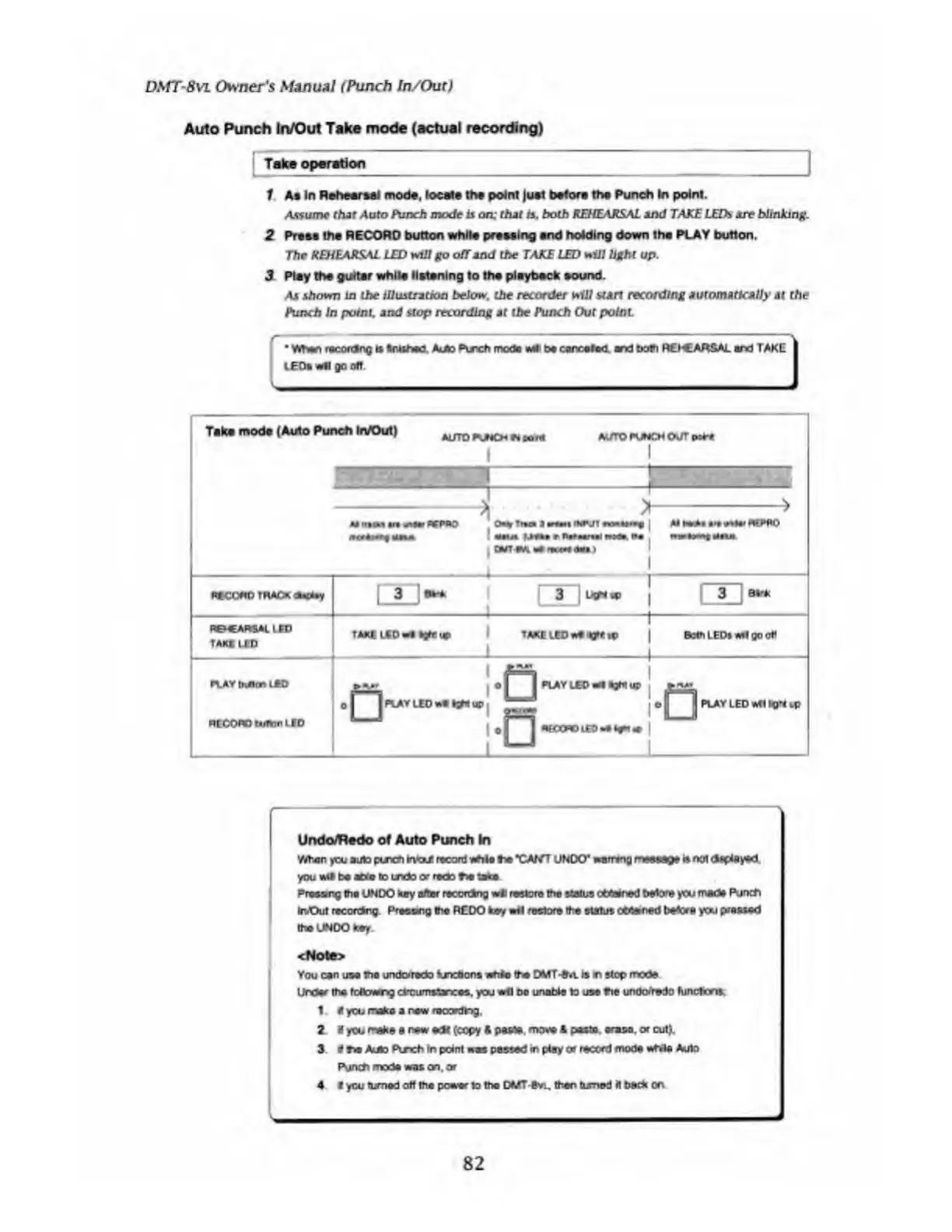
illustration
below.
the
recorder
will
start
recording
automatically
at
the
Punch
In
point,
and
stop
recording
at
the
Punch
Out
point
When
recofdng
is
trishea
Amo
Punch
mod*
LEDtwflgooff.
vet!
be
carcolec
art
both
RlhCARSAL
art
TAKE
Take
mode
(Auto
Punch
In/Out)
AUTO
PUNCH
n
corn
AUTO
PVA
4
CH
OUT
r
t
OCPOO
0
%J»
Tim
a
ran
INTJT
a
CUT-eMla*
rare*
<*»•
i
nccono
track
ted*y
ReCARSAllED
TAK«
UO
PLAY
tuitin
LED
RECOWO
twain
LED
CD
TAKE
LEO
we
PLAY
LED
*l
aght
up
O
I
I
PLAY
LED
we
KPf
up
PLAY
LED
wf
I
Kl*t
-C
A€COflO
l£D
•«
fcyt
*
Undo/Redo
of
Auto
Punch
In
When
you
auto
puroi
m'oJ.
record
vuhlo
he
*CAf/T
UNDO*
warring
rwwjp
a
not
you
wd
be
able
to
undo
or
redo
N
take
Praeang
Via
UNDO
hay
alter
recordng
wli
restore
the
status
ettened
before
you
made
F\ir»ch
inOut
reccfdrg.
Presang
the
REDO
key
wit
restore
(he
status
ottered
before
you
phased
the
UNDO
key
<Note>
You
can
use
the
undotedo
fonefions
whim
(he
DMT-On.
is
n
stop
mode
Under
the
fettowng
clrcumstaxes.
you
wllDc
unobie
to
use
Vie
undoYedo
funchcro.
1
V
you
make
a
pew
reoordtog
2
«
you
make
e
new
edt
(copy
ft
paste
mo%*
ft
paste,
erase,
or
cut).
3
V
Vie
Amo
Puxh
In
point
was
passed
in
ptay
or
record
mode
while
Auto
Punch
mode
was
an,
or
4
i
you
turned
off
the
power
to
the
DMT-evi,
then
turned
it
beck
on
82

Table of Contents

Related product manuals