EasyManua.ls Logo

Fostex DMT-8VL - Page 122

Fostex DMT-8VL
158 pages
Print Icon
To Next Page IconTo Next Page
To Previous Page IconTo Previous Page
Loading...
DMT-Svl
Owner's
Manual
(SETUP
mode)
[•
To
caned
the
load
operation,
press
the
STOP
button
or
the
EXtT/NO
key.
Pressing
thts
key
will
caned
the
load
operation,
and
Ihe
unit
wiU
qut
Setup
mode
When
loading
all
data
is
finished,
the
display
will
show
"COMPLETED
P
and
the
unit
will
automatically
quit
Setup
mode.
<CAimON>
Once
the
loading
operation
starts,
aborting
the
operation
in
progress
wtf
erase
al
existing
data
m
the
Program,
and
data
up
unrt
die
moment
of
that
abort
wi*
be
loaded.
For
example.
#
you
have
loaded
two
rranuies
of
data
into
Program
1
(Pi),
which
already
holds
a
six-minute
song,
the
existing
data
after
two
minutes
will
be
erased
(The
ABS
ENO
position
of
PI
*two
rrwwSes/)
Make
sure
that
you
have
selected
the
correct
Program
number
before
using
the
Load
function.
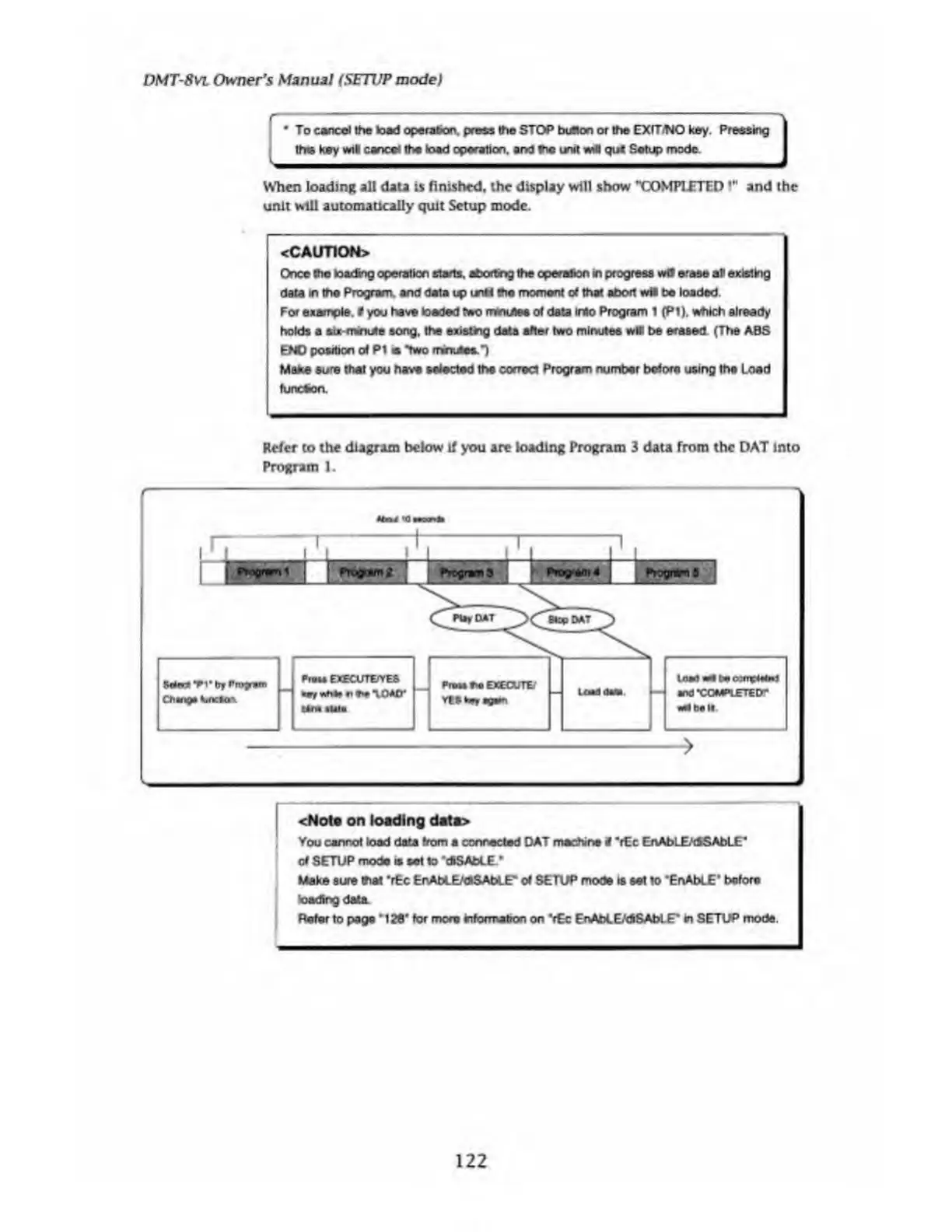
Refer
to
the
diagram
below
If
you
are
loading
Program
3
data
from
the
DAT
into
Program
1.
load
wfl
torn
ixfnpMto)
and
•COMPLETED*’
l_J
Program
1
Program2
Program
fl
Pm»s
EXECUTE/YES
*ey
n
*h*.
10AO*
->
<Note
on
loading
data>
You
cannot
load
data
from
a
connected
DAT
machine
i
*rEc
EnAbLE/dSAbLE*
of
SETUP
mode
is
set
1o
"cfcSAtoLE
*
Make
sure
that
‘rEc
ErvAbLE/dlSAbLE*
of
SETUP
mode
is
set
to
"ErvAbLE’
before
loadbtgdaUL
Refer
to
page
*126'
for
more
information
on
*r€c
EnAbLE/dlSAblE*
in
SETUP
mode.
122

Table of Contents

Related product manuals