EasyManua.ls Logo

Fostex DMT-8VL - Page 121

Fostex DMT-8VL
158 pages
Print Icon
To Next Page IconTo Next Page
To Previous Page IconTo Previous Page
Loading...
DMT-
-8VX
Owner's
Manual
(SETUP
mode)
Loading
data
from
a
DAT
machine
(LOAD)
<Not*>
You
can
save
Programs
1
-5
simultaneously.
but
you
cannot
load
them
back
to
the
DMT
avt
smuttaneouely
(You
can
load
Programs
one
by
one.)
To
load
data,
first
select
tie
Program
number,
then
send
the
data
of
the
song
from
the
DAT.
(Onfy
one
song
can
be
loaded
nto
each
Program)
1.
Press
the
STORE
key
while
pressing
and
holding
down
the
HOLD/>
key
to
select
a
Program.
Z
Locate
a
position
a
little
before
the
beginning
of
data
on
the
DAT
tape
(preroll).
If
the
data
begin*
from
the
top
of
the
rape,
rewind
the
tape
all
the
way.
3.
P
ress
the
DISP
SEL
key
to
select
•SETUP"
and
press
the
EXECUTE/YES
key.
(•SETUP"
will
light
up.)
Turn
the
JOG
dial
to
select
"LOAD*
(blinking)
and
press
the
EXECUTE/YES
key.
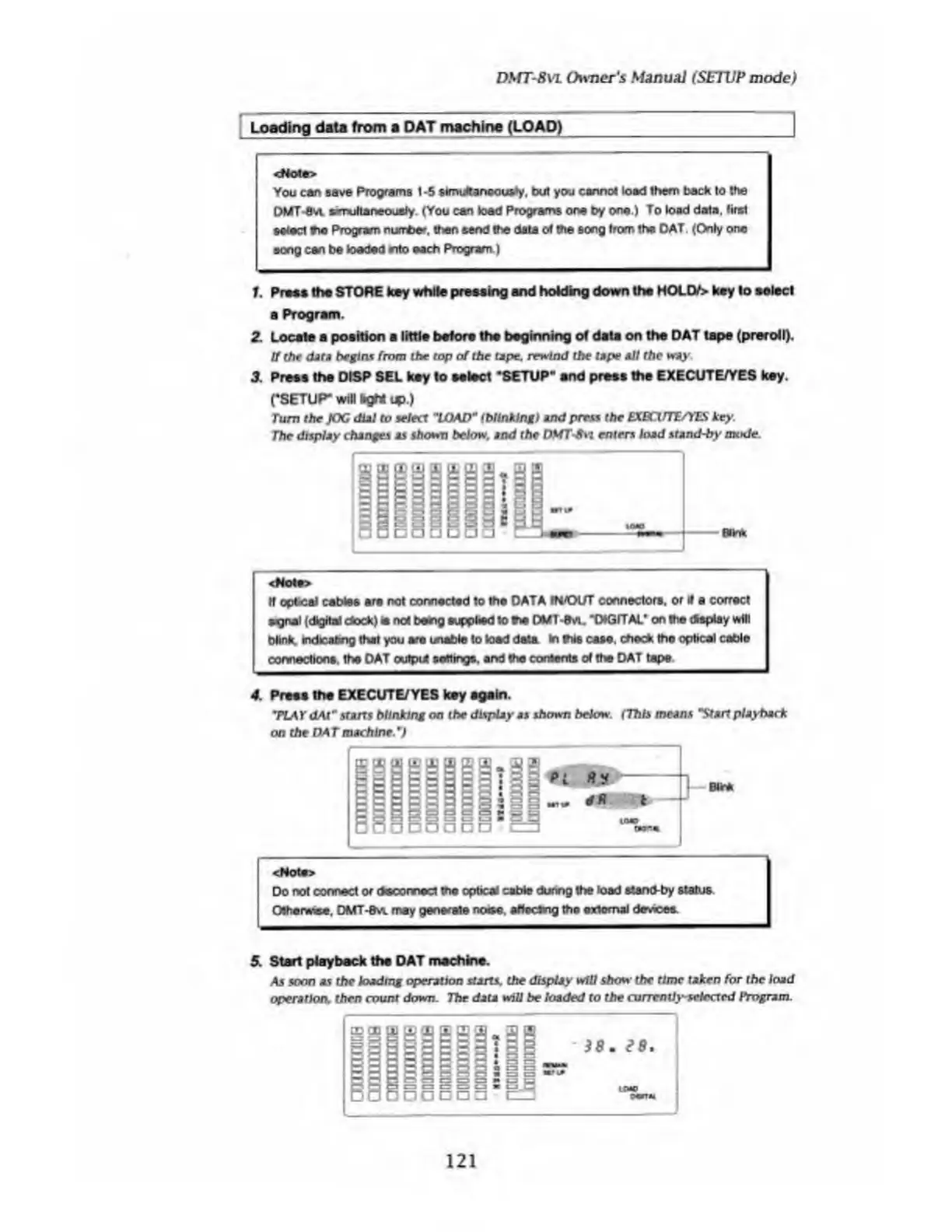
The
display
changes
as
shown
below,
and
the
DMTSvi
enters
load
stand-by
mode.
If
optical
cables
are
not
connected
to
the
DATA
IH/Ol/T
connectors,
or
if
a
correct
sgnel
(digital
dock)
it
not
being
supplied
to
fie
DMT-8vu
“OtGITAt*
on
the
display
will
blink
indicating
that
you
are
unable
to
load
data
in
fits
case,
check
the
optical
cable
connections,
the
DAT
output
sortings,
and
the
contents
of
the
DAT
tape
4.
P
ress
the
EXECUTE/YES
key
again.
T
LAY
dAl"
stairs
blinking
on
the
display
as
shown
below.
(This
means
"Start
playback
on
the
DAT
machine.
¥
J
<Mote>
Do
not
connect
or
dscoonect
the
optical
cable
during
the
load
stand-by
status
Otherwise,
DMT-&vl
may
generate
noise,
affecting
the
external
devioee.
5.
S
tart
playback
the
DAT
machine.
As
soon
as
the
loading
operation
starts,
the
display
will
show
the
time
taken
for
the
load
operation,
then
count
down.
The
data
will
be
loaded
to
the
currently-selected
Program.
121

Table of Contents

Related product manuals