EasyManua.ls Logo

Fostex DMT-8VL - Page 97

Fostex DMT-8VL
158 pages
Print Icon
To Next Page IconTo Next Page
To Previous Page IconTo Previous Page
Loading...
DMT-8vi
Owner's
Manual
(Edit
function)
Entering
and
storing
the
paste
Punch
In
point
_
1.
Press
the
RECALL
key,
then
the
AUTO
PUNCH
IN
key
(or
press
only
the
AUTO
PUNCH
IN
key),
end
the
unit
enters
edit
mode.
2.
Move
the
cursor
to
the
digit
you
wish
to
edit
using
the
HOLD/>
key
or
the
SHUTTLE
dial,
and
set
the
value
using
the
JOG
dial.
3
Alter
setting
the
time
value,
press
the
STORE
key.
then
the
AUTO
PUNCH
IN
key.
The
time
value
will
he
stored
as
the
start
point
of
the
pasting
area,
and
the
display
will
go
back
to
the
previous
screen.
Executing
the
paste
ope
ration
I
4
Press
the
PASTE
key.
The
display
wlJt
show
the
blinking
message
^SVRET
and
the
bottom
row
of
the
7-segment
display
wilt
show
-rPt
01
*
CO!
*
will
blink
i
and
m
PASi.
*
5
Specifying
the
copy
destination
track
and
the
number
of
repeats
to
pasta.
*
Specifying
the
Copy
&
Pasta
destination
track:
Select
the
destination
track
using
the
RECORD
TRACK
select
key.
(you
do
not
need
to
specify
the
track
If
you
are
going
to
Copy
A
Paste
data
In
the
copy
source
track)
Specifying
the
number
of
repeats
to
Copy
A
Paste.
Turn
the
JOG
dtaJ
to
change
the
hhnking
number
m
0t
"
to
any
value
between
01
and
99.
(If
there
is
not
enough
free
space
on
the
hard
disk,
the
repeat
time
will
be
limited
to
a
number
Jess
than
99.
and
you
will
be
unable
to
specify
a
larger
number
when
you
turn
the
JOG
dial.
I
6
Press
the
EXECUTE/YES
key.
The
upper
row
of
the
display
will
show
the
time
taken
for
the
Copy
A
Paste
operation,
then
XoPY
9
.
m
PAST
,
then
“COMPUTED
l
m
Press
the
EXIT/NO
key
to
go
hack
to
the
previous
screen.
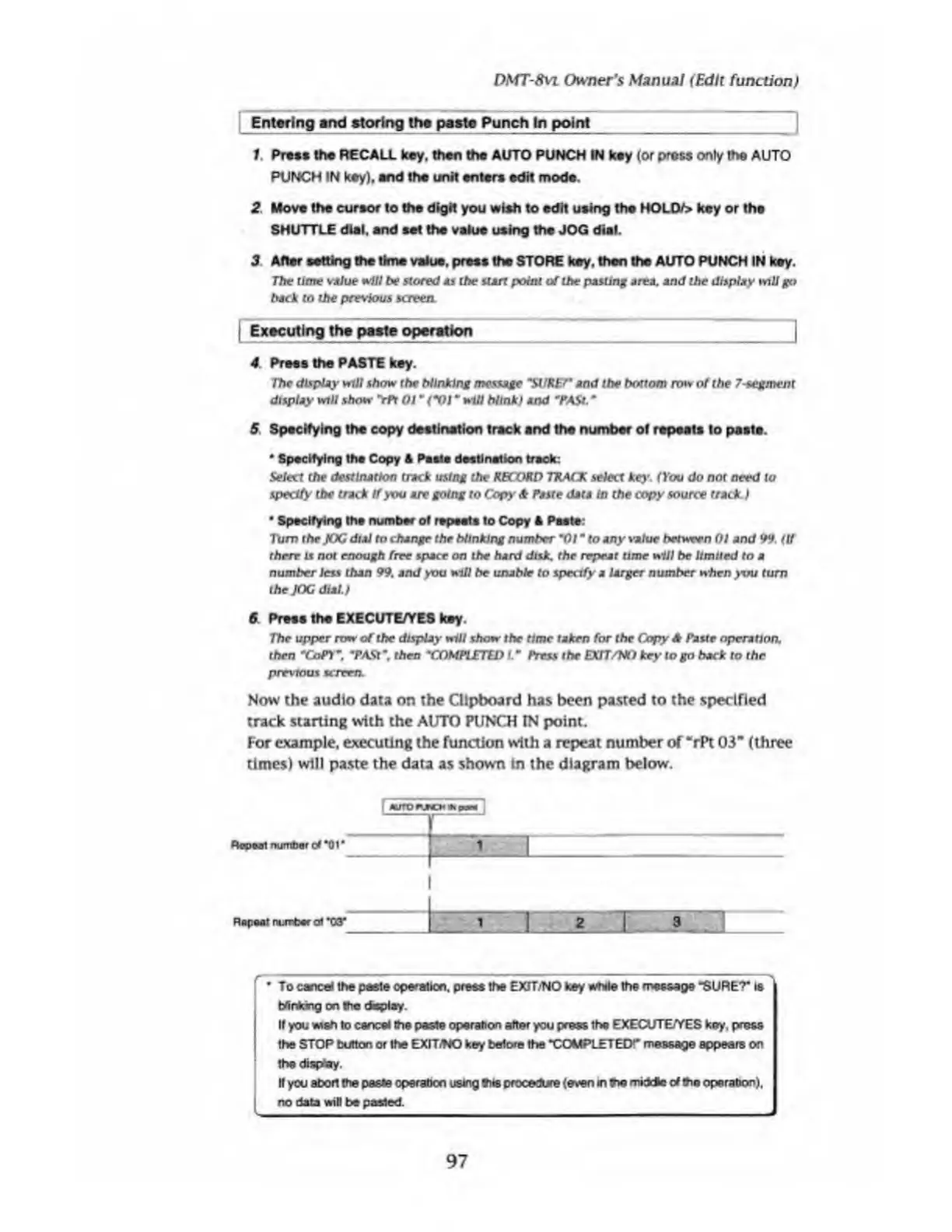
Now
the
audio
data
on
the
Clipboard
has
been
pasted
to
the
specified
track
starting
with
the
AUTO
PUNCH
IN
point.
For
example,
executing
the
function
with
a
repeat
number
of
“rPi
03”
(three
times)
will
paste
the
data
as
shown
In
the
diagram
below.
I
MJTO
paw
r~~
Repeal
number
of
“01
*
1
Rap
ear
number
of
*03“
__
i
1
To
cancel
the
paste
operation,
press
the
EXfT/NO
key
while
the
message
“SURET
is
blinking
on
the
display
If
you
wsh
to
cancel
the
paste
operation
after
you
press
the
EXECUTE/YES
key.
press
the
STOP
button
or
the
EXITiNO
key
before
the
“COMPLETED
1
'
message
appears
on
the
display.
It
you
abort
the
paste
operated
using
tits
procedure
(even
in
tie
middte
of
Sie
operation),
no
data
will
be
pasted.
97

Table of Contents

Related product manuals