EasyManua.ls Logo

Fostex DMT-8VL - Page 30

Fostex DMT-8VL
158 pages
Print Icon
To Next Page IconTo Next Page
To Previous Page IconTo Previous Page
Loading...
DMT-8vl
Owner's
Manual
(Names
and
Functions)
5.
Changing
Programs
using
ths
STORE
kay
and
tha
HOLD/>
key
The
Program
Change
function
allows
you
to
select
any
of
five
Programs
(1-5)
to
which
the
hard
disk
space
is
allotted,
so
you
can
record,
playback,
edit,
and
archive
up
to
five
songs
individually
on
a
single
hard
disk
(as
long
as
there
is
adequate
free
space
on
the
disk).
You
can
create
an
individual
song,
so
that
example
the
first
song
is
in
Program
1,
the
second
song
in
Program
2
etc.
To
perform
recording,
playback,
edit,
and
archive,
first
select
a
desired
Program.
Press
the
STORE
key
while
pressing
and
holding
down
the
HOLD/>
key
and
repeatedly
will
select
from
Program
1
to
Program
5.
Each
Program
automatically
selects
the
Time
Base
(ABS,
MTC.
or
BAR/BEAT/CUC)
that
was
used
before
you
previously
turned
the
power
off.
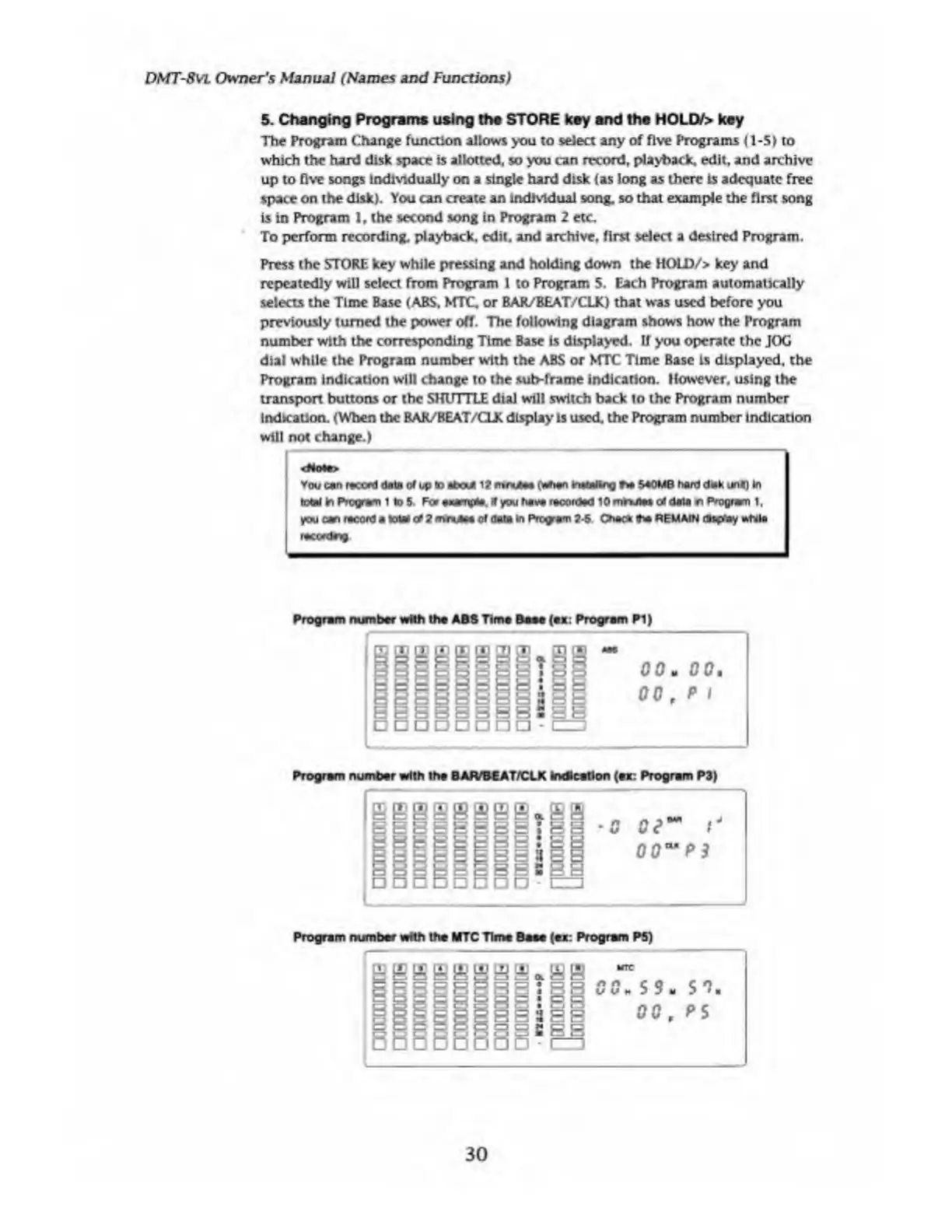
The
following
diagram
shows
how
the
Program
number
with
the
corresponding
Time
Base
is
displayed.
If
you
operate
the
JOG
dial
while
the
Program
number
with
the
ABS
or
NfTC
Time
Base
is
displayed,
the
Program
indication
will
change
to
the
sub-frame
indication.
However,
using
the
transport
buttons
or
the
SHUTTLE
dial
will
switch
back
to
the
Program
number
indication.
(When
the
BAR/BEAT/CLK
display
is
used,
the
Program
number
indication
will
not
change.)
Vou
can
racced
tote
of
up
to
about
12
rrnxjm
0*>an
fc'tttaltng
540MB
hart
dak
jnf)
in
total
fcn
Program
1
to
5
.
Fo*
awmpto.
if
you
hava
racordad
10
mr*aa$
erf
data
o
Program
1,
j
you
can
racord
a
total
erf
2
mniAta
of
data
in
Program
2-5
Cnac*
iha
REMAIN
dsgfay
»tola
I
racordrtg
Program
number
with
tha
ABS
Tima
Basa
(ax:
Program
PI)
nnunuunu
-
G
G
G
G
e
00,
p
l
Program
number
with
tha
BAR/BEAT/CLK
Indication
(ax:
Program
P3)
niessg|i.£i
(
□□□□□□□
-
nu
Program
number
wrftti
the
MTC
Time
Base
(ax:
Program
PS)
30

Table of Contents

Related product manuals