EasyManua.ls Logo

Fostex DMT-8VL - Page 79

Fostex DMT-8VL
158 pages
Print Icon
To Next Page IconTo Next Page
To Previous Page IconTo Previous Page
Loading...
DMT-8vi
Owner's
Manual
(Punch
In/Out)
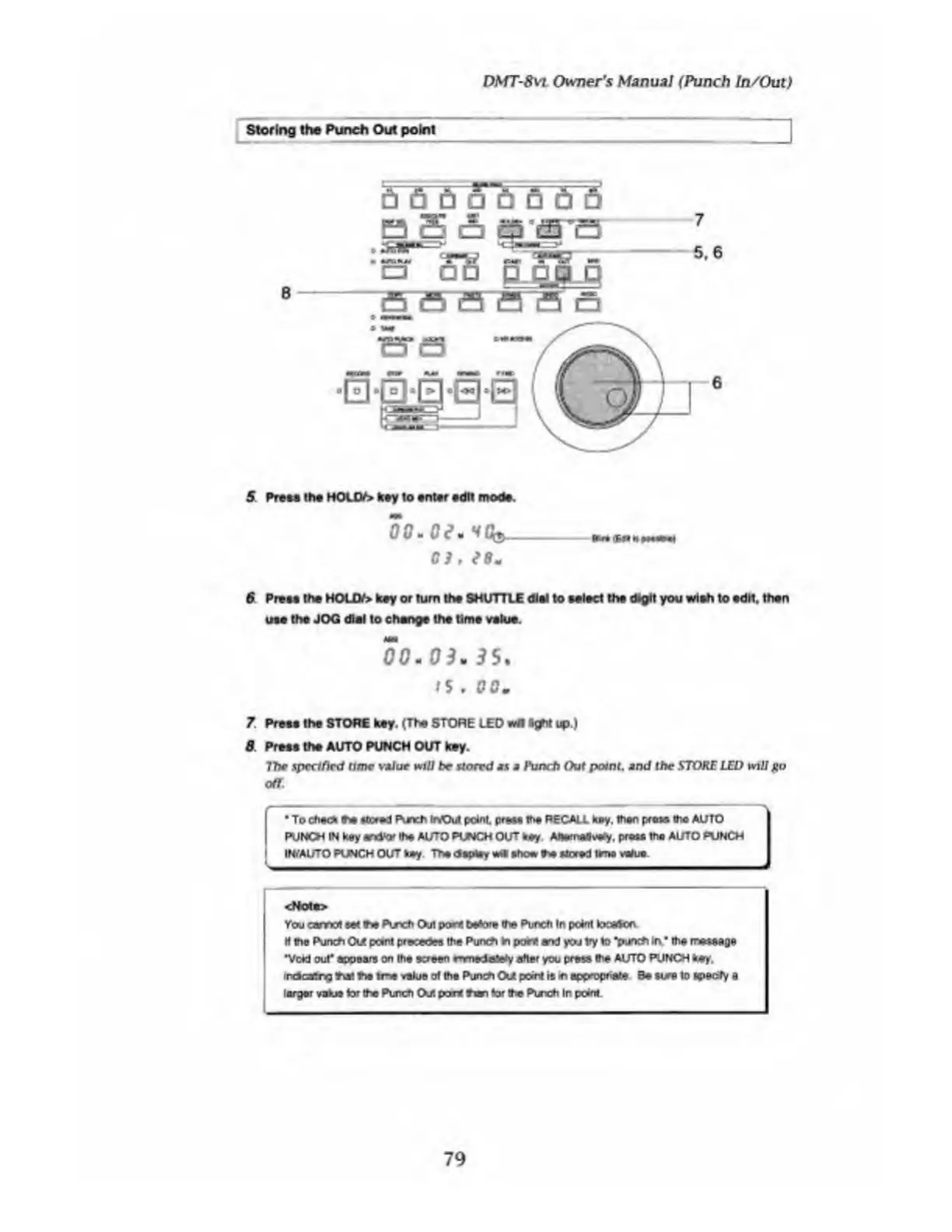
Storing
the
Punch
Out
point
5
Frees
the
HOUV>
key
to
enter
edit
mode.
0
G
m
C
C
*
V
C3,
6
Press
the
HOUy>
key
or
turn
the
SHUTTLE
dial
to
select
the
digit
you
wish
to
edit,
then
use
the
JOG
dial
to
change
the
time
value.
00
*
0
3
*
3
5
.
ts
,
GO.
7.
Press
the
STORE
key.
(The
STORE
LED
right
up.)
8
Press
the
AUTO
PUNCH
OUT
key.
ThP
specified
time
titar
will
be
stored
as
a
Punch
Out
point,
and
the
STORE
LED
will
go
off.
To
check
the
tiered
Pur>ch
kVOut
point,
preee
the
RECALL
key.
then
prose
the
AUTO
PUICH
IN
key
andtor
the
AUTO
PUNCH
OUT
key
AJwmedvWy.
pros*
the
AUTO
PUNCH
IWAUTO
PUNCH
OUT
key
The
deploy
«tk
show
t*
stored
time
vWue
<Notf>
You
earned
set
the
Puxh
Out
porn
before
the
Punch
In
pcinl
tocadon
H
the
Punch
Out
pant
pre»dee
the
Punch
In
point
end
you
try
to
“punch
in
the
rmtsage
•Void
out"
appears
on
the
screen
rnmedaftHy
aher
you
press
the
AUTO
PUNCH
hey.
irdcstng
tut
tie
me
value
at
the
Punch
O/
point
is
in
appmpnate
Be
tire
to
epeofy
a
larger
value
tor
the
Punch
CXlt
port
than
tor
the
Punch
In
point.
79

Table of Contents

Related product manuals