EasyManua.ls Logo

Fostex DMT-8VL - Page 66

Fostex DMT-8VL
158 pages
Print Icon
To Next Page IconTo Next Page
To Previous Page IconTo Previous Page
Loading...
DMT-8vl
Owner's
Manual
(RecordIng/Playback)
Connecting
an
effect
unit
I.
Connect
a
desired
effect
unit
using
the
AUX
connection
as
mentioned
m
the
“Basic
Guide"
section.
i
Switch
/
knob
settings
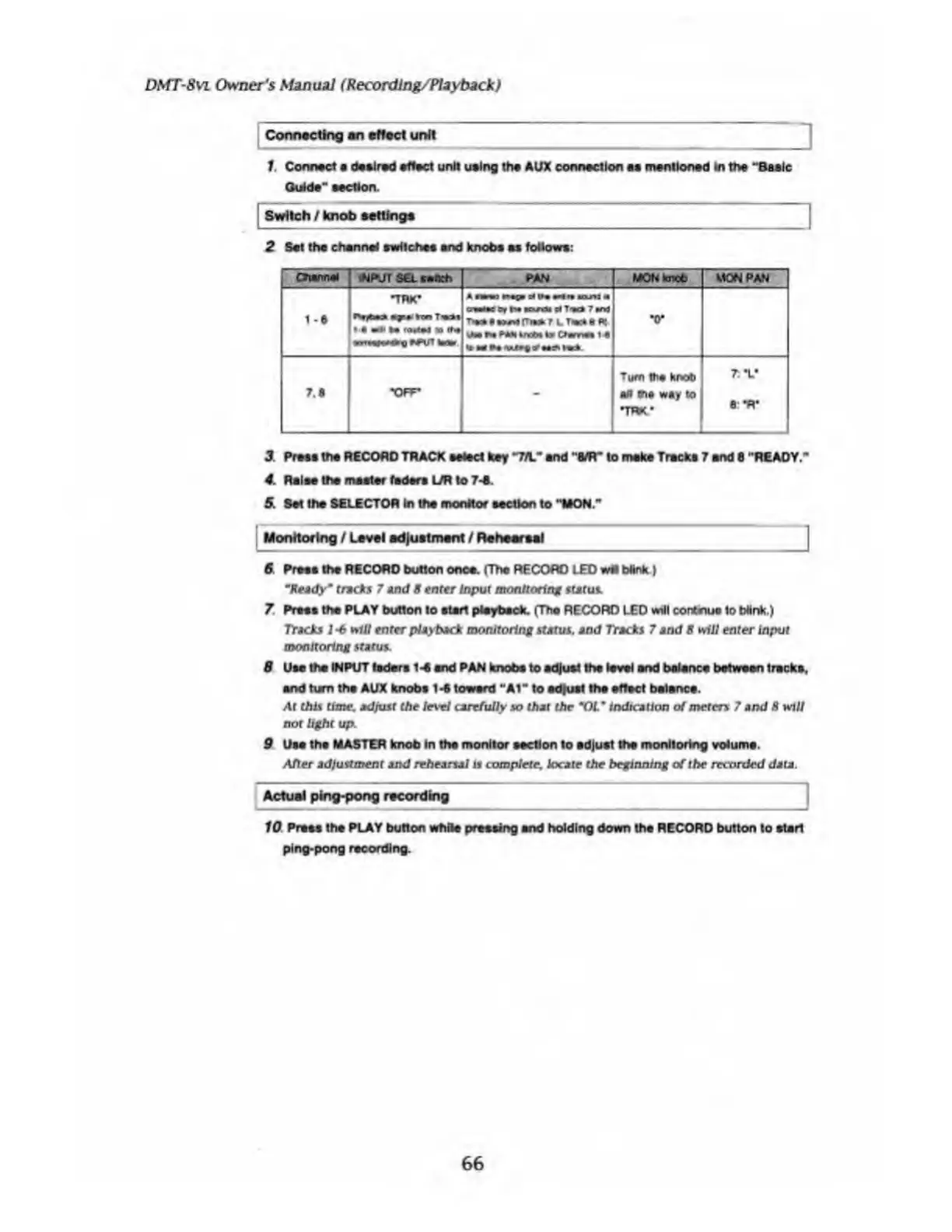
2
Set
the
channel
switches
end
knobs
as
follows:
MON
knob
MON
PAN
A
nmwo
TM
uuil
owe
ay
N
Kuril
9f
T«*
7
and
T**
A
»>A1
|T»*
t
L
T«*
a
«
MtNrMtknMiyO«rriMi«
•o*
7.8
•OFF-
-
Turn
tti#
knob
§n
rna
way
to
IRK*
7t
V
a:
-R-
3.
Press
the
RECORD
TRACK
select
key
*7/L"
end
"MT
to
make
Tracks
7
and
8
"READY."
4.
Raise
the
master
faders
L/R
to
7-S.
5.
Set
the
SELECTOR
in
the
monitor
section
to
"MON.*
Monitoring
/
Level
adjustment
/
Rehearsal
6
Press
the
RECORD
button
once.
(The
RECORD
LED
wfl
blink
}
"Ready*
tracks
7
And
8
enter
Input
monitoring
status.
7
Press
the
PLAY
button
to
start
playback.
(The
RECORD
LED
will
contnuo
to
Wink.)
Tracks
1-6
•riff
enter
playback
monitoring
status,
and
Tracks
7
and
8
*ill
enter
Input
monitoring
status.
8
Use
the
INPUT
laders
1-8
and
PAN
knobs
to
adjust
the
level
and
balance
between
tracks,
and
turn
the
AUX
knobs
1-6
toward
"At"
to
adjust
the
effect
balance.
At
this
time,
adjust
the
level
carefully
so
that
the
"OL
m
indication
of
meters
7
and
8
will
not
light
up.
9
Use
the
MASTER
knob
In
the
monitor
section
to
adjust
the
monitoring
volume.
After
adjustment
and
rehearsal
is
complete,
locate
the
beginning
of
the
recorded
data.
Actual
ping-pong
recording
10
P
resa
the
PLAY
button
while
pressing
and
holding
down
the
RECORD
button
to
atari
ping-pong
recording.
66

Table of Contents

Related product manuals