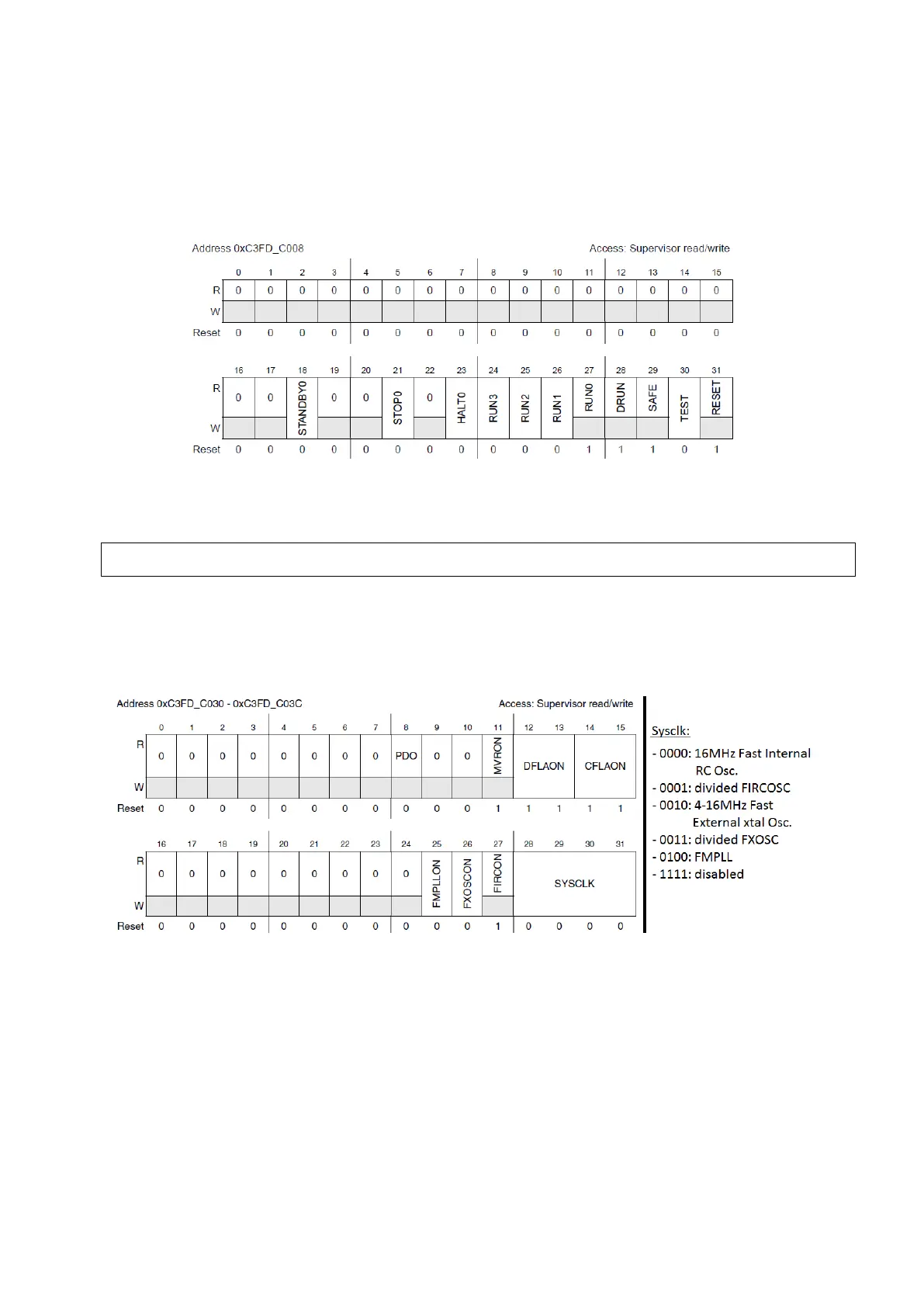
The first thing to be done once the device enters in DRUN is to enable the modes that are going
to be used by the software. This is done using the Mode Enable Register (MER). This register
allows all modes to be enabled/disabled except for RESET, DRUN, SAFE, and RUN0 which are
always enabled.
Figure 2 : Mode Enable Register (MER) (Reference Manual Rev8 – Fig. 8-4)
For instance, enabling all the normal user modes can be done with:
We then need to configure the modes we will need in the software using configuration registers
(‘ME.<mode>.R’). In regular embedded software with no power saving specifications, we will
only need configuring RUN0…3.
Figure 3 : Mode Configuration Register for RUN 0…3 (Reference Manual Rev8 – Fig. 8-13)
Quick explanation of modifiable fields of this register:
• DFLAON : Data flash power-down control, leave it at 11 (normal mode)
• CDFLAON : Code flash power-down control, leave it at 11 (normal mode)
• FMPLLON: Frequency Modulated PLL control, 0 if not needed, 1 if used
• FXOSCON: Fast External Crystal Oscillator control, 0 if not needed, 1 if used
• FIRCON: Fast Internal RC Oscillator control, always needed in case of failure
• SYSCLK: System clock switch control, specify the clock used by system (see next chapter
for details on oscillators and their configuration)
ME.MER.R = 0x000000FD; /* Enable all RUNx modes along with default modes */



 To Next Page