Revision C 250cx Series Maternal/Fetal Monitor 4-5
2036946-001
Setup Procedures: Loading Strip Chart Recorder Paper
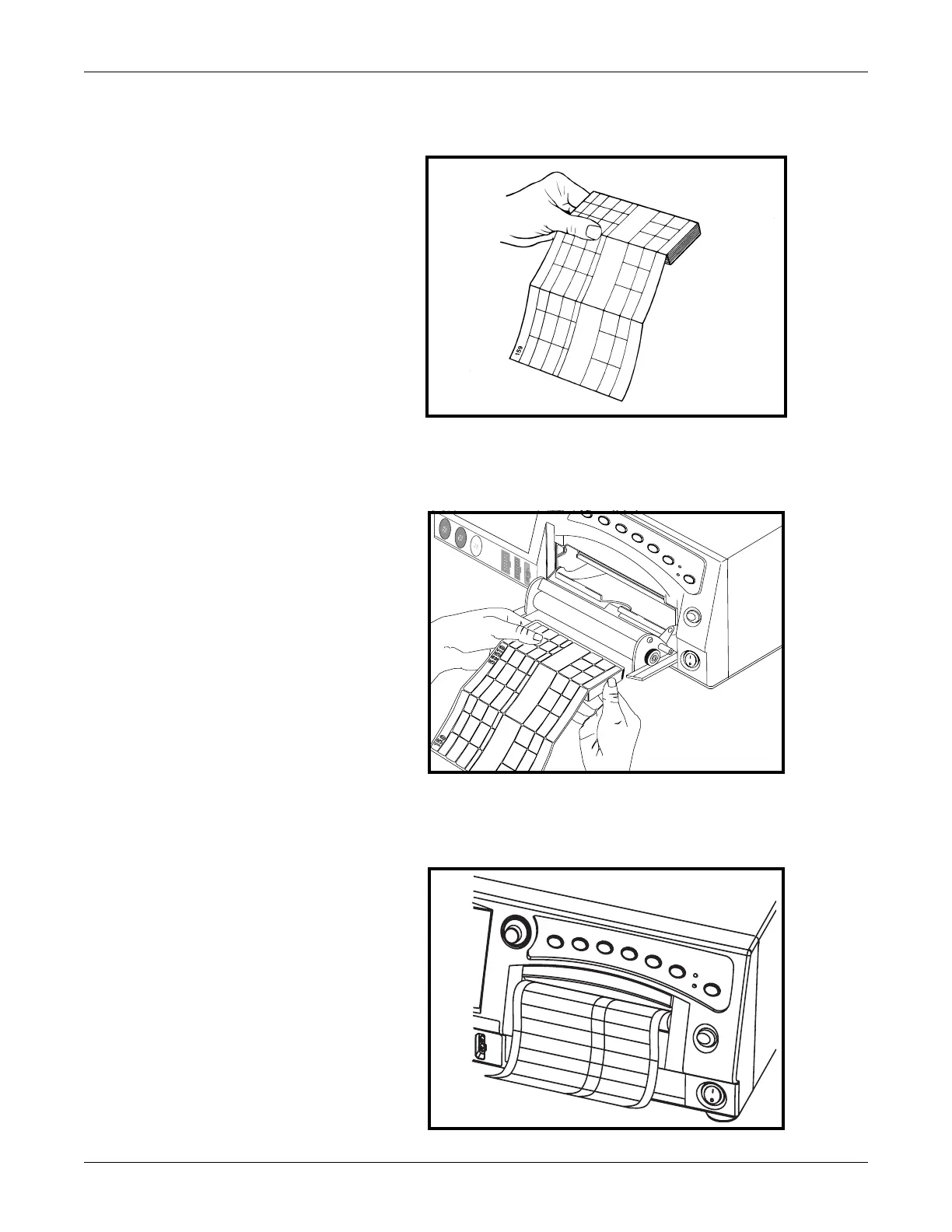
4. Unfold two sheets from the top of the package so that they extend toward you.
Creating Paper Leader
5. Place the pack in the drawer so that the pack is laying flat in the recorder.
Inserting the Paper
6. Close the strip chart recorder door.
Closing the Recorder Door


 To Next Page
 Loading...