2018112-069 Rev. F eBike II, eBike II L, eBike II EL - 75 -
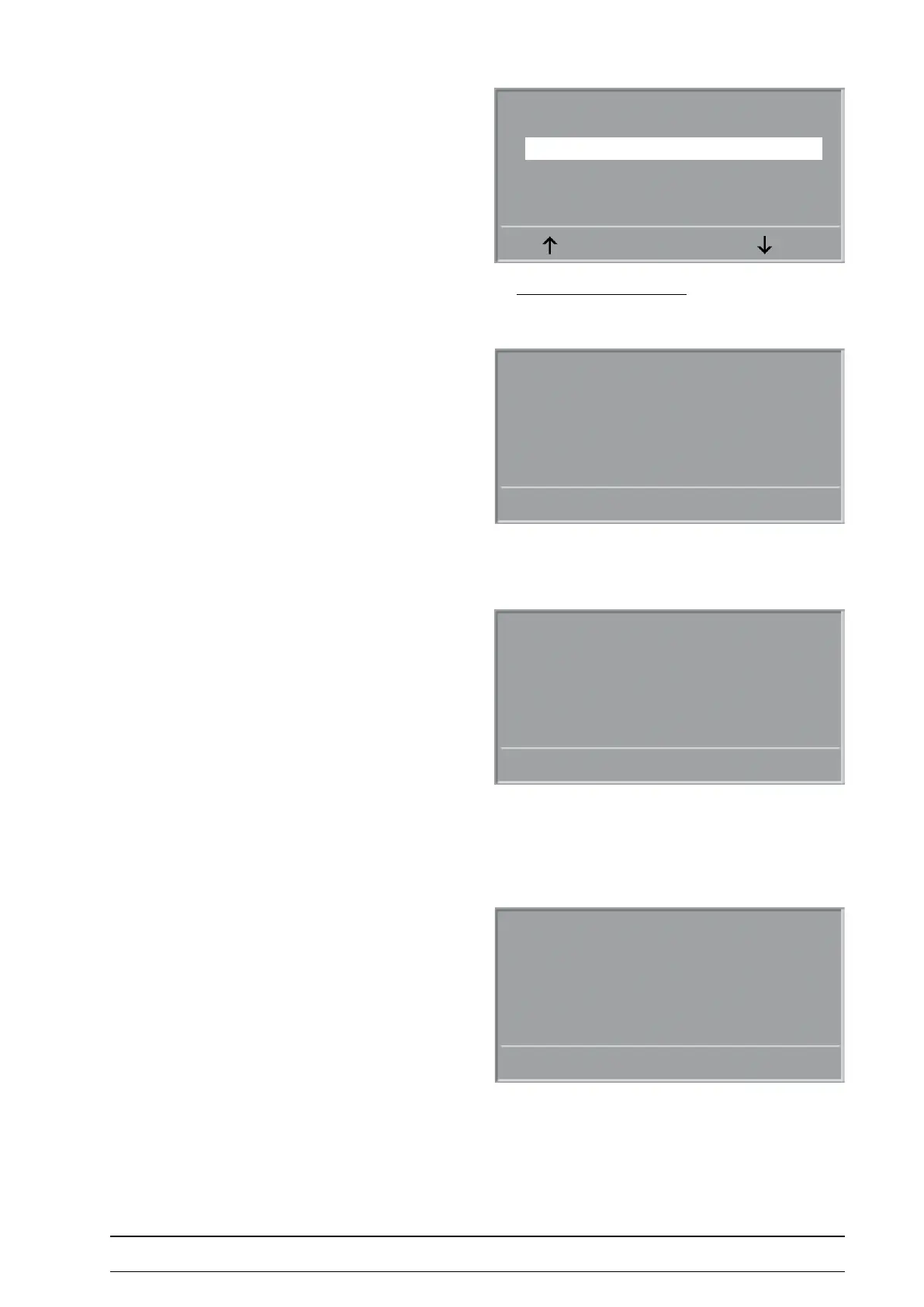
Service Menu control terMinal
Service Menu
NIBP Parameter
Software update
Dynamic load calib.
PC mode
Saddle calibration
ENTER
The service menu appears
Select „„Software update“ with the arrow keys and conrm
with ENTER (or SELECT).
The actually installed software version is displayed.
Press the right key to display the installed software
versions of the dierent electronic modules.
Grp: name of the module
Ap-SW: actually installed version
(if =0 no connection to module)
X: XCUT of software-version (always 0)
S-No.: serial number of PCB, if electronically available)
Press the right key again to display the installed bootloader
versions of the dierent electronic modules.
Grp: name of the module
Op-SW: required software version
(has to be equal to the Ap-SW in previous display)
BootLo: actual bootloader version of PCB
Software Update
FW 3.0
UPDATE
Grp Ap-SW X S-No.
ZME 2.5 0 910
LRE 3.2 0 117
UPDATE
Grp: Op-SW: Bootlo:
ZME 2.5 0.3
LRE 3.2 0.2
UPDATE



 To Next Page