Function
26
1.10 GB (2019/02/28)
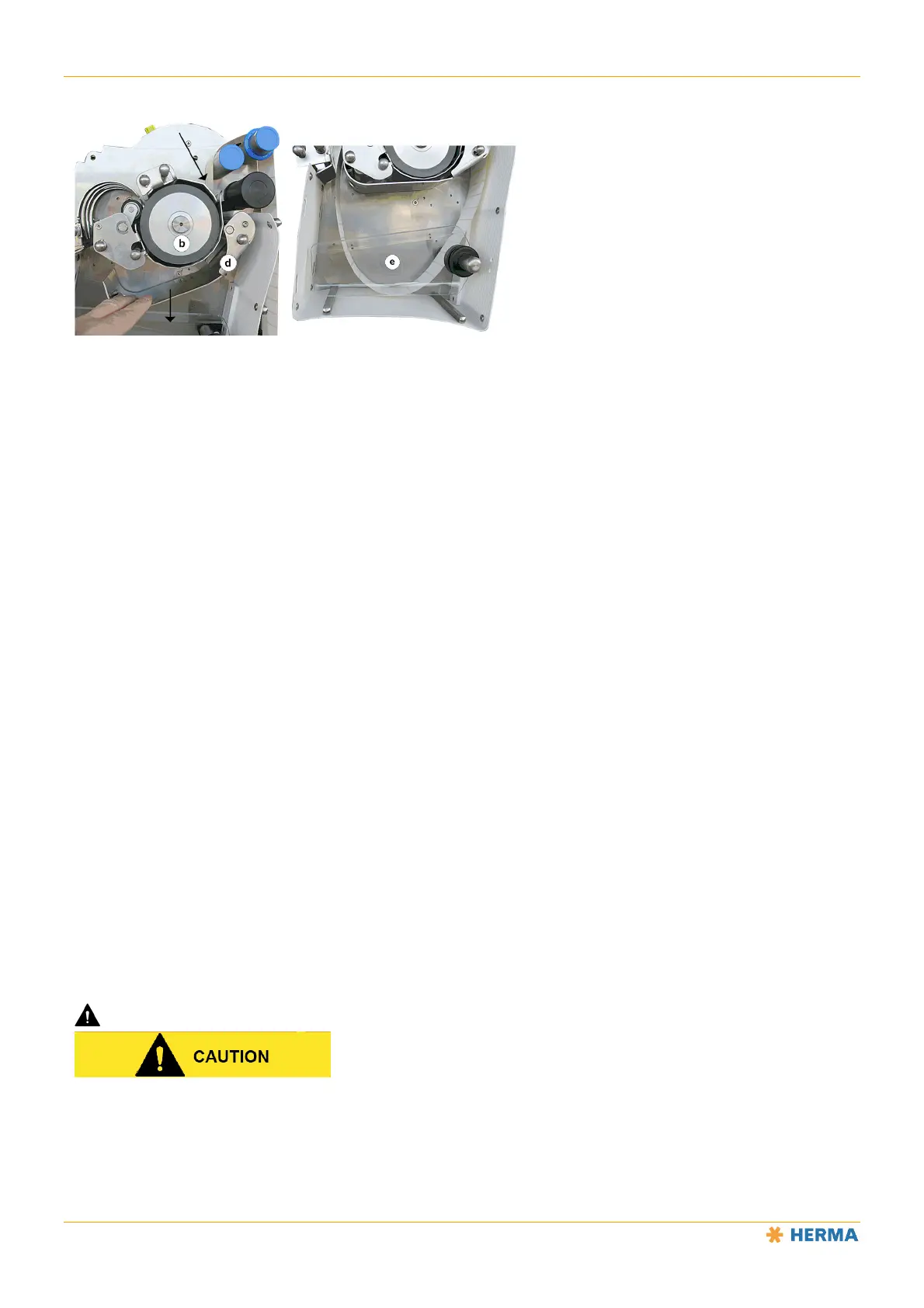
Guide the label web to the drive roller b.
Make sure that the two sensors c for loop control are not covered.
Press the illuminated button a. The button will flash rapidly.
Press the plate d downwards, which causes the label web to be pressed against the drive roller
and transported to the loop module. Hold the plate down until enough of the label web has been
transported that you can guide it out of the unit.
Close the plate d (press up until it locks into place) and press the illuminated button a again. The
button will remain constantly lit.
Attach the counterholder e if necessary (vertical installation).
Thread the label web further into the machine.
Function of the illuminated button
The illuminated button a has multiple functions:
Switch the unit on/off
Indicate errors using flashing codes
See the tables below.
NOTICE: The unit is READY (switched on) as soon as the voltage is applied and the illuminated button will light up.
Caution: rotation
Please note that the drive roller will begin to rotate as soon as the voltage is applied if the loop control sensors are
not covered. This rotation will stop automatically after a short time.



 To Next Page