Function
38
1.10 GB (2019/02/28)
You can change the contact pressure of the clamping plate by choosing different stop positions. To do so,
screw the provided screw into the other hole. The lower position provides the higher contact pressure (see
figure).
Be sure to insert the screw in the same position on both ends of the plate.
NOTICE: The clamping plate and the application roller can be easily removed and reinstalled for cleaning. See the
“Cleaning” section.
.
Rewinder: Mechanical
Inserting the Backing Paper
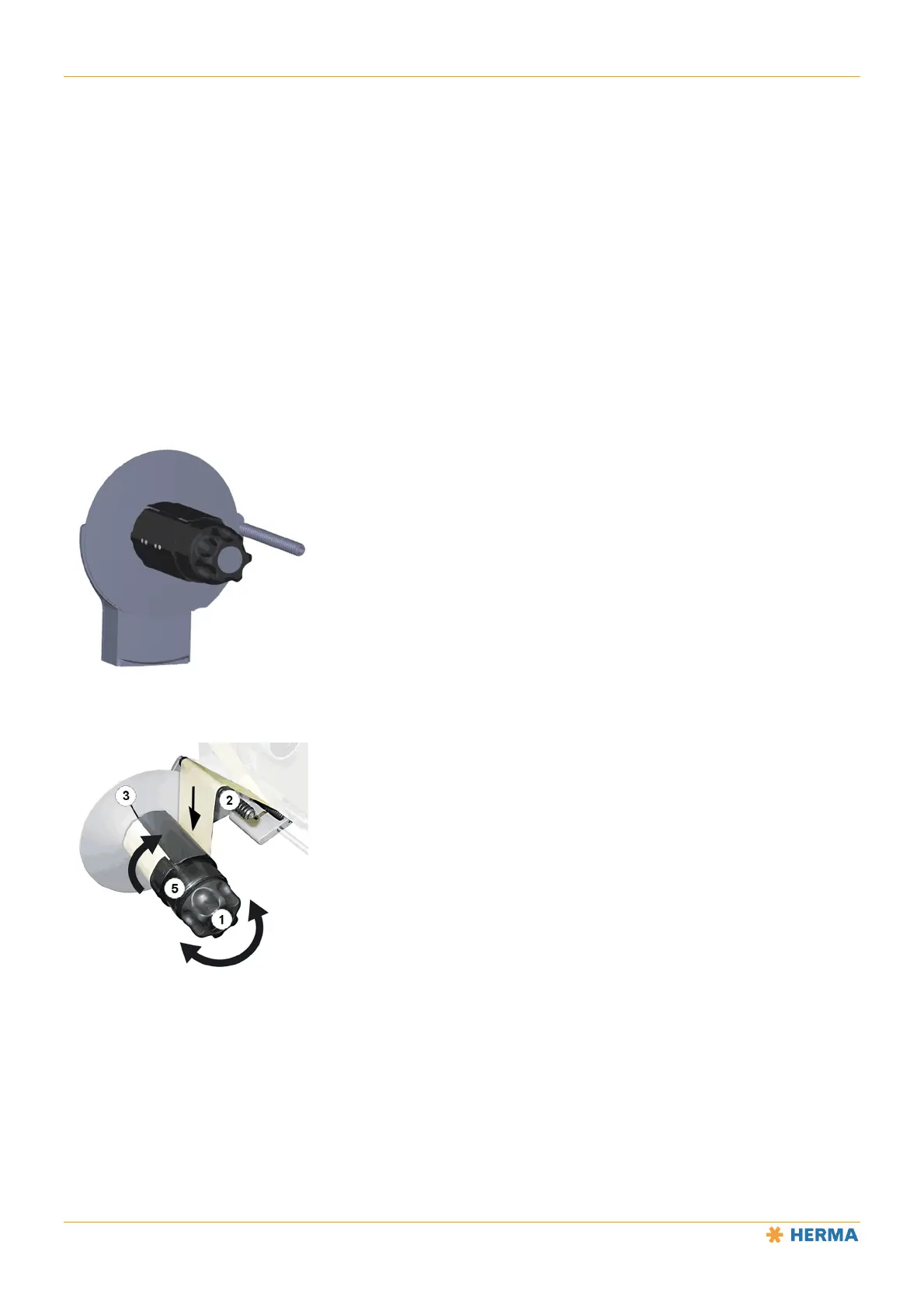
Turn the handle 1 all the way to the left (maximum of five steps) to open the clamp.
Place the backing paper over rod 2.
Place the backing paper around the take-up roller and guide it into the slot 3. Insert at least approximately
8cm • 3.2" of the backing paper into the slot.
Arrow 4 indicates the correct direction.
Turn the lever 1 all the way to the right (maximum of five steps) in order to clamp the backing paper with
the highest possible force. This is required to ensure easy removal of the wound-up backing paper.
Pull the backing paper taut by turning the take-up roller 5.



 To Next Page