Documentation HERMA 500
1.10 GB (2019/02/28)
85
Settings
Adjusting the Label Web Path
Insert the label web so that it touches the leading edge (e.g. housing or screw) along its entire path. Additionally,
set the paper guides so that the label web is fixed on both sides. The paper guides should be neither too tight nor
too loose.
If the label web tracks (runs crooked), this can often be corrected by rotating the dispensing beak within the hole
clearance.
Adjusting the Roll Brake (Unwinder)
Home Position
The unwinder’s braking point is preset at the factory and usually does not need to be adjusted. However, if
overrun occurs in the label reel (braking point is too late) or if the reel does not rotate unless pulled strongly
(braking point is too early), you may need to adjust the home position.
A suboptimal brake point setting can reduce labelling accuracy.
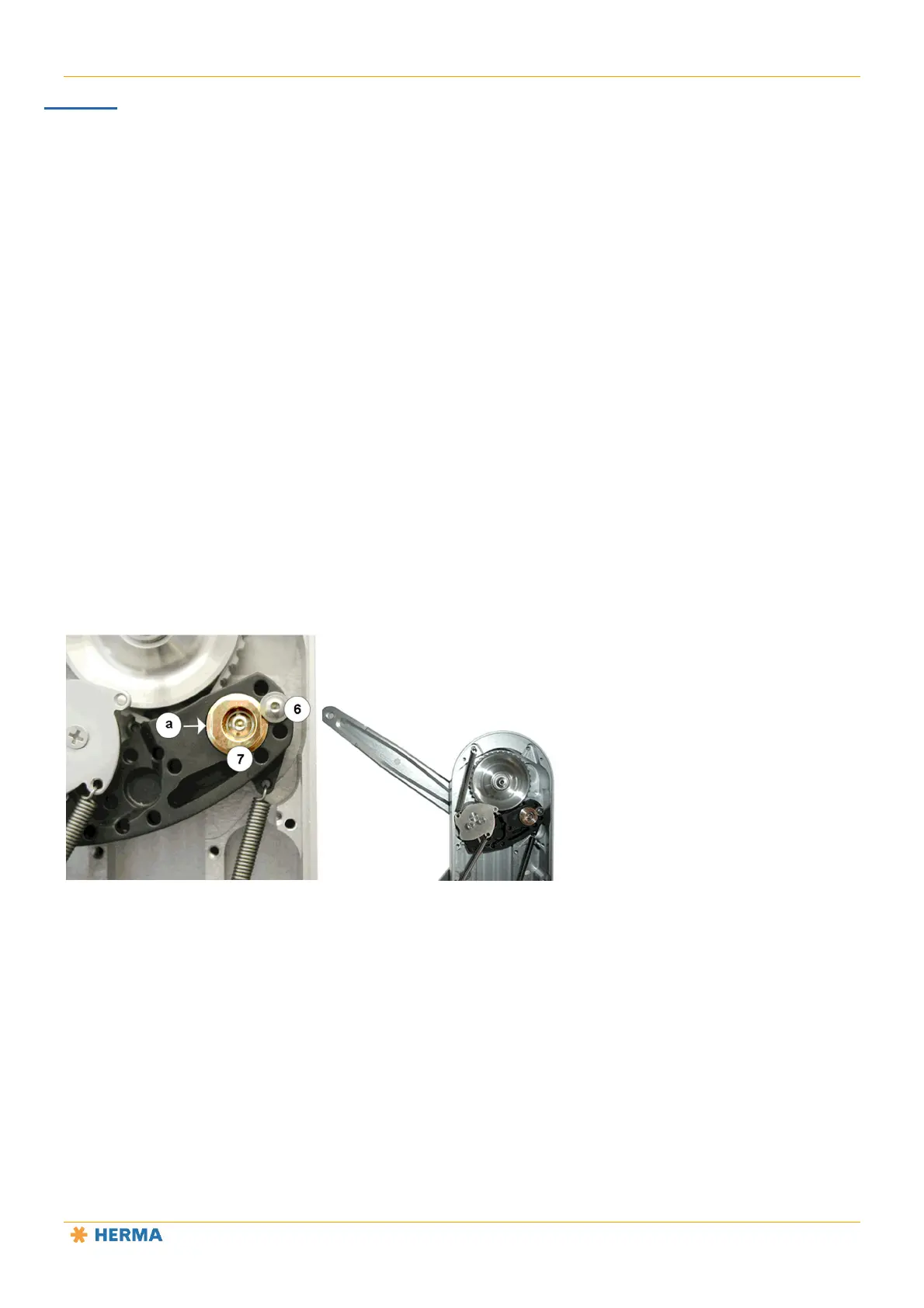
Pendulum rod home position
After opening the cover, loosen the screw 6 on the rear (do not remove it!).
Place a suitable tool (pin) in opening a.
Rotate socket 7 slightly upwards to move the braking point towards the pendulum rod’s home position
(later braking), or rotate it slightly downwards to move the braking point in the opposite direction (earlier
braking).
This description assumes that you are working on the side of the socket 7 that faces the centre of the unit
(point a).
Then retighten the screw 6.
The braking point is correctly set if the pendulum rod 8 is roughly perpendicular (90°) to the housing when the
braking force is applied.



 To Next Page