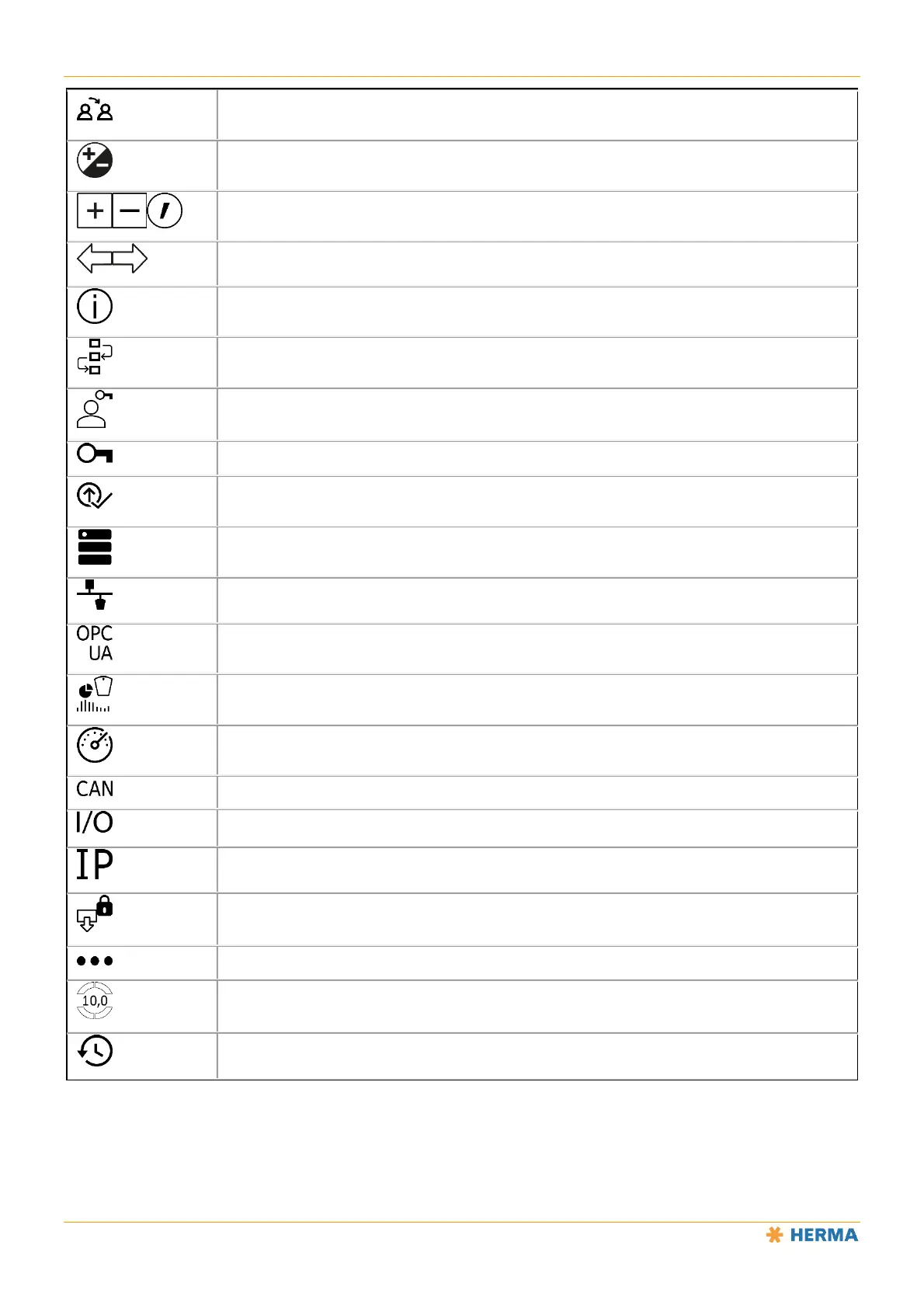
Icons
70 1.10 GB (2019/02/28)
Assign user parameters
Positive/negative (toggle)
Enter values: plus (increase value) / minus (decrease value) / point (decimal separator)
Go back one step/screen
Open information
Set-up mode
User/password
Enable functions
Firmware update (only via Ethernet)
Device backup and restore (only via Ethernet)
Industrial Ethernet menu (fieldbus menu)
OPC menu
Simulation
Status display
CAN menu
I/O test menu
IP menu (Ethernet settings)
Internal access
Additional settings
Screen configuration (define start screen fields / favourites)
Alarm history



 To Next Page