EasyManua.ls Logo

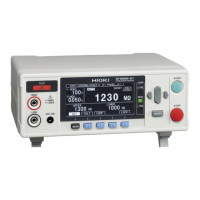
Hioki ST5540 - User Manual

Hioki ST5540
326 pages
Print Icon
To Next Page IconTo Next Page
Loading...
EN
Instruction Manual
ST5541
LEAK CURRENT HiTESTER
ST5540
July 2016 Revised edition 7
ST5540A981-07 16-07H

Table of Contents

Questions and Answers

  • C
    contrerasrobertAug 9, 2025
    Why has my Hioki Test Equipment RS-232C/ USB stopped working completely?
    • N
      Nathaniel JamesAug 9, 2025
      If the RS-232C/USB has stopped working, there are several potential causes. First, check the cable connections to ensure they are properly connected. Next, verify that all devices are powered on. Confirm that you are using the correct cables. Finally, check the communication settings.
  • K
    Kelsey AdamsAug 14, 2025
    What to do if keys on Hioki Test Equipment freeze up after RS-232C/ USB transmission?
    • T
      Tiffany JohnsonAug 14, 2025
      If the keys on your Hioki Test Equipment freeze after transmission on the RS-232C/USB bus, press the LOCAL key on the front panel of the HiTESTER to release the remote state.
  • D
    David KellerAug 19, 2025
    How to fix communication failure with RS-232C/USB on Hioki ST5540?
    • P
      Pedro HudsonAug 19, 2025
      To resolve communication failures with RS-232C/USB, ensure that the RS-232C settings (baud rate, data length, parity, stop bit) are correctly configured. Refer to 'Message Terminators' for the correct settings.
  • P
    Paul WilliamsAug 25, 2025
    What to do if the Hioki ST5540 Test Equipment RS-232C bus hangs when reading data?
    • C
      christinemartinezAug 25, 2025
      If the RS-232C bus hangs when attempting to read data using a BASIC INPUT statement, ensure that you transmit one query before each INPUT statement. Also, check for errors in transmitted queries.
  • R
    Ryan SolisAug 30, 2025
    Why does my Hioki Test Equipment send only one response to several queries?
    • J
      John PotterAug 30, 2025
      If sending several queries produces only one response, it may be due to an error. Send the queries one at a time and read the responses individually. Alternatively, when you want to read them all at once, try putting them all on one line separated by the message separator character.
  • J
    Joshua LucasSep 4, 2025
    Why does the response message to a query differ from the display on the front panel of Hioki Test Equipment?
    • C
      Craig BeckerSep 4, 2025
      The response message may differ from the display on the front panel because the response message is produced at the instant that the HiTESTER receives the query. Be aware that the response message may not agree with the display at the instant that the controller reads it.

Hioki ST5540 Specifications

General IconGeneral
BrandHioki
ModelST5540
CategoryTest Equipment
LanguageEnglish

Related product manuals