MAINTENANCE
ThinPrep 2000 Processor Operator’s Manual
7.7
DOOR CLEANING
The door of the ThinPrep 2000 processor may become dirty over time. To clean the door, it is best to
use a commercially available glass cleaner.
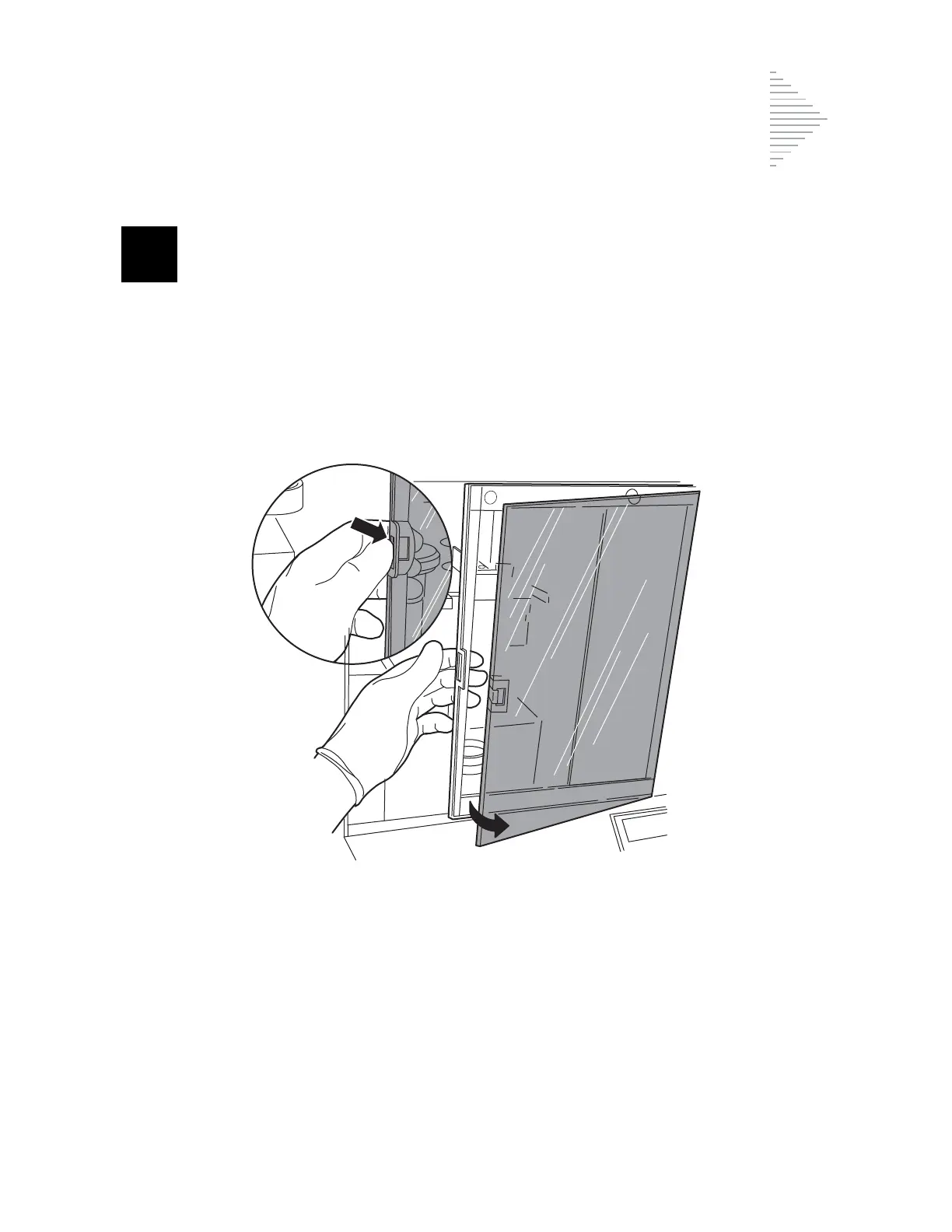
1. It is necessary to open the door mechanism to clean the inside surface of the plastic. Slide the
door open approximately three inches. With your left thumb, release the tab on the open edge of
the door and push the back of the window out with your fingers. Refer to Figure 7-5.
Figure 7-5 Opening Door for Cleaning
2. Open the window to the right and clean the inside surface of the window with a lint-free wipe.
3. Gently close the window until it snaps back into the door frame.
4. Clean the outside surface of the door’s window with a lint-free wipe.
5. Close the door by sliding it to the left.
Release tab and push back of window out



 To Next Page