MAINTENANCE
7.14
ThinPrep 2000 Processor Operator’s Manual
WASTE FILTER REPLACEMENT
If the waste bottle is allowed to overfill, the waste filter may become wet. The ThinPrep 2000
processor will detect a problem and report an error message.
1. Turn off the instrument.
2. Attempt to salvage the waste filter by draining the fluid from the waste filter. In the back
of the instrument, detach the bottom connector (yellow) which has the waste filter in line.
The liquid in the waste filter may adequately drain from the waste filter at this time. If it
does not drain, force the liquid off of the filter by placing a syringe, or other clean air
source, into the attached connector. Repeat until the filter is no longer visibly wet. Reat-
tach the connector, turn on the power, and attempt to run a blank (PreservCyt Solution
vial with no cells) on the system to test its operation.
3. If the processor continues to detect a problem, turn off the power and detach all the waste
connectors from the rear of the instrument.
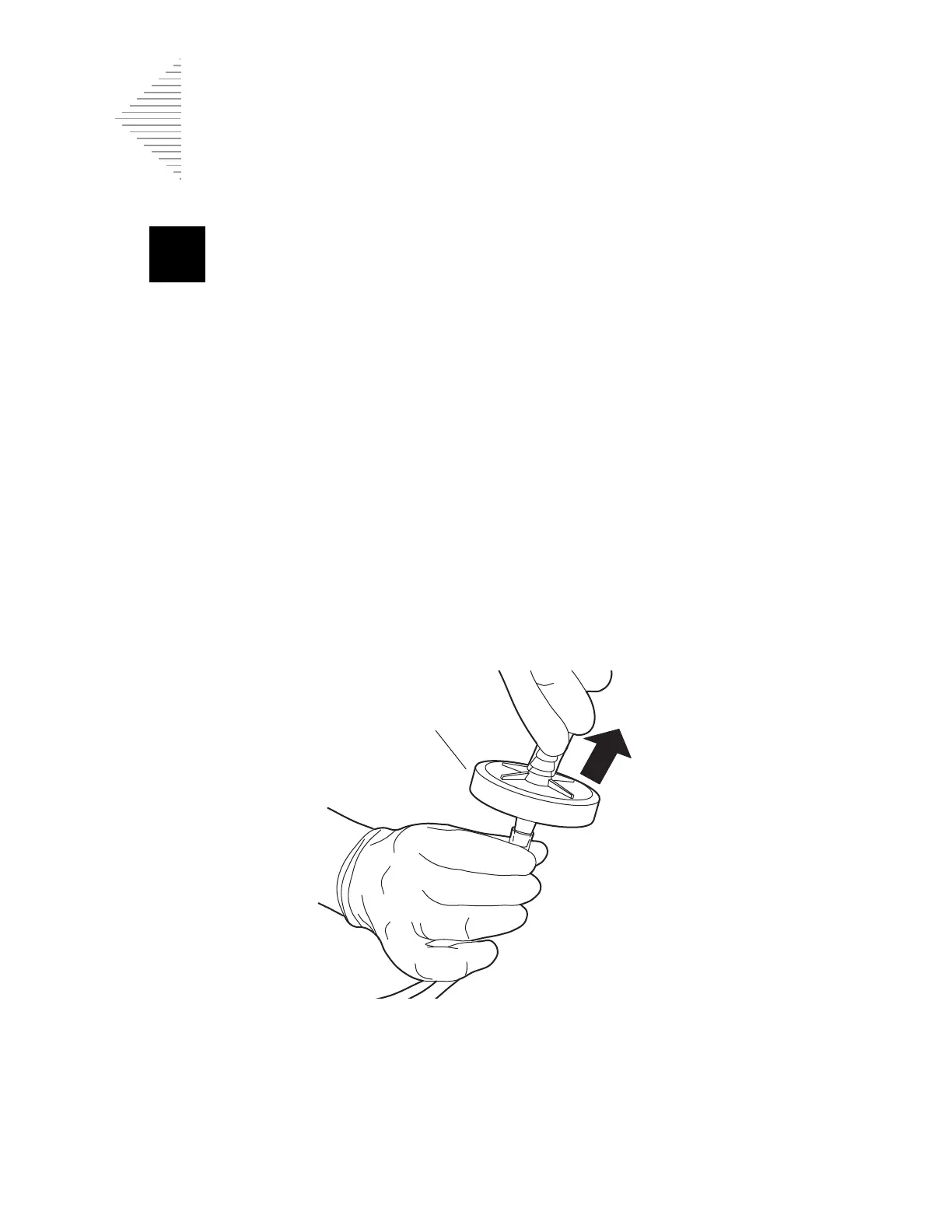
4. Remove the tubing and connector attached to the top of the waste filter by pulling on the
tubing. It may be necessary to cut the tubing. Refer to Figure 7-12.
Figure 7-12 Waste Filter Replacement
5. Remove the waste filter from the lower piece of tubing. It may be necessary to cut the
tubing.
6. Attach the new waste filter to the lower piece of tubing.
Filter specifications
noted on this surface
To bottle



 To Next Page