MAINTENANCE
7.10
ThinPrep 2000 Processor Operator’s Manual
WASTE TUBING REPLACEMENT
The tubing located inside the waste control box must be replaced every six months. The
waste control box is accessible through the access panel located on the left side of the Thin-
Prep 2000 processor.
1. Disable the waste system —
• From the Main Menu, select the down arrow key to display the second Main Menu
screen.
• Select option 7, Maintenance.
• Select option 2, Waste System.
• Remove all the disposables from the instrument and press ENTER.
• Wait for the system to complete its movements and display the “ENTER when fin-
ished.” message.
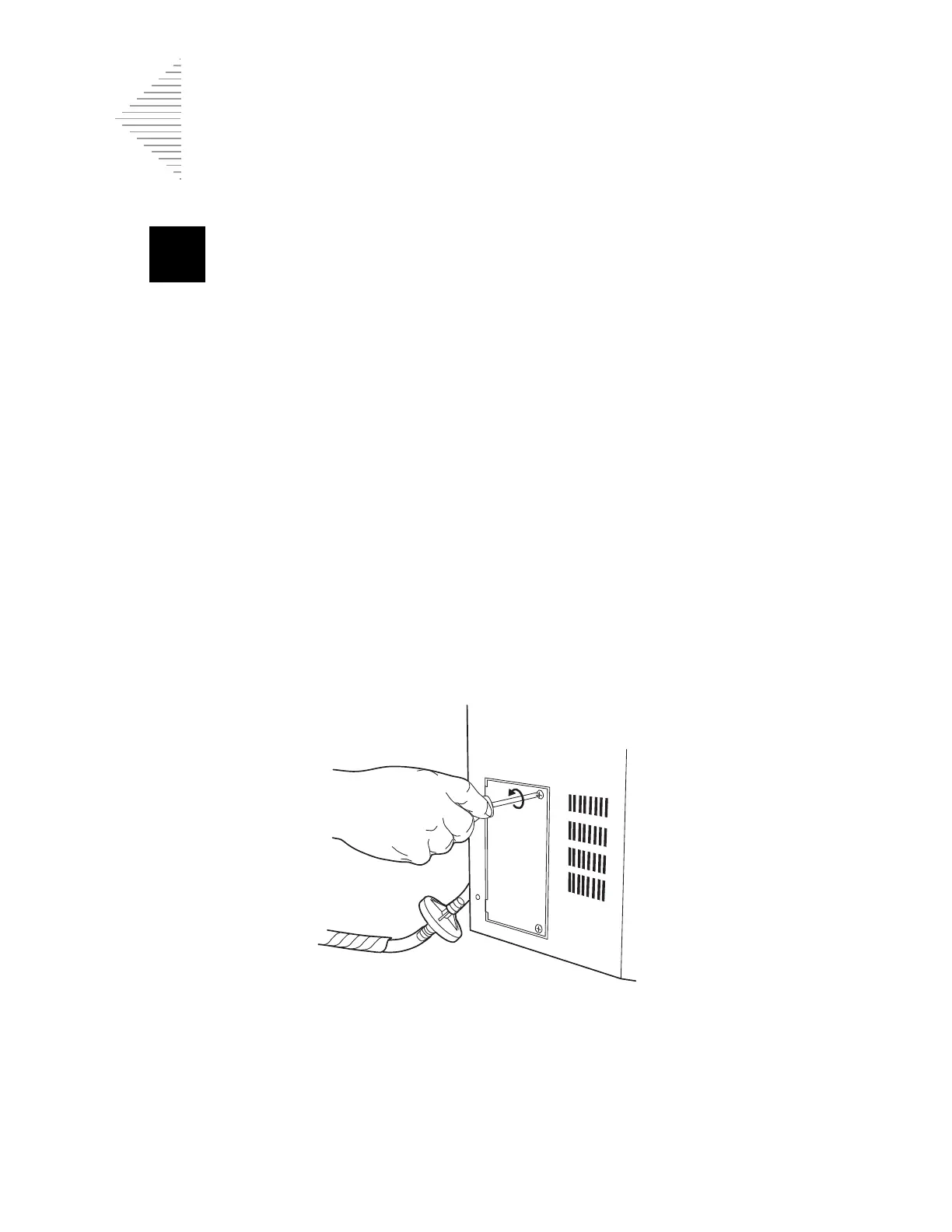
2. Using the #1 tip (small) Phillips head screwdriver provided, loosen the two Phillips head
screws that secure the access panel shown in Figure 7-6. Only a 1/4 turn counterclock-
wise is required to loosen these screws. Do not attempt to unscrew them completely.
Figure 7-6
3. Remove the access panel and set it aside.
4. Locate the pieces of flexible tubing shown in Figure 7-7.



 To Next Page