THINPREP 2000 INSTALLATION
ThinPrep 2000 Processor Operator’s Manual
2.7
Caution:
Do not attempt to mismatch tubing connection. This may result in damage to your pro-
cessor.
Caution:
Always empty the waste bottle before it reaches the maximum liquid level line. Follow
the procedure in Chapter 7, “Maintenance”.
INSERTING THE PROGRAM MEMORY CARD
1. Confirm the power to the unit is off.
Caution:
ALWAYS turn off the power before inserting or removing the Program Memory Card.
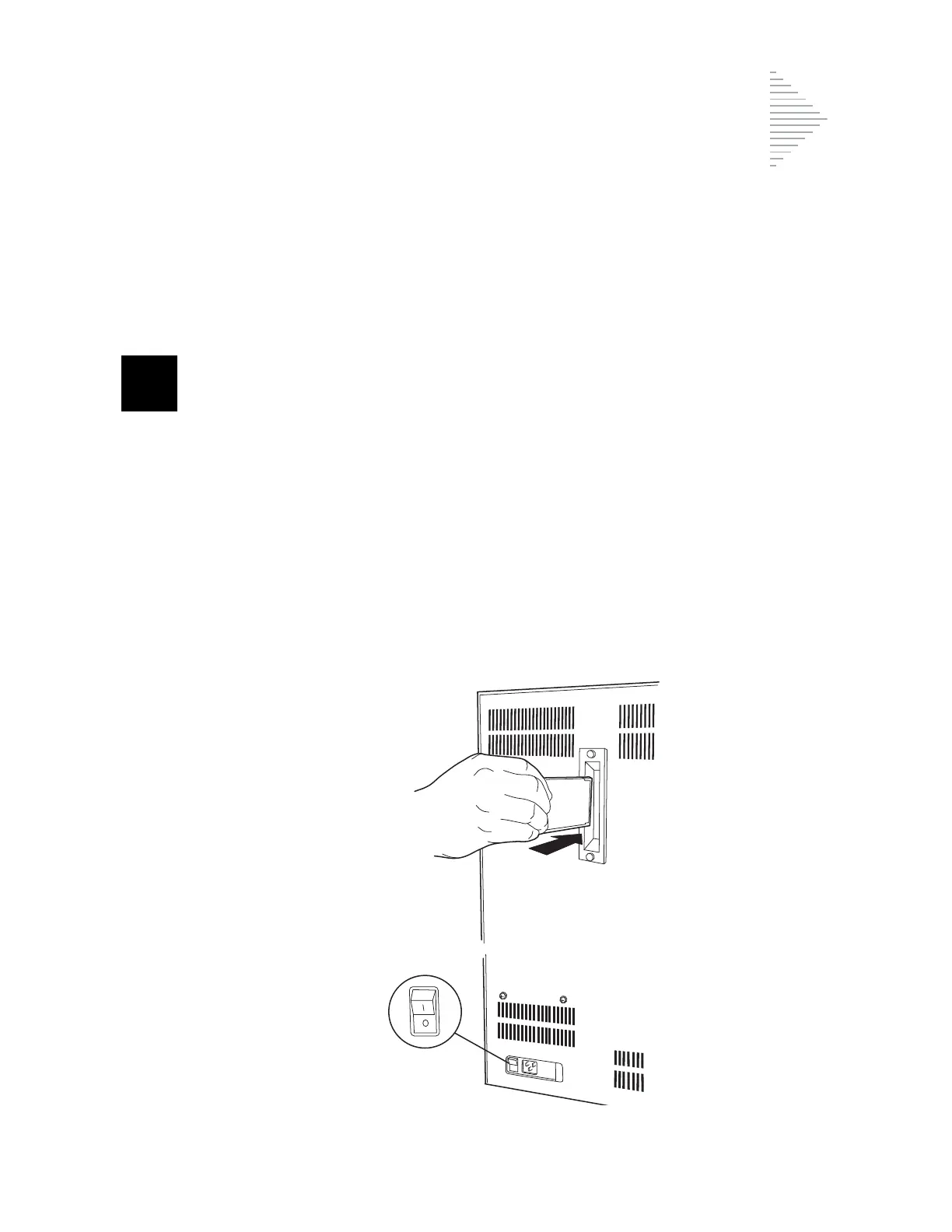
2. Locate the receptacle for the Program Memory Card (PMC) in the center of the rear panel of the
ThinPrep 2000 processor.
3. Orient the PMC as indicated by the arrows on the label of the card.
4. Insert the PMC into the unit as shown in Figure 2-4. Continue to insert the card until the small
black button at the top of the receptacle snaps out. If the PMC does not enter the unit smoothly,
do not force it into the ThinPrep 2000 processor socket.
Figure 2-4 Inserting the Program Memory Card
Confirm that
the power is
OFF



 To Next Page