THINPREP 2000 INSTALLATION
ThinPrep 2000 Processor Operator’s Manual
2.5
4. Save the foam insert for subsequent instrument packaging.
Slide Handler Packaging Removal:
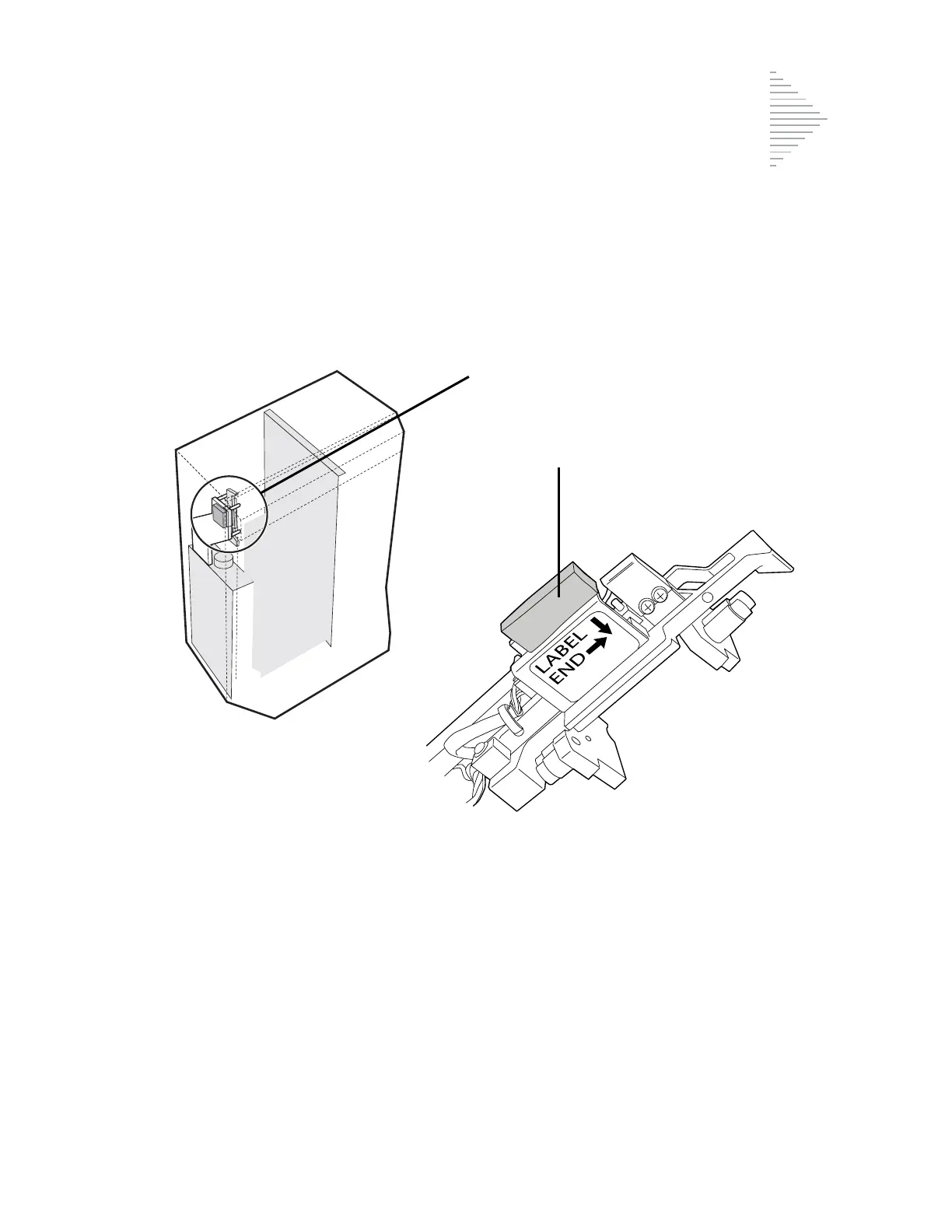
1. Locate the orange foam block securing the slide handler. The slide handler is secured in
the upper left-hand corner of the instrument. Refer to Figure 2-2.
Figure 2-2 Removing the Slide Handler Packaging
2. Carefully remove the foam block that is between the slide handler and the four horizon-
tal ejector pins. The foam block may still be between the four ejector pins in the upper
left-hand corner of the unit. The slide handler may be rotated to a horizontal position to
remove the foam block.
3. Close the door by sliding it to the left.
4. Save the foam block for subsequent instrument packaging.
Location of the slide handler when packaged
Remove the foam block



 To Next Page