83
6
GPS/GPS-A OPERATION
1
2
3
4
5
6
7
8
9
10
11
12
13
14
15
16
17
18
19
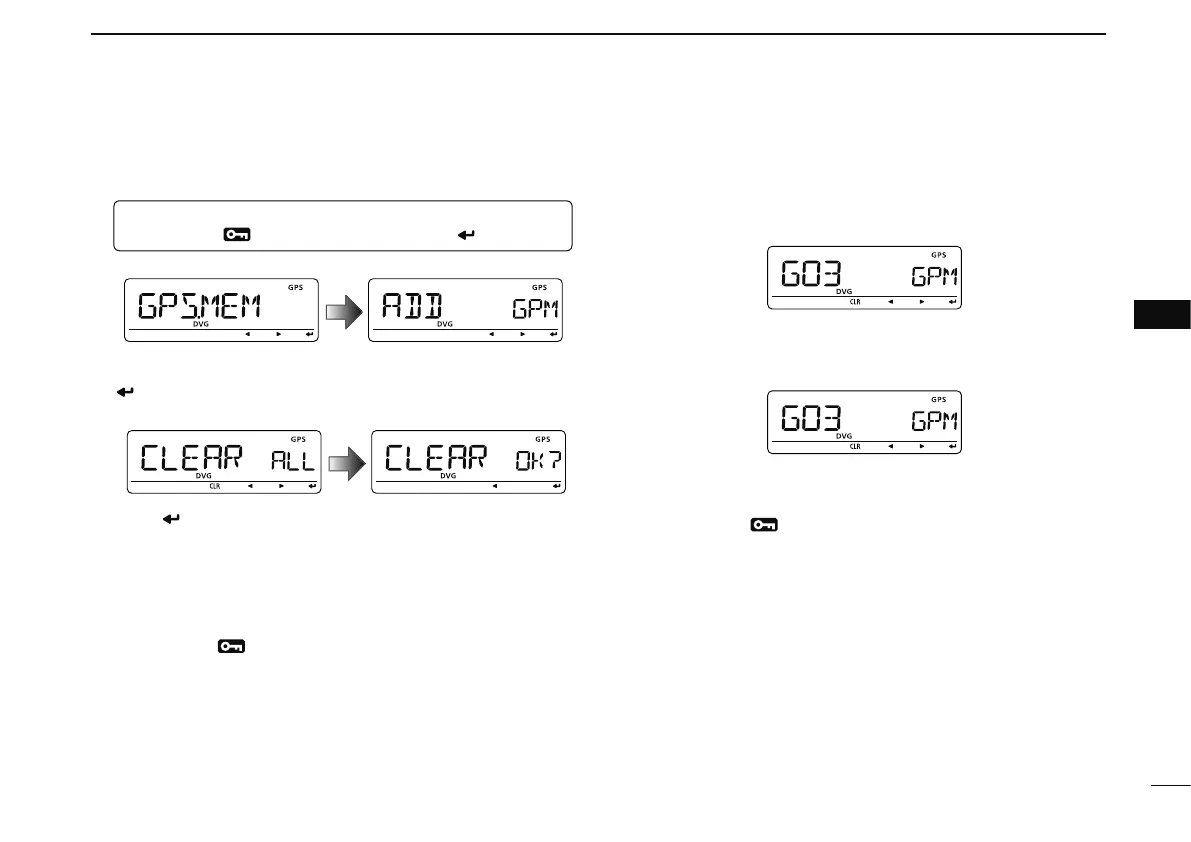
D GPS memory clearing
• Clear all memory channels
q Enter “GPS.MEM” in GPS set mode.
MENU ¶ GPS ¶ GPS.MEM
(Push [MENU ]), (rotate [DIAL], then push [ ](MONI).)
• GPS memory selection screen is displayed.
w Rotate [DIAL] to select “CLEAR ALL,” then push
[
](MONI).
• “CLEAR OK?” appears.
e Push [ ](MONI) again to clear all memory channels.
• 2 beep sounds, then all memory channels are cleared.
• Push and hold [CLR](DR) for 1 sec. also clears all memory
channels when “CLEAR ALL” is displayed.
r Push [ ](CS) to return to GPS.MEM (GPS memory)
screen.
t Push [MENU
] to return to frequency indication.
• Clear desired memory channel to be cleared
q Enter “GPS.MEM” in GPS set mode as described at left.
w Rotate [DIAL] to select the desired GPS memory channel
to be cleared.
e Push and hold [CLR](DR) for 1 sec. to clear the list.
• 2 beep sounds, then the selected memory channel is cleared.
• Remaining channels scroll up.
r Push [ ](CS) to return to GPS.MEM (GPS memory)
screen.
t Push [MENU
] to return to frequency indication.



 To Next Page