52
5
DV MODE OPERATION
N Calling a specific station
STEP 1 (RPT1 selection)
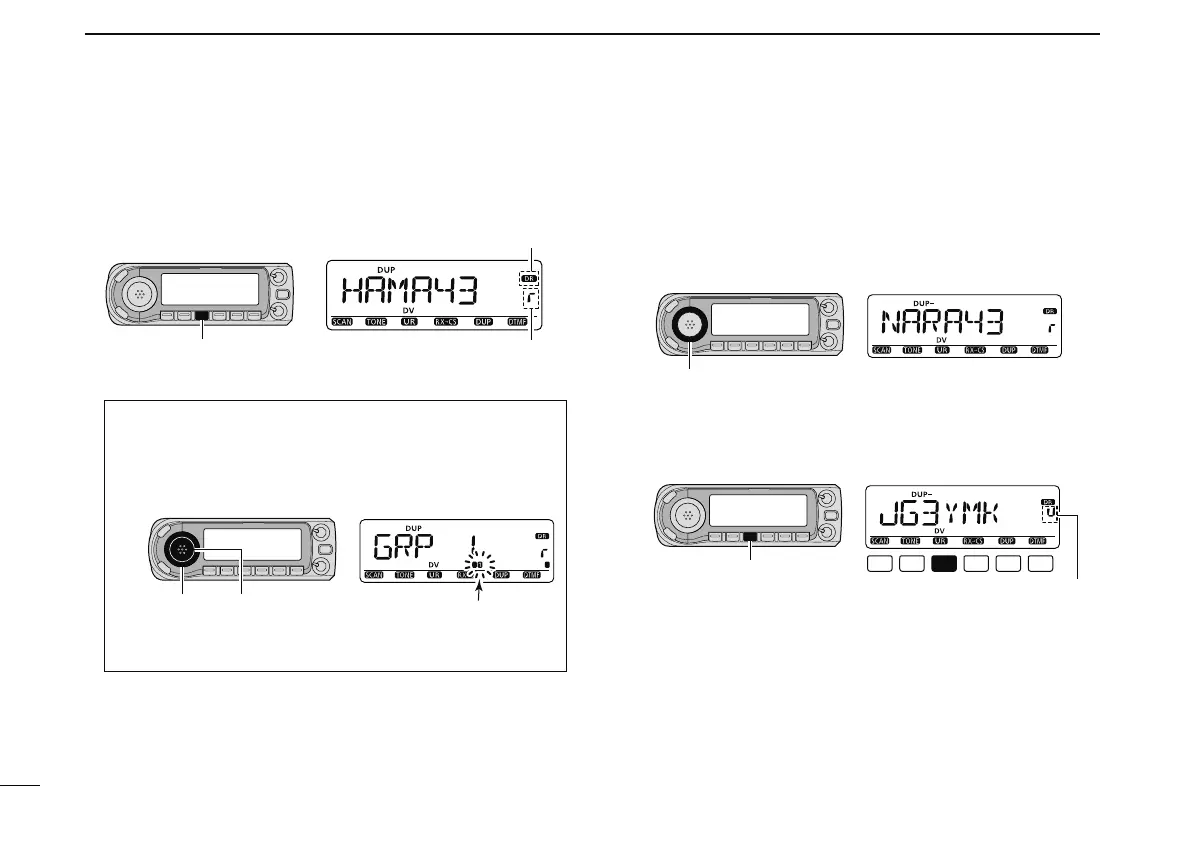
q Push [DR] to enter DR mode.
[DR]
Appears
Repeater selection indicator
w Select the repeater group.
Selecting the repeater group
q Push and hold [BAND] for 1 sec., then rotate [DIAL]
to select the desired repeater group.
• Only assigned groups from GRP 1–GRP 9 and GRP 0 are
selectable.
[DIAL] [BAND]
Group indicator blinks
w Push [BAND] again to release the group selection.
e Rotate [DIAL] to select the access repeater.
• Only repeaters that have access repeater settings programmed
are selectable.
• Group indicator appears momentarily when rotating [DIAL].
• Access repeater scan can be used for the selection. (p. 48)
STEP 2 (UR call sign selection)
r Push and hold [UR](DR) for 1 sec. to enter UR call sign
selection.
[UR]
UR selection indicator
t Rotate [DIAL] to select a specific station call sign.
• Push [BAND] several times to select “GRP UR” in advance.



 To Next Page