27
3
REPEATER OPERATION
3
N Frequency offset
When communicating through a repeater, the transmit fre-
quency is shifted from the receive frequency by an amount
determined by the frequency offset. Independent offset fre-
quencies can be set for each operating frequency band.
q Select the desired mode/channel for which you wish to set
the offset frequency, such as the VFO mode or a memory/
call channel.
• The frequency offset is independently programmed into each
mode, band or channel.
w
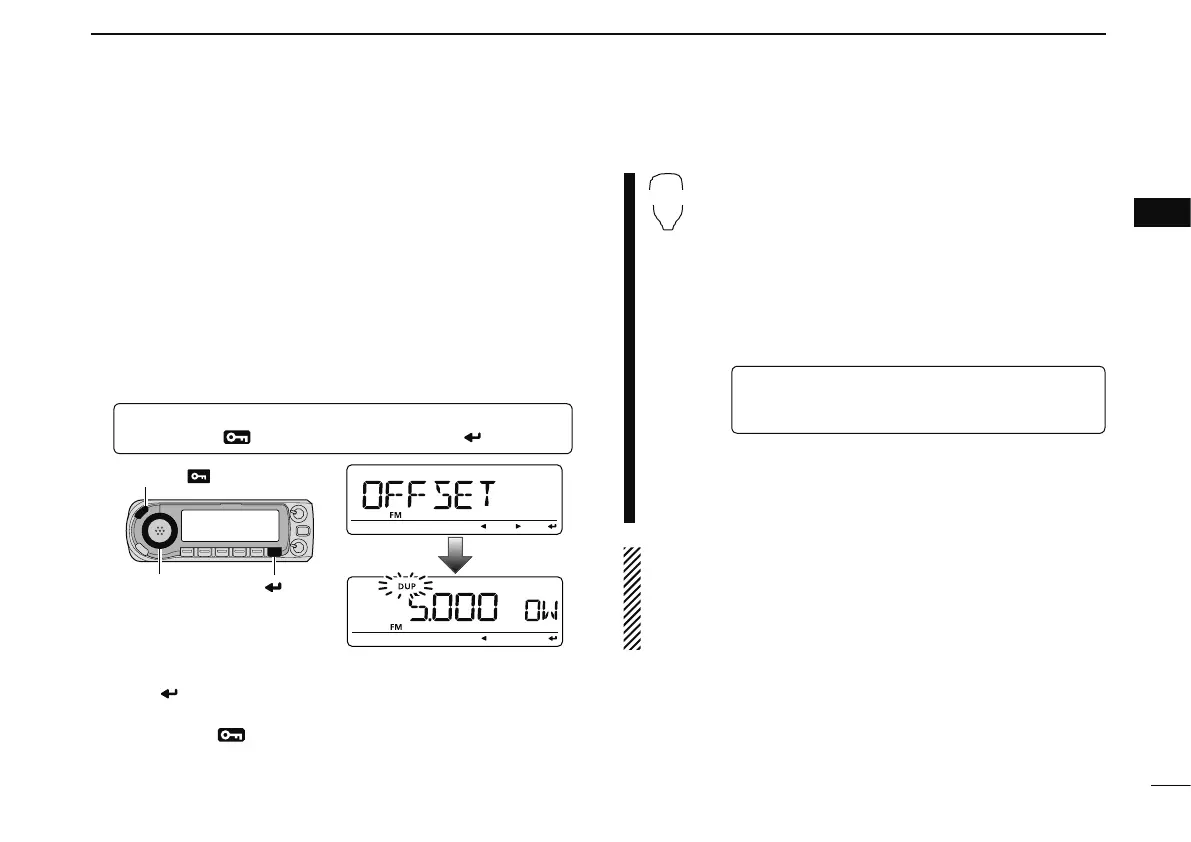
Enter “OFFSET” in DUP.T menu.
MENU ¶ DUP.T ¶ OFFSET
(p. 121)
(Push [MENU ]), (Rotate [DIAL], then push [ ](MONI).)
e Rotate [DIAL] to set the desired frequency offset, then
push [
](MONI).
• Push [VFO/MHz] to turn 10 MHz or 1 MHz tuning ON or OFF
r Push [MENU ] again to exit DUP.T menu.
z Push [BAND] to select the desired band.
• Enter the desired frequency via the keypad if neces-
sary.
x Select the desired mode/channel for which you
wish to set the offset frequency, such as the
VFO mode or a memory/call channel.
• The frequency offset can be independently pro-
grammed into each mode, band or channel.
c
Enter “OFFSET” in DUP.T menu.
MENU ¶ DUP.T ¶ OFFSET
(p. 121)
(Push [SET B(D-OFF)] to enter MENU screen),
(Push [Y] or [Z], then push [SET B(D-OFF)].)
v Push [Y] or [Z] to set the desired
offset.
• Direct frequency entry from the keypad is not pos-
sible.
b Push [CLR A(MW)] to exit the set mode.
NOTE: The frequency offset can be set in a memory/call
channel temporarily. However, the set frequency is cleared
once another memory channel or the VFO mode is se-
lected. To store the frequency offset permanently, overwrite
the channel information.



 To Next Page