25
3
REPEATER OPERATION
3
N Subaudible tones (Encoder function)
D Subaudible tones
q Select mode/channel for which you wish to set the subau-
dible tones, such as the VFO mode or a memory/call chan-
nel. (Subaudible tone is available in FM/FM-N only.)
• The subaudible tone frequency is independently programmed
into each mode, band or channel.
w
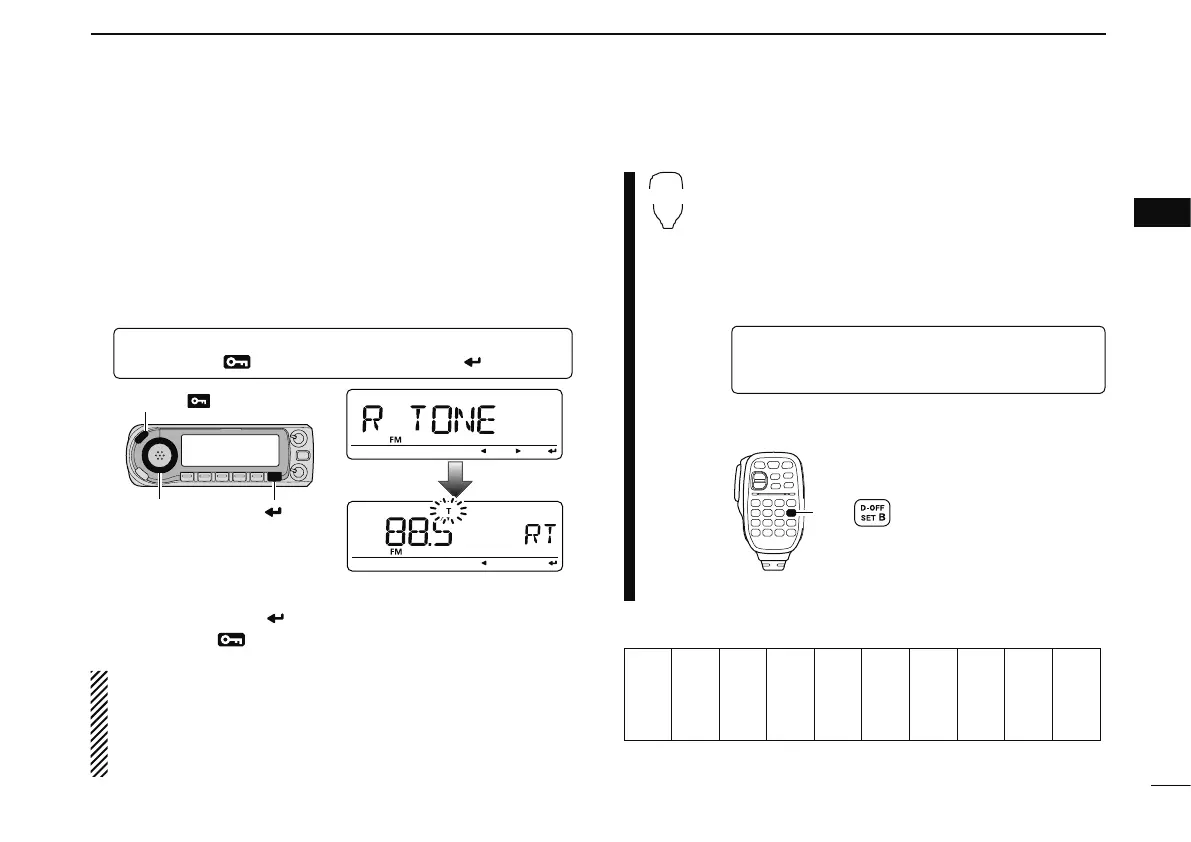
Enter “R TONE” in DUP.T menu.
MENU ¶ DUP.T ¶ R TONE
(p. 121)
(Push [MENU ]), (Rotate [DIAL], then push [ ](MONI).)
e Rotate [DIAL] to select and set the desired subaudible fre-
quency, then push [
](MONI).
r Push [MENU
] again to exit DUP.T menu.
NOTE: The subaudible tone encoder frequency can be set
in a memory/call channel temporarily. However, the set fre-
quency is cleared once another memory channel or the
VFO mode is selected. To store the tone frequency perma-
nently, overwrite the channel information.
z Set mode/channel for which you wish to set the
subaudible tones, such as the VFO mode or a
memory/call channel. (Subaudible tone is avail-
able in FM/FM-N only.)
• The subaudible tone frequency is independently pro-
grammed into each mode, band or channel.
x
Enter “R TONE” in DUP.T menu.
MENU ¶ DUP.T ¶ R TONE
(p. 121)
(Push [SET B(D-OFF)] to enter MENU screen),
(Push [Y] or [Z], then push [SET B(D-OFF)].)
c Push [Y] or [Z] to select the desired
subaudible
tone frequency
then push [SET B(D-OFF)].
v Push [CLR A(MW)] to return to the VFO mode.
• Subaudible tone frequency list
(unit: Hz)
67.0
69.3
71.9
74.4
77.0
79.7
82.5
85.4
88.5
91.5
94.8
97.4
100.0
103.5
107.2
110.9
114.8
118.8
123.0
127.3
131.8
136.5
141.3
146.2
151.4
156.7
159.8
162.2
165.5
167.9
171.3
173.8
177.3
179.9
183.5
186.2
189.9
192.8
196.6
199.5
203.5
206.5
210.7
218.1
225.7
229.1
233.6
241.8
250.3
254.1



 To Next Page