24
3
REPEATER OPERATION
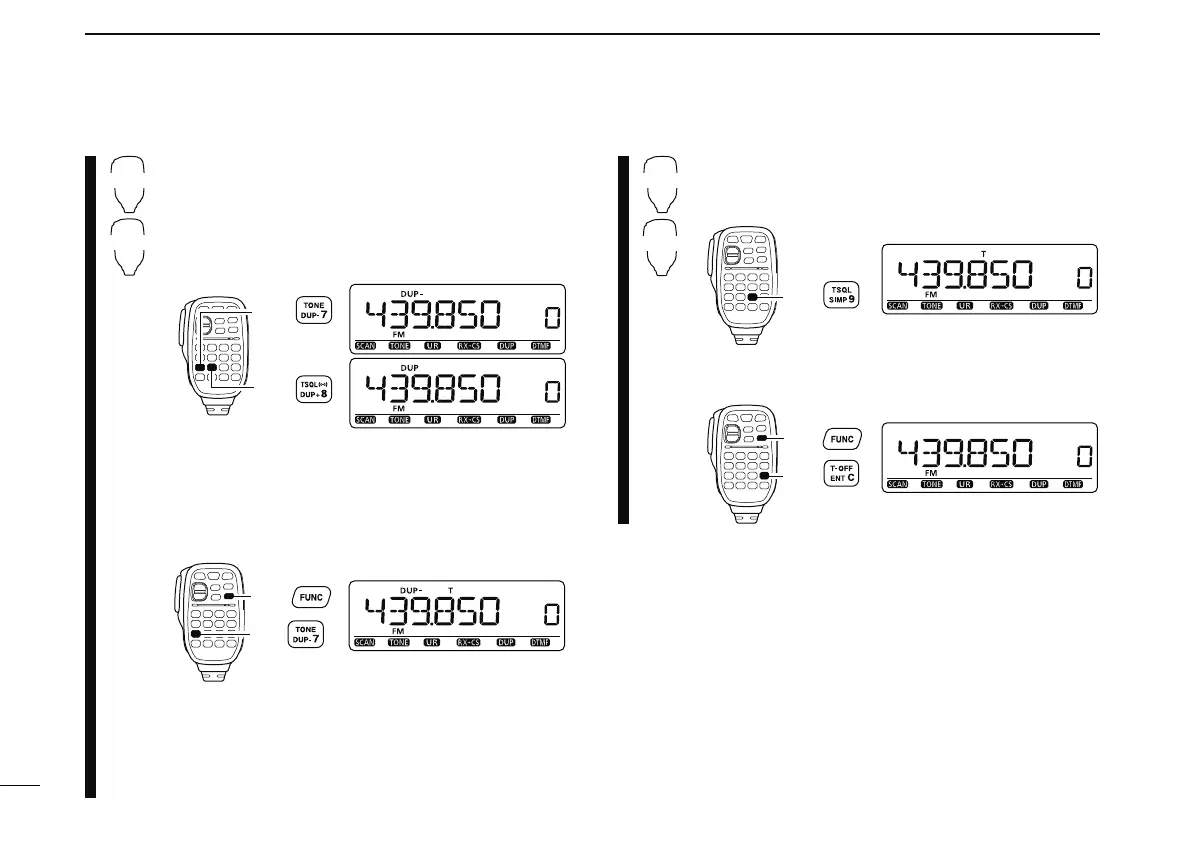
z Set the receive frequency (repeater output fre-
quency). (pgs. 14, 15)
x Push [DUP– 7(TONE)] to select minus duplex;
push [
DUP+ 8(TSQLS)] to select plus du-
plex.
• “DUP–” or “DUP” appears.
c Push [FUNC] then [DUP– 7(TONE)] to turn ON
the subaudible tone encoder according to re-
peater requirements.
• Refer to p. 25 for the tone frequency setting.
• When the repeater requires a different tone system,
see p. 26.
v Push and hold [PTT] to transmit.
b Release [PTT] to receive.
n Push [
MONI 1(BANK)] to check whether the
other station’s transmit signal can be received
directly.
m Push [SIMP 9(TSQL)] to return to simplex opera-
tion.
• “DUP+” or “DUP–” indicator disappears.
, To turn OFF the subaudible tone encoder, push
[FUNC] then [
ENT C(T-OFF)].
N Accessing repeater (continued)



 To Next Page