17
2
BASIC OPERATION
1
2
3
4
5
6
7
8
9
10
11
12
13
14
15
16
17
18
19
N Receiving
q Set the audio level.
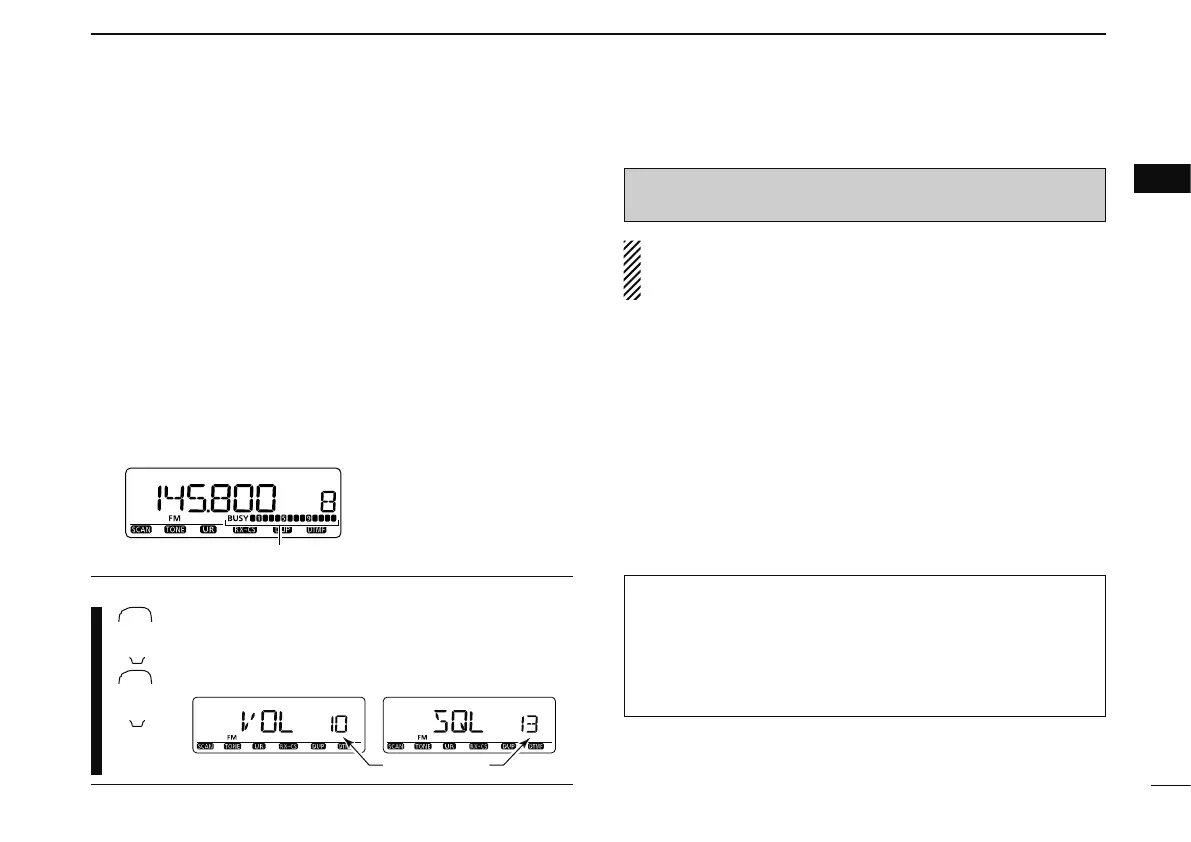
± Push [MONI] to open the squelch.
± Rotate [VOL] to adjust the audio level.
± Push [MONI] to close the squelch.
w Set the squelch level.
± Rotate [SQL] fully counterclockwise in advance, then
rotate [SQL] clockwise until the noise just disappears.
• When interference due to strong signals is received, rotate
[SQL] clockwise past 13 o'clock for attenuator operation.
(p. 19)
e Set the operating frequency. (pgs. 14, 15)
r When receiving a signal on the selected frequency, squelch
opens and the transceiver emits audio.
Appears when receiving a signal.
• “BUSY” appears and the S/RF
indicator shows the relative
signal strength for the re-
ceived signal.
CONVENIENT!
The audio and squelch level can also be adjusted with
[
VOLY (TONE-1)]/[VOLZ 0(TONE-2)] and
[
SQLY D(MUTE)]/[SQLZ #(16KEY-L)], respectively.
• “VOL” for audio or “SQL” for squelch appears during set.
N Transmitting
CAUTION: Transmitting without an antenna may damage
the transceiver.
NOTE: To prevent interference, listen on the channel be-
fore transmitting by pushing [MONI], or [
MONI 1(BANK)] on
the microphone.
q Set the operating frequency.
(pgs. 14, 15)
• Select output power if desired. See the section at next page for
details.
w Push and hold [PTT] to transmit.
• “$” appears.
• The S/RF indicator shows the output power selection.
• A one-touch PTT function is available. See p. 21 for details.
e Speak into the microphone using your normal voice level.
• DO NOT hold the microphone too close to your mouth or speak
too loudly. This may distort the signal.
r Release [PTT] to return to receive.
IMPORTANT! (for 50 W transmission):
The ID-E880 is equipped with protection circuits to protect
the power amplifier circuit from high temperature. When
the transceiver temperature becomes extremely high, the
transceiver reduces transmit output power to 5 W
(approx.)
automatically.



 To Next Page