14
2
BASIC OPERATION
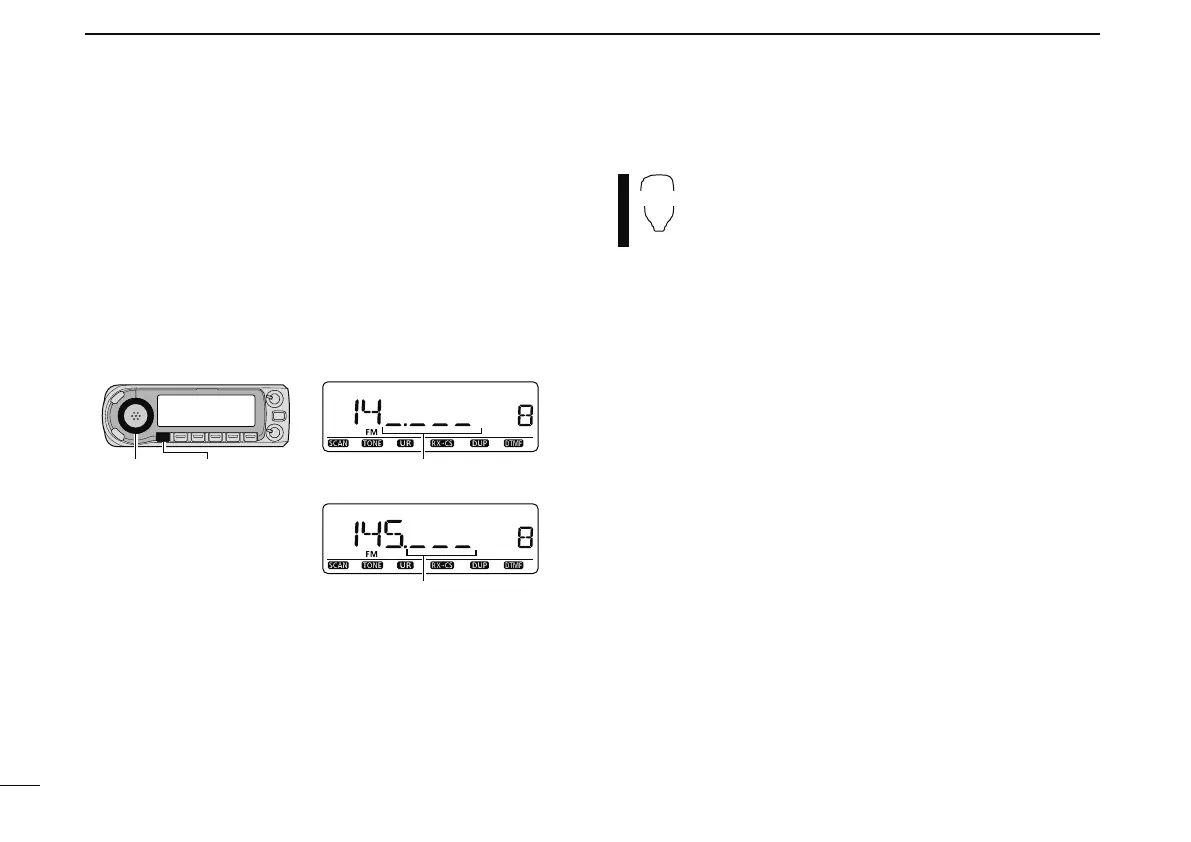
N Using the tuning dial
q Rotate [DIAL] to set the frequency.
• If the VFO mode is not selected, push [VFO/MHz] to select the
VFO mode.
• The frequency changes in the selected tuning steps. (p. 15)
w
To change the frequency in 10 MHz (or 1 MHz) steps, push
[VFO/MHz] once or twice, then rotate [DIAL].
Push [VFO/MHz] again.
• Pushing and holding [VFO/MHz] for 1 sec. starts scan function.
If scan starts, push [VFO/MHz] again to cancel it.
[DIAL] [VFO/MHz]
While 1 MHz tuning step is selected,
the digit below 100kHz disappear.
While 10 MHz tuning step is selected,
the digit below 1 MHz disappear.
N Using the [Y]/[Z] keys
± Push [Y] or [Z] to select the desired frequency.
• Pushing and holding [Y]/[Z] for 1 sec. activates a
scan. If scan starts, push [Y]/[Z] or [CLR A(MW)] to
cancel it.



 To Next Page