13
2
BASIC OPERATION
1
2
3
4
5
6
7
8
9
10
11
12
13
14
15
16
17
18
19
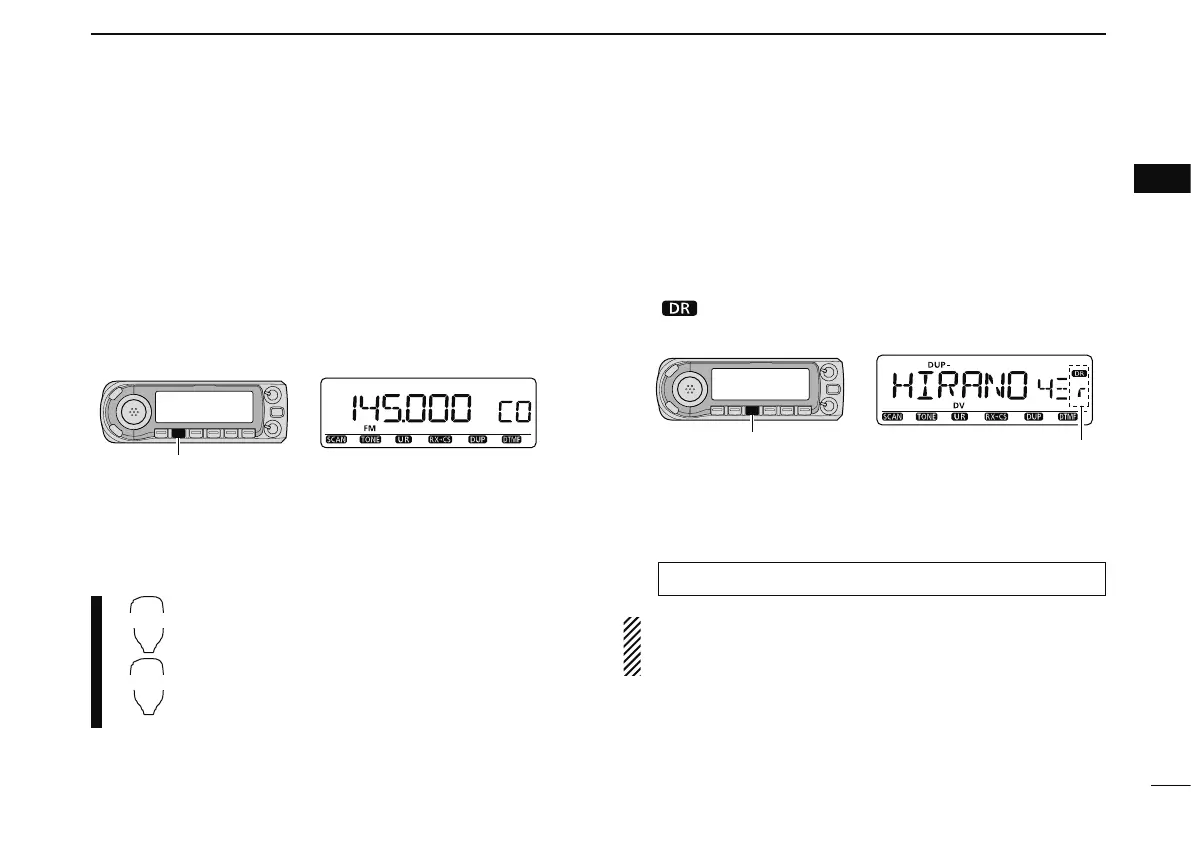
D Call channels
Call channels are used for quick recall of most-often used
frequencies.
q Push [M/CALL] several times to select call channels.
• Memory/Call channels can be selected in sequence.
• “C0” or “C1” appears when call channel is selected.
w Rotate [DIAL] to select the desired channel.
[M/CALL]
• Call channel indication
z Push and hold [MR/CALL] for 1 sec. to se-
lect the call channels.
x Push [] or [] to select the desired call
channel.
D DR (D-STAR Repeater) mode
DR (D-STAR Repeater) mode is used for D-STAR repeater
operation. In this mode, you can select the pre-programmed
repeaters and UR call sign easily.
q Push [DR] to select the DR mode.
• “ ” appears when the DR mode is selected.
[DR]
• DR mode indication
Appear
w Rotate [DIAL] to select the desired access repeater.
• While rotating [DIAL], S/RF meter indicates group number.
• Only programmed access repeaters in RPT-L menu can be se-
lected. See p. 34 for RPT-L (repeater lists) programming details.
MENU ¶RPT-L ¶ADD-L (p. 34)
NOTE: If All reset is performed, “NO RPT” indication ap-
pears. In this case, you should program the repeater list
before operating the DR mode.



 To Next Page