75
6
GPS/GPS-A OPERATION
1
2
3
4
5
6
7
8
9
10
11
12
13
14
15
16
17
18
19
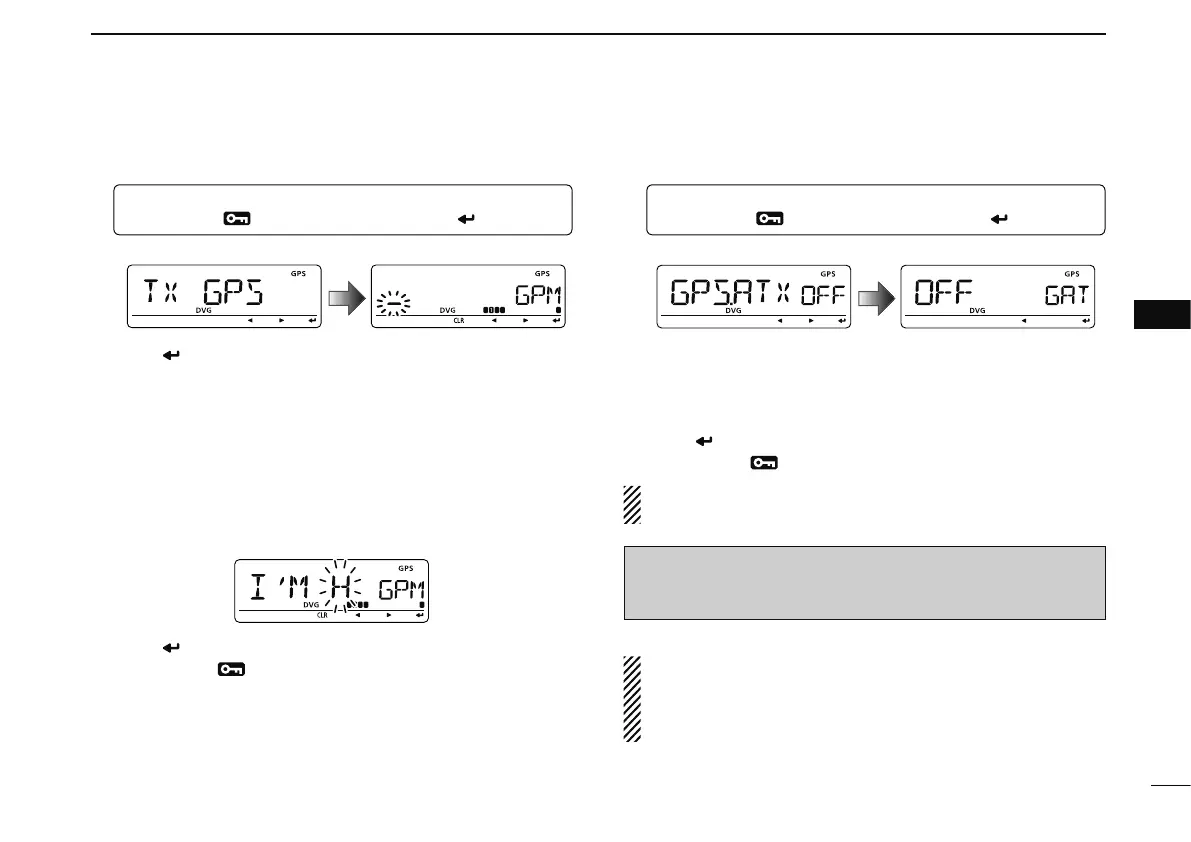
D GPS message programming
q Enter “TX GPS” in MESSAG screen.
MENU ¶ MESSAG ¶ TX GPS
(Push [MENU ]), (rotate [DIAL], then push [ ](MONI).)
• TX GPS screen is displayed.
w Push [ ](MONI) to select the message edit condition.
• The 1st digit of the message blinks.
e Rotate [DIAL] to select the desired character or symbol.
r Push [](LOW) to select 2nd digit, then rotate [DIAL] to
select the desired character or code.
• Push [](LOW) to move the cursor right; push [](CS) to move
the cursor left.
• 2nd digit blinks (1st digit stops blinking).
t Repeat step r to enter the desired message.
• Up to 20-character messages can be set.
y Push [ ](MONI) to store the message.
u Push [MENU
] to return to frequency indication.
D GPS message automatic transmission
q Enter “GPS.ATX” in GPS mode.
MENU ¶ GPS ¶ GPS.ATX
(p. 141)
(Push [MENU ]), (rotate [DIAL], then push [ ](MONI).)
• GPS AUTO TX screen is displayed.
w Rotate [DIAL] to select the desired position data transmit-
ting interval from 5 sec., 10 sec., 30 sec., 1 min., 3 min., 5
min., 10 min., 30 min. or OFF.
• The GPS message is also transmitted if programmed.
e Push [ ](MONI) to return to GPS mode.
r Push [MENU
] to return to frequency indication.
NOTE: Your own call sign (“MY”) must be set to activate
the GPS automatic transmission.
[NOTICE]
“5SEC” cannot be selected when 4 GPS sentences are se-
lected.
• Only use GPS message automatic transmission in sim-
plex mode.
• Automatic GPS message transmission through a re-
peater may interfere with other communications.



 To Next Page