40
4
DV MODE PROGRAMMING
New2001 New2001
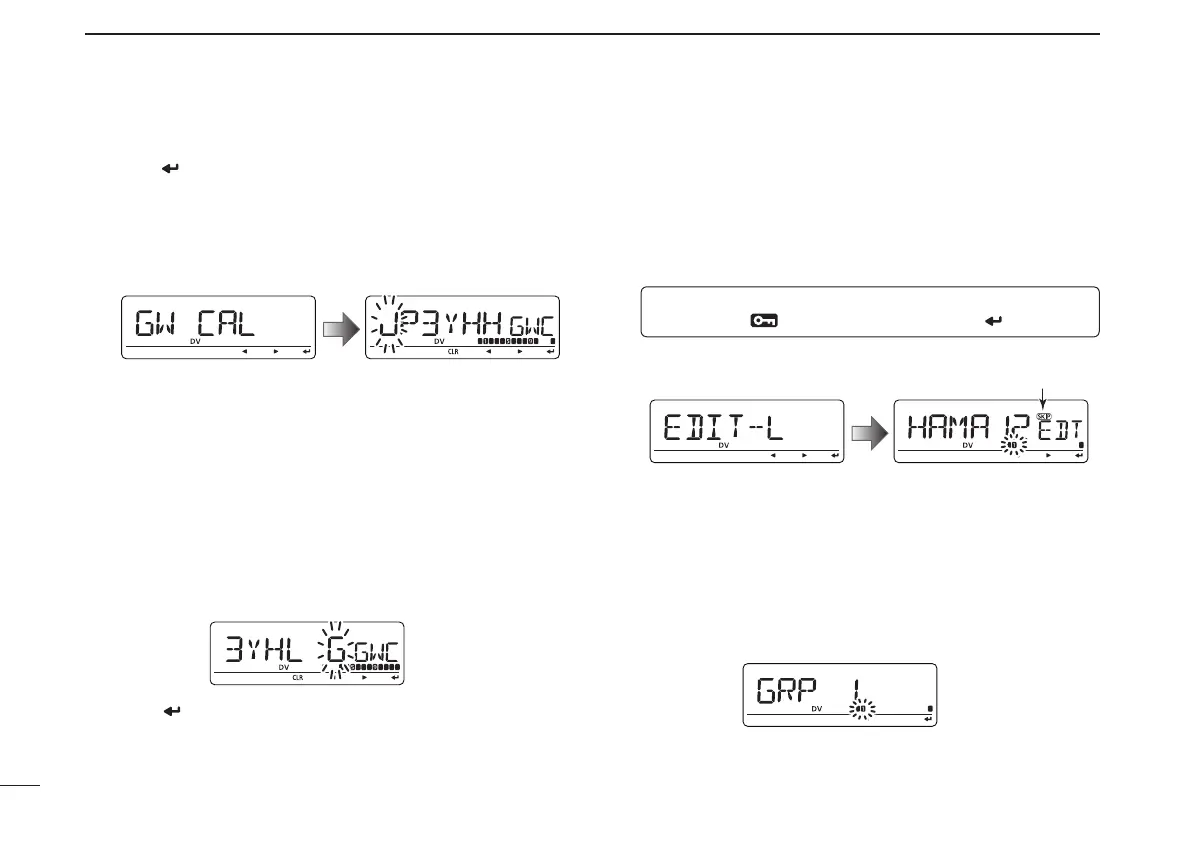
® Gateway repeater call sign programming (GW CAL)
q Push [ ](MONI) to enter the gateway repeater call sign
programming.
• Gateway repeater call sign programming screen is displayed.
• Programmed repeater call sign is displayed, then the 1st char-
acter blinks.
• The 8th digit is automatically added or replaced to “G.”
w Rotate [DIAL] to select the desired character, number,
symbol (‘/’ only) or space.
• The selected character blinks.
• Push [u](LOW) to move the cursor right; push [t](CS) to move
the cursor left.
• Push [CLR](DR) to erase the selected character, or push and
hold [CLR](DR) for 1 sec. to erase all characters following the
cursor.
e Repeat step w until the desired repeater call sign is pro-
grammed.
• Call sign can be up to 8 digits long, but 8th digit must be set to “G.”
r Push [ ](MONI) to program the gateway repeater call
sign and exit the state.
■
Changing a repeater list
This function re-programs a repeater list’s contents. This is
useful when already-programmed contents are mistaken or
some contents are added to the list.
q
Enter “EDIT-L” in RPT-L menu.
MENU ➪ RPT-L ➪ EDIT-L
(Push [MENU ]), (rotate [DIAL], then push [ ](MONI).)
• Programmed repeater name appears.
SKIP indicator
SKIP indicator shows the selected repeater can not be used
for access repeater (RPT1) in DR mode as follow reasons.
• “R1 USE” is set to “NO.”
• Either “FREQ” (frequency) or “DUP” (duplex direction)
has not been programmed.
w Push and hold [BAND] for 1 sec. to enter group selection,
rotate [DIAL] to select the desired group (0–9), then push
[BAND].



 To Next Page