38
4
DV MODE PROGRAMMING
Duplex direction setting (DUP)
This content appears when R1 USE is selected YES.
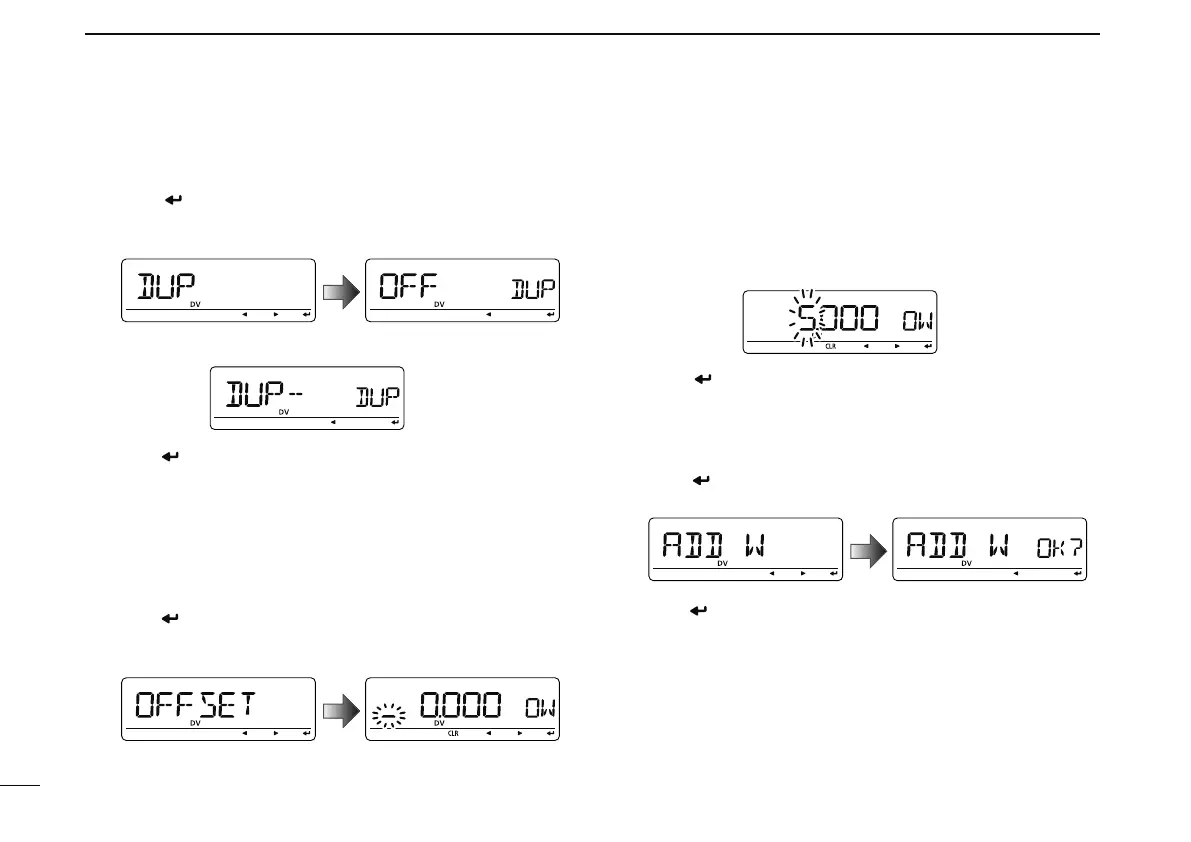
@4 Push [ ](MONI) to enter the duplex direction setting
state.
• Duplex direction setting screen is displayed.
@5 Rotate [DIAL] to select the duplex direction.
@6 Push [ ](MONI) to set the duplex direction and exit the
state.
@7 Rotate [DIAL] to select the next content (frequency offset
programming).
Frequency offset programming (OFF SET)
This content appears when R1 USE is selected YES.
@8 Push [ ](MONI) to enter the offset frequency program-
ming state.
• Frequency offset programming screen is displayed.
@9 Rotate [DIAL] to select the frequency offset.
• The selected number blinks.
• Push [](LOW) to move the cursor right; push [](CS) to move
the cursor left.
• Push and hold [CLR](DR) for 1 sec. to clear the displayed fre-
quency.
#0 Push [ ](MONI) to set the frequency offset and exit the
state.
Storing the repeater list (ADD W)
#1 Rotate [DIAL] to select the store operation.
#2 Push [
](MONI) to enter storing state.
• “ADD W OK?” appears.
#3 Push [ ](MONI) again to store the list.



 To Next Page