55
5
DV MODE OPERATION
1
2
3
4
5
6
7
8
9
10
11
12
13
14
15
16
17
18
19
D Confirming the setting
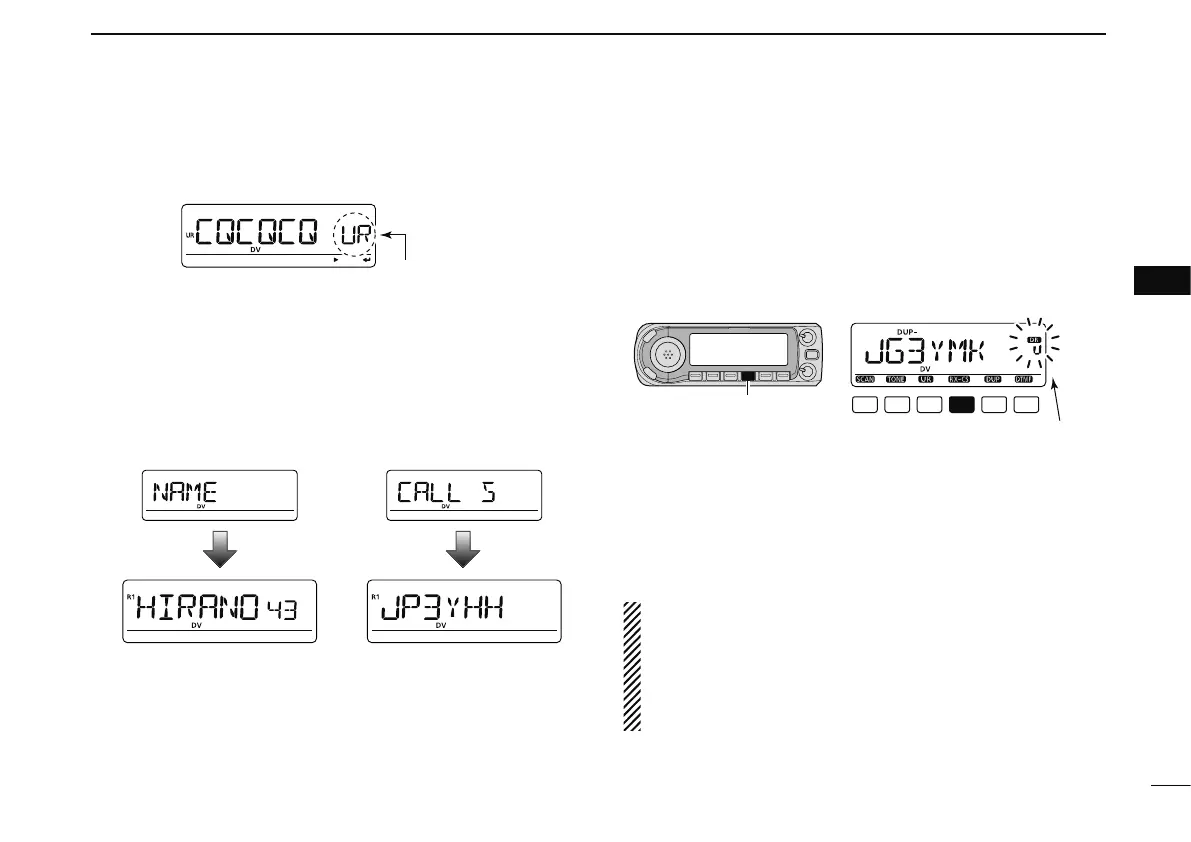
q Push [CS] to enter the setting confirmation screen.
• Either “UR,” “R1” or “R2” call sign is displayed.
w Rotate [DIAL] to select and confirm the other current call
sign.
• “UR,” “R1,” “R2,” “MY” and “FRQ” appears in sequence.
e Push [M/CALL] to toggle the name indication and call sign
indication.
• Name indication is available only for repeater call signs that have
programmed repeater names.
r Push [CS] again to exit the setting confirmation screen.
D One-touch reply using the call record in the
DR mode
The stored call signs in the call record can be used to the call.
See p. 45 for “One-touch reply using the call record” (except
the DR mode) for reference.
q After receiving a call, push and hold [RX©CS](CS) for
1 sec. to select the desired call record.
[CS]
CS
Blinks when the received call sign is displayed.
• The call sign in “CALLER” is stored as “UR.”
• Error beeps sound when a call sign is received incorrectly, and
no call sign is set in this case.
w Push [PTT] to transmit; release to receive.
e Push [DR] to return to the previous setting.
• Push and hold
[RX©CS](CS)
also returns to the previous setting.
NOTE:OTE: If you want to save this temporary setting, push and
hold [MW](S.MW) for 1 sec., then rotate [DIAL] to select
the desired memory channel, call channel or VFO. Then
push and hold [MW](S.MW) again to store the setting. (If
you push and hold [MW](S.MW) for 2 sec. at first pushing,
the setting is stored to the VFO automatically.)



 To Next Page