HD2 Series Inverter Basic Operation Guidelines
-46-
Max Output Freq Hz
050.00
Max : 630.00
Min : 50.00
Present:50.00
Auth: √
Default : 50.00
Max Output Freq Hz
050.01
Max : 630.00
Min : 50.00
Present:50.00
Auth: √
Default : 50.00
HD2
16:02:35
P00.00: Speed Ctrl Run Cmd
P00.02: Comm Cmd Channel
P00.04: RunFreq Up Limit
P00.05: RunFreq Low Limit
Fwd
Local Ready
P00.01: Run Cmd Channel
P00.03: Max Output Freq
Back Edit Sele
Back Home OK Back Home OK
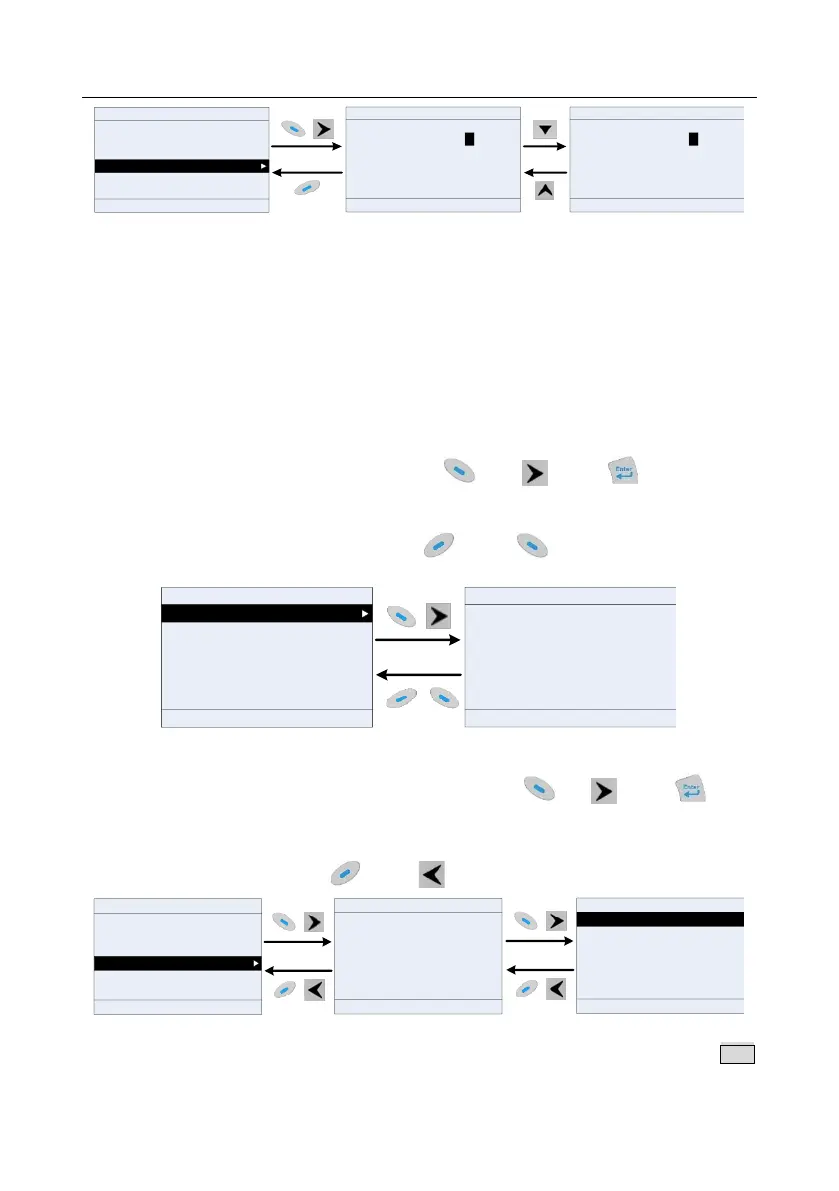
Figure 5-20 Editing parameters in parameter groups
In the parameter edit interface, the "Auth" field on the top right indicates whether this parameter can
be modified or not.
"√" indicates the set value of this parameter can be modified under the present state.
"×" indicates the set value of this parameter cannot be modified under the present state.
"Present" indicates the present value.
"Default" indicates the default value of this parameter.
5.4.7 Monitoring states
You can choose Menu > State monitoring > State monitoring parameter, enter a specific function
group and then a specific function code, and press key, key or key to enter the
state monitoring interface. After entering the state monitoring interface, the actual parameter value
will be displayed in real time, this value is the detected value which cannot be modified.
In the state monitoring interface, you can press key or key to return to the previous
menu.
Set Freq Hz
50.00
Max : 630.00
Min : 0.0
16:02:35
Fwd
Local
Ready HD2
Default : 0.0
16:02:35
P17.00:Set Freq
P17.11:DC Bus Volt
P17.12:HDIB/A/S4/3/2/1
P17.13:RO2/RO1/HDO/Y1
P17.26:Current Oper Time
P17.15:Motor Trq Ref
Fwd Local Ready HD2
Back Add OK Back Home OK
Figure 5-21 State monitoring interface
5.4.8 Autotuning motor parameters
You can choose Menu > Motor parameter autotune and press key, key or key to
enter motor parameter autotuning interface. However, before entering the motor parameter
autotuning interface, you must set the motor nameplate parameters correctly. After entering the
interface, select a motor autotuning type to carry out motor parameter autotuning. In motor parameter
autotuning interface, you can press key or key to return to the previous menu.
Complete para rotary autotune
Complete para static autotune
Partial para static autotune
16:02:35
Fwd
Local
Ready HD2
HD216:02:35
Parameter groups
User defined parameters
State monitoring
Motor parameter autotune
Copy parameter/Restore default
System settings
Fwd Local Ready
HD2
16:02:35
Ensure motor nameplate parameters are set
correctly.
Fwd
Local Ready
Complete para rotary autotune 2 (for AM)
Partial para static autotune 2 (for AM)
Back Home Sele Back Home OK Back Home OK
Figure 5-22 Selecting a parameter autotuning type
After selecting a motor autotuning type, enter motor parameter autotuning interface, and press RUN
key to start motor parameter autotuning. After autotuning is done, a prompt will pop out indicating



 To Next Page