Chapter 1: Getting Started 8
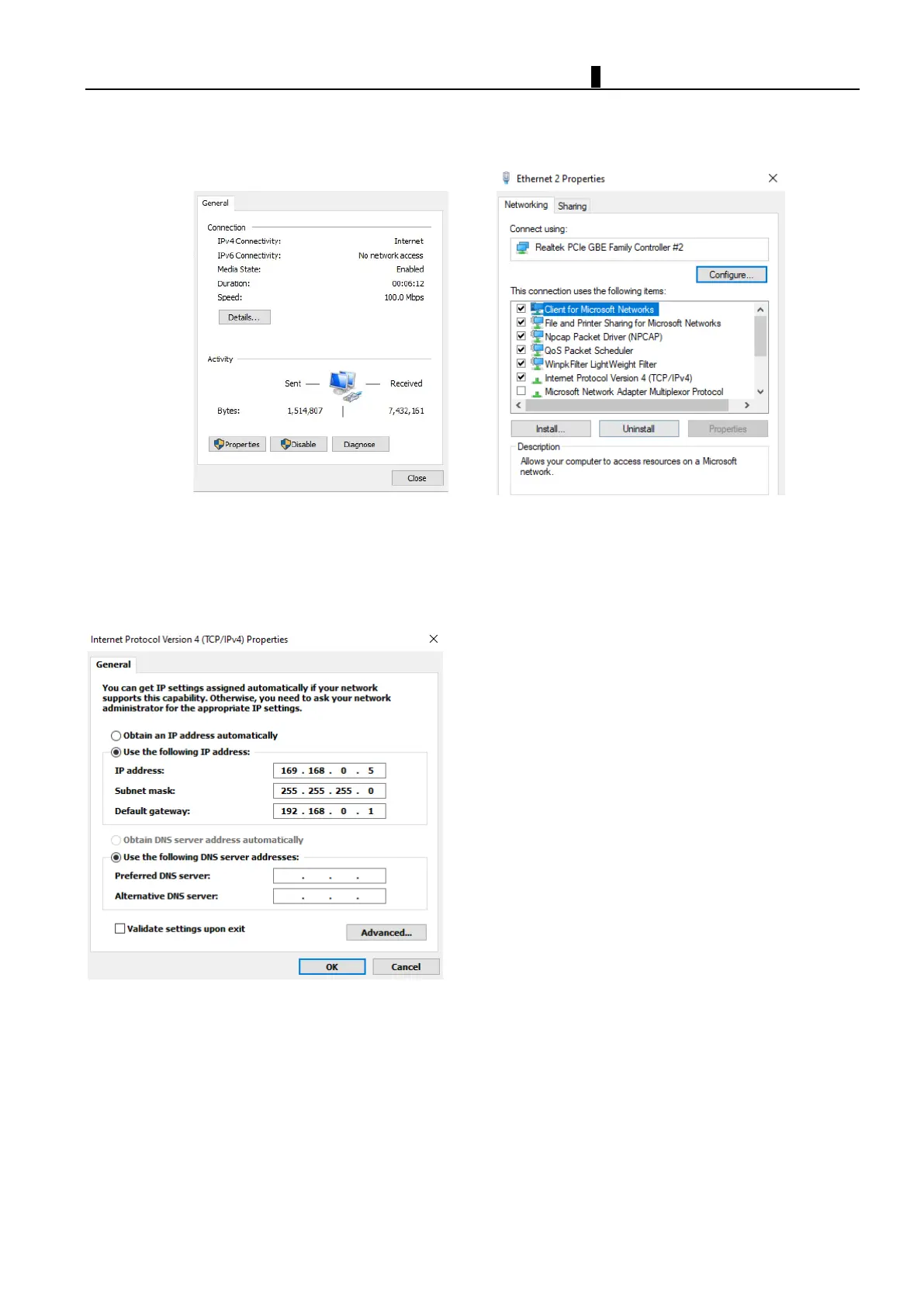
2. Set IP address on PC
Click “Properties” to select your Internet protocol version
Set IP address, subnet net, gateway address
Fo
r example:
PC setup:
IP address:192.168.0.5
Subnet mask: 255.255.255.0
Default gateway address:192.168.0.1



 To Next Page