Chapter 10 External memory 6
Read Setup Document
iSmart blind type models(B Type) can set the configuration through read XXX.ini document.:
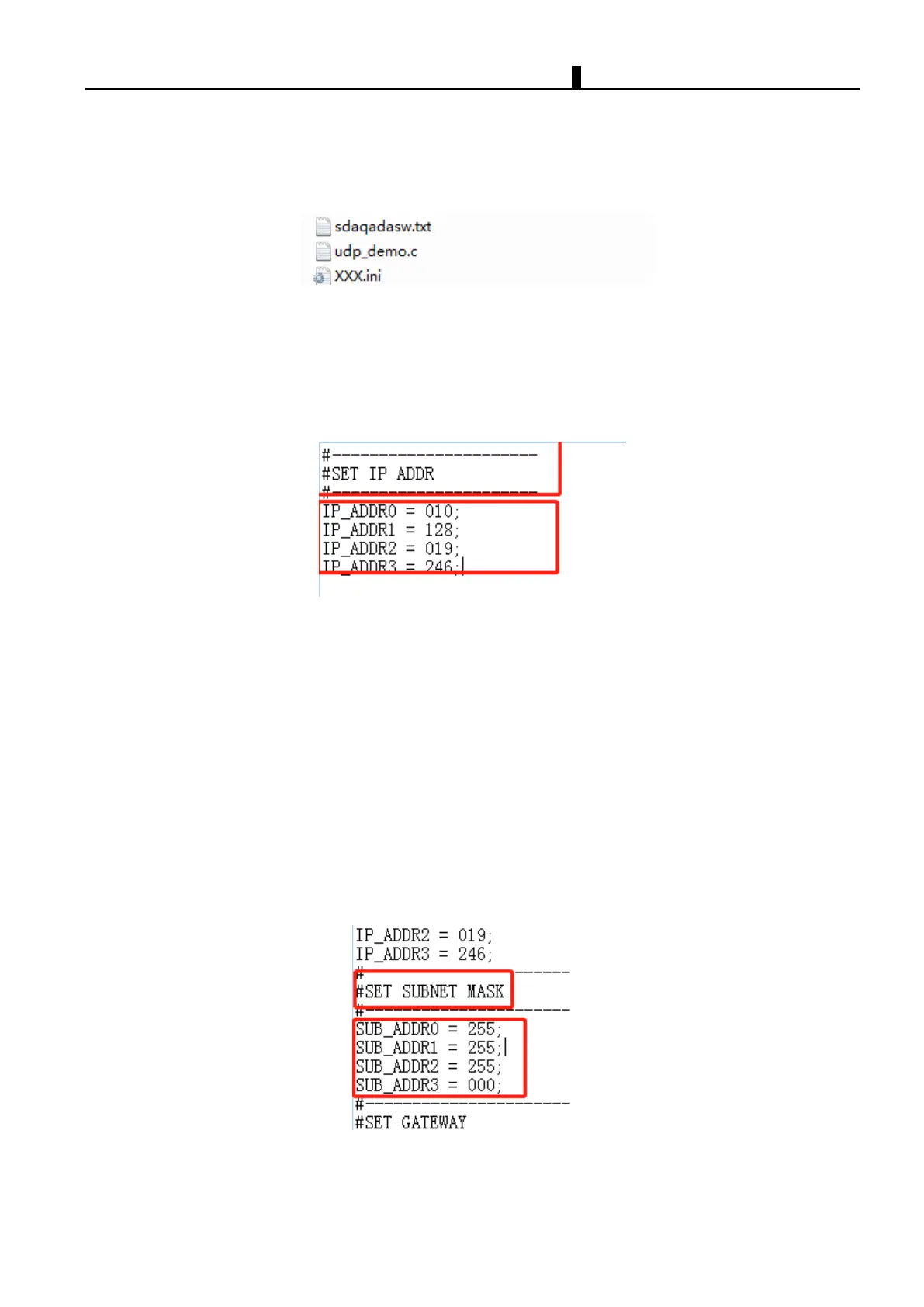
XXX.ini document can be used to set iSmart configuration, it's stored under sub-menu of SD card.(User will get
"error" on display when move the document out of original location or re-write file name.)
When iSmart changes the status from STOP to RUN, it will read the content from setup document and re-write
the data for target register.
Instruction of setup document
:
Set Default IP ADDRESS
SMT blind type models(B Type) have no keypad , iSmart Provide a way that using SD card to set Default IP ADDRESS;
Open “XXX.ini” file under root directory of SD card;Edit according to these rules。
RULES:
1. The values should be put between "=" and " ; " symbols.
2. The contents after "//" symbol are note, the contents will not be read.
3. IF you want to set “10,128,19,246”as IP address; Divide the string of numbers into four
fields:”010”、”128”、”019”、”246”. Then fill in the corresponding lines for each of these four sections as shown
above;
4. IF you fill in a number greater than 255, The corresponding field is automatically set to 255;
5. Insert SD card ;when SMT change mode form “STOP ” to “RUN”,IP ADDRESS will be set automatically.
Set Default SUBNET MASK
SMT blind type models(B Type) have no keypad , iSmart Provide a way that using SD card to set Default SUBNET
MASK;
Open “XXX.ini” file under root directory of SD card with Notepad。Edit according to these rules。
RULES:
1. The values should be put between "=" and " ; " symbols.
2. The contents after "//" symbol are note, the contents will not be read.



 To Next Page