Chapter 10 External memory 4
Data Record And Output (Log function)
1、Edit data record
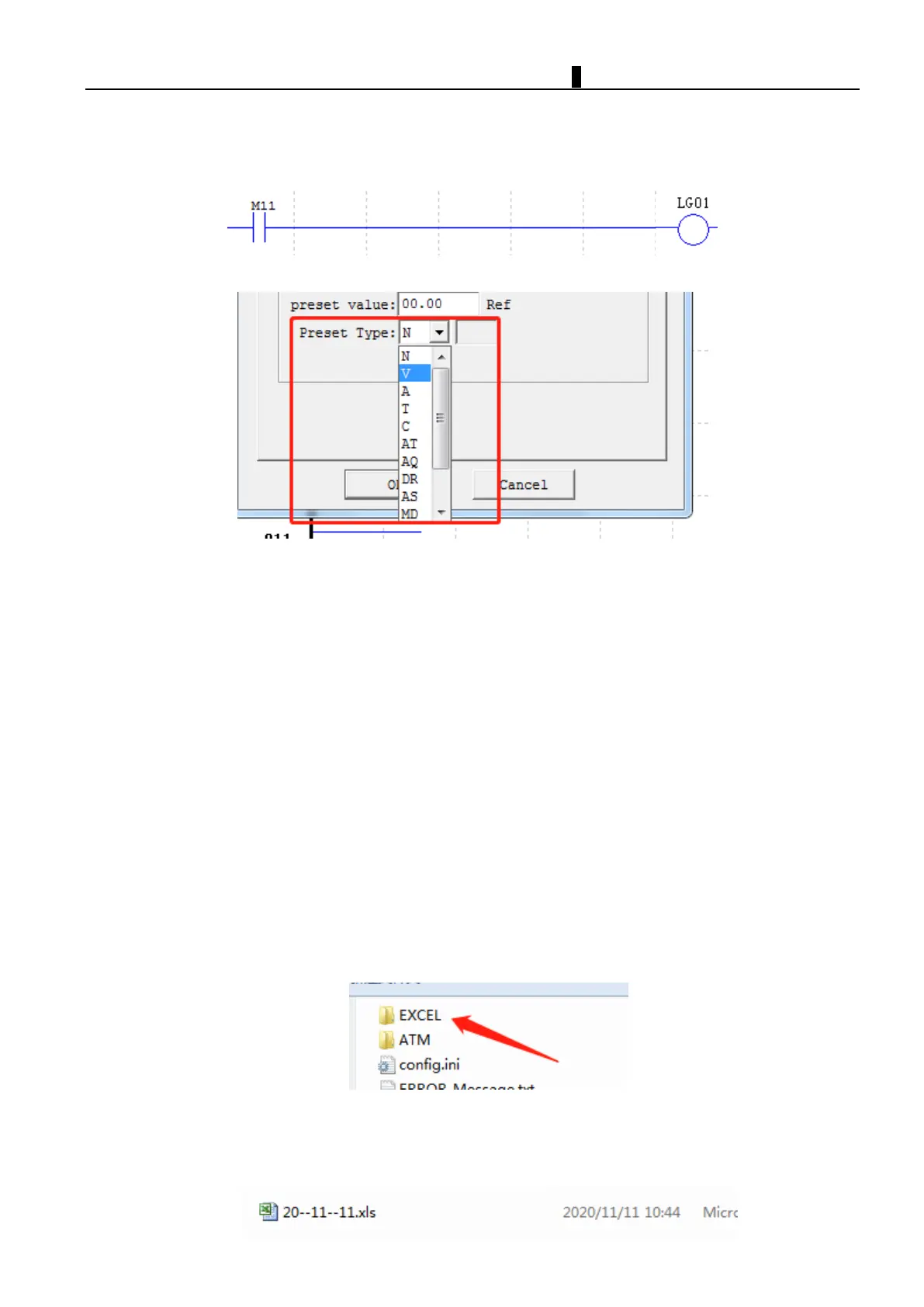
Edit data record function as following photo:
For example, these types can be set to target register of data record function.The value in per-set value target
register could be stored in iSmart or micro SD card once M11 coil enabled.
If micro SD card already put into slot, the data record will write into SD card directly; if iSmart did not put SD
card in slot, iSmart provides 1K space to store the data.(SMT can store 50 data records, new data record will be
overwritten from first data once record space is full)
Note :
To avoid data loss, please apply the enable signal to data recording function block not less than 500ms period, data
will be loss once enable signal period shorter than 500ms.
2
、Data Storage Location and Format
The new data will be stored after previous stored data, the maximum capacity of SD card is 20 thousand lines, the
real store capacity should be based on SD card.
A. When using the data logging function for the first time, iSmart will generate a folder named EXCEL in the root
directory of the memory card. The EXCEL folder is used to store the recorded data files。
B. The iSmart data recording file is named according to the current date (year-month-day).For new data entries
recorded on the same day, it will be stored after previous data in same file. The size of the data record is limited by
remaining space.



 To Next Page