Chapter 11: Ethernet function Instruction 2
summary
iSmart series products support Ethernet communication function. Users can use the Ethernet function to achieve
the following operations:
Read ,Write, and monitor user program
Expand device and configure network IO module
Network server
Device program upgrade
connect
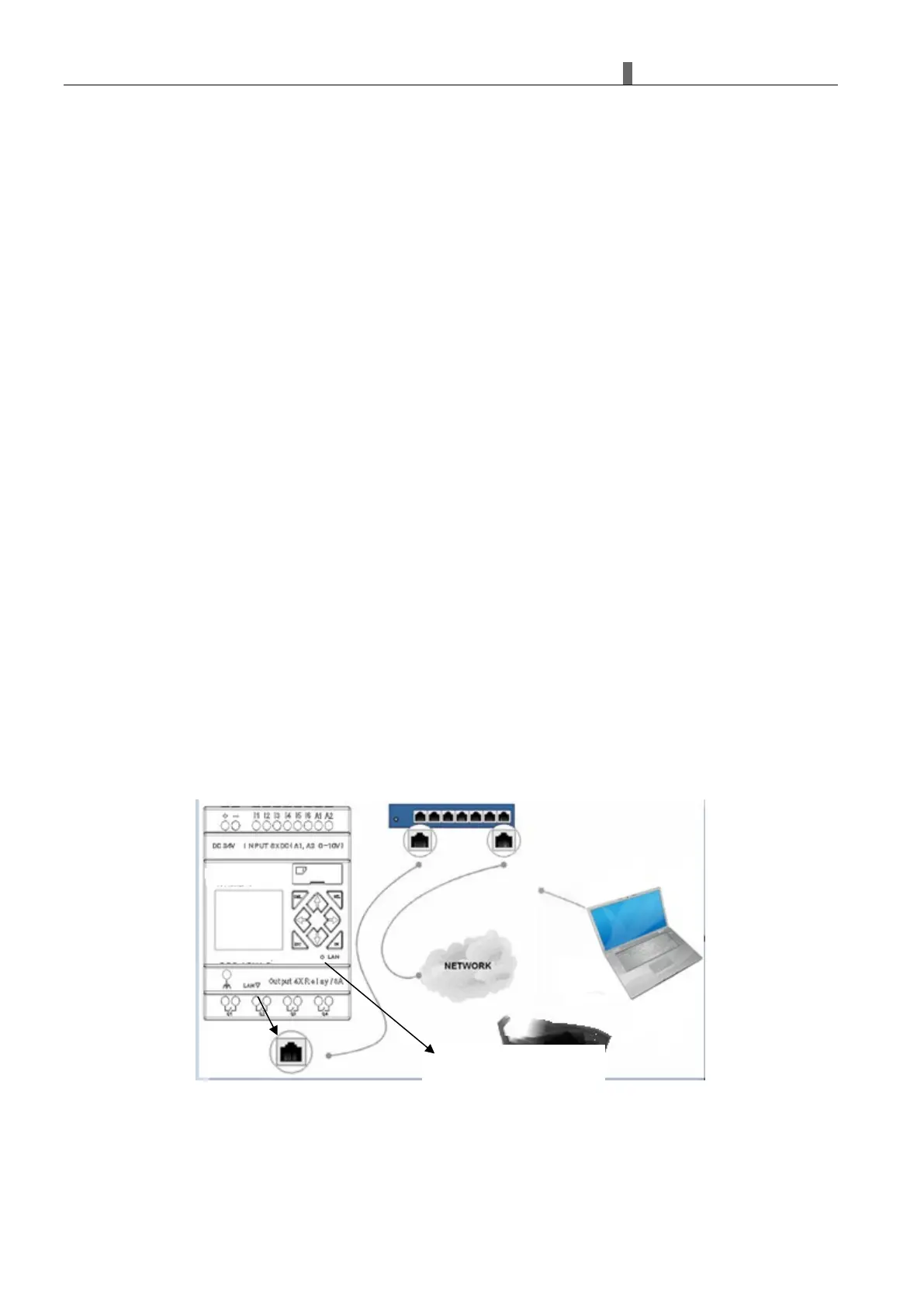
iSmart has an Ethernet connector and an Ethernet status LED.
You can connect the equipment to PC, router, or switch with Ethernet connections.
The network status LED:
When the network is disconnected, the LED is off;
When the network connection is normal, the green LED is always on;
When there is data transmission, the LED flashes.
Ethernet connections:
iSmart supports multiple devices to realize network expansion connection through routers or switches. An
expansion network can only have one master device and can expand up to eight slave devices.



 To Next Page