Chapter 5 Relay Ladder Logic Programming 105
-
9BHMI Display Instructions
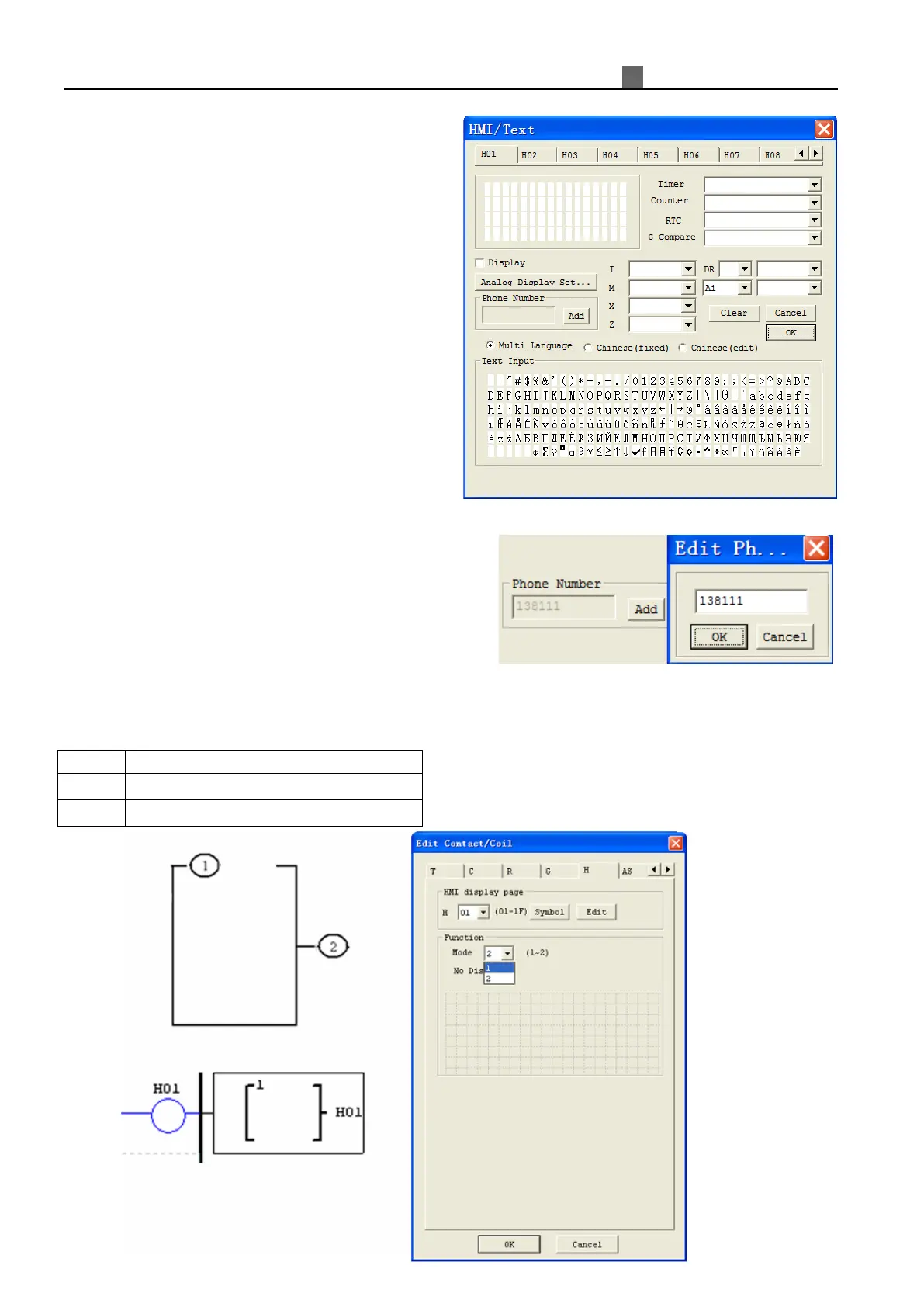
The iSmart smart relay includes 31 HMI instructions
that can be used throughout a program. Each HMI instruction
can be configured to display information on the iSmart 16×4
character LCD in text, numeric, or bit format for items such
as current value and preset value for functions, Input/Output
bit status, and text. There are three kinds of text in HMI,
Multi Language, Chinese (fixed) and Chinese (edit). Each
HMI instruction can be configured separately using the
Edit>>HMI/Text menu selection from the SMT Client
software.
Allows the SEL button on the iSmart keypad to activate
the selected message onto the LCD even the Hxx is inactive.
※More information about HMI/TEXT to see:
Chapter 3: Program Tools—Ladder Logic Programming Environment —HMI/TEXT.
H01~H14 can display the setting telephone number and
send alarm message to the setting number by GSM module.
Each HMI instruction has a choice of 2 operation modes. The table below describes each configuration
parameter.
①
②
HMI character output terminal (H01~H1F)



 To Next Page